
Export formats
Download as PDF, video, or images
Boords offers several export formats to help you share storyboards and scripts with clients, collaborate with production teams, and integrate with your existing workflows.
Accessing exports
You can export your storyboard by clicking the Download button (the download arrow) in the storyboard header. This opens a menu with all available export options.
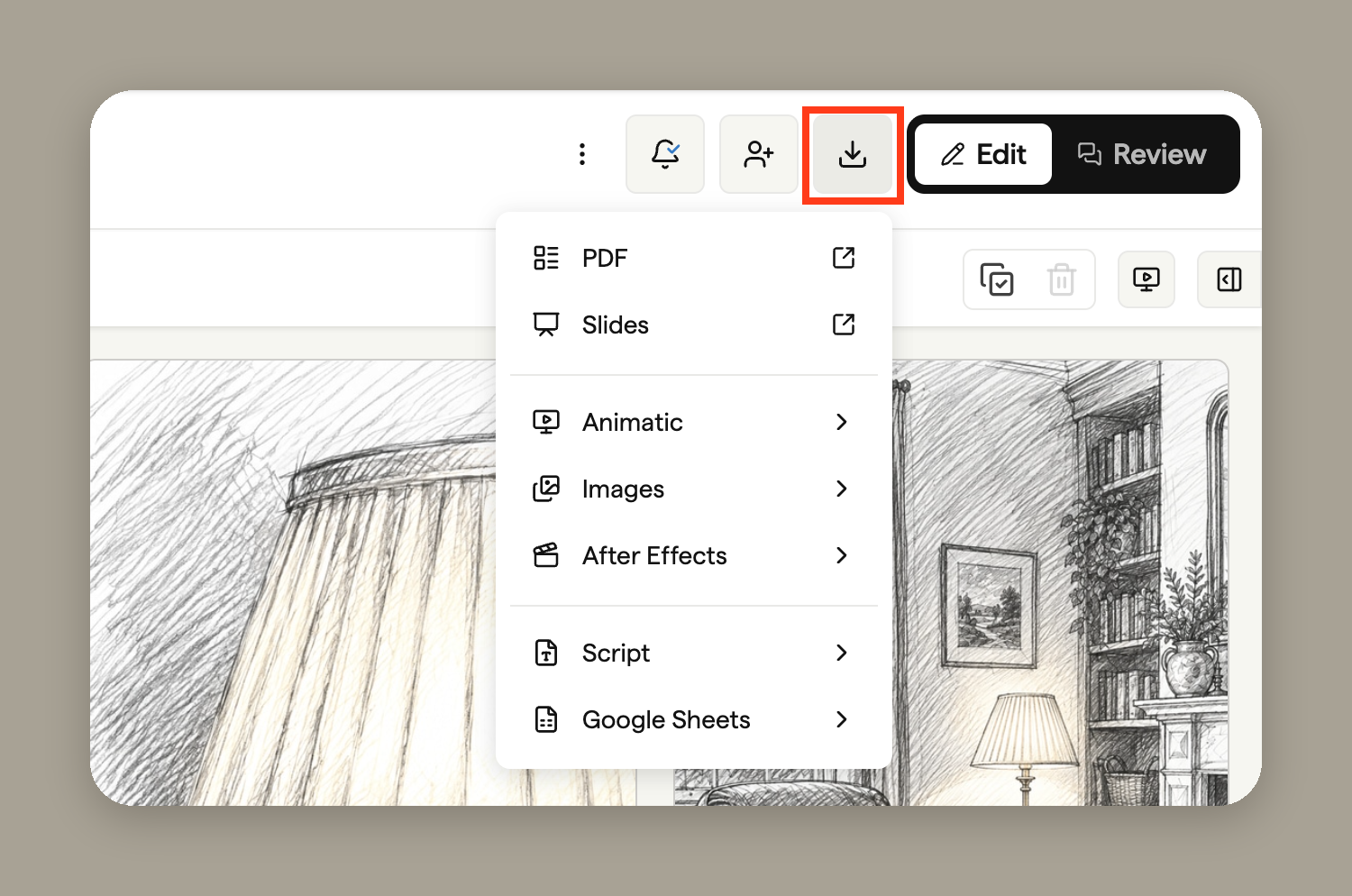
PDF is the most popular export format for client presentations and internal reviews. Boords generates professional, print-ready PDFs with customisable covers, layouts, and styling options.
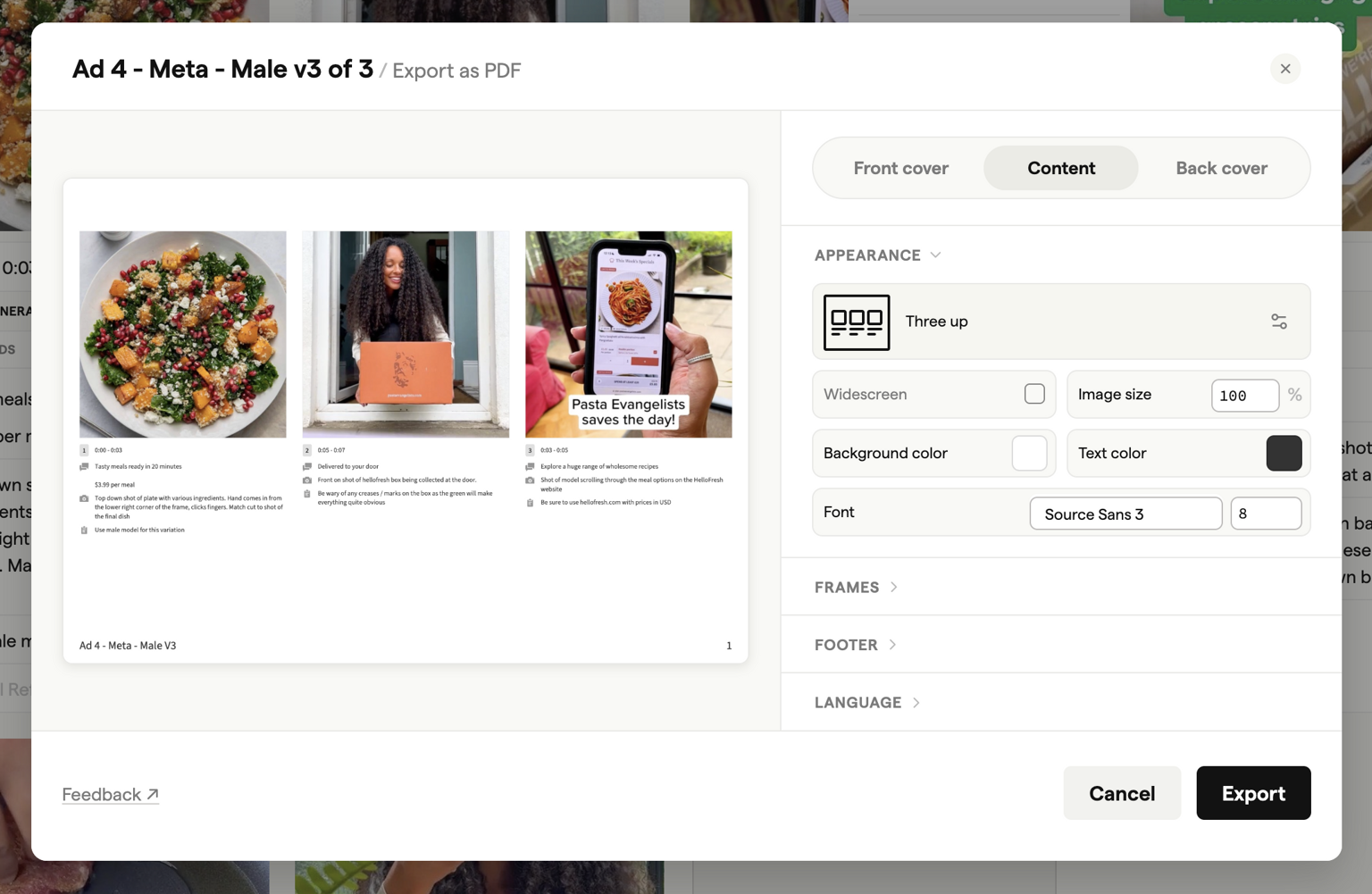
Key features include:
- Custom covers — Add branded front and back covers to your storyboard
- Multiple layouts — Choose between list, portrait, or widescreen layouts
- Paper sizes — Export in A4, A4 Portrait, or Widescreen formats
- Font options — Select fonts with support for multiple character sets
- Image sizing — Control how frame images appear on each page
For full details on PDF export options, see PDF exports.
Word document
Export your storyboard script as a Word document (.docx) for easy editing and sharing with writers, directors, or clients who prefer working in Microsoft Word.
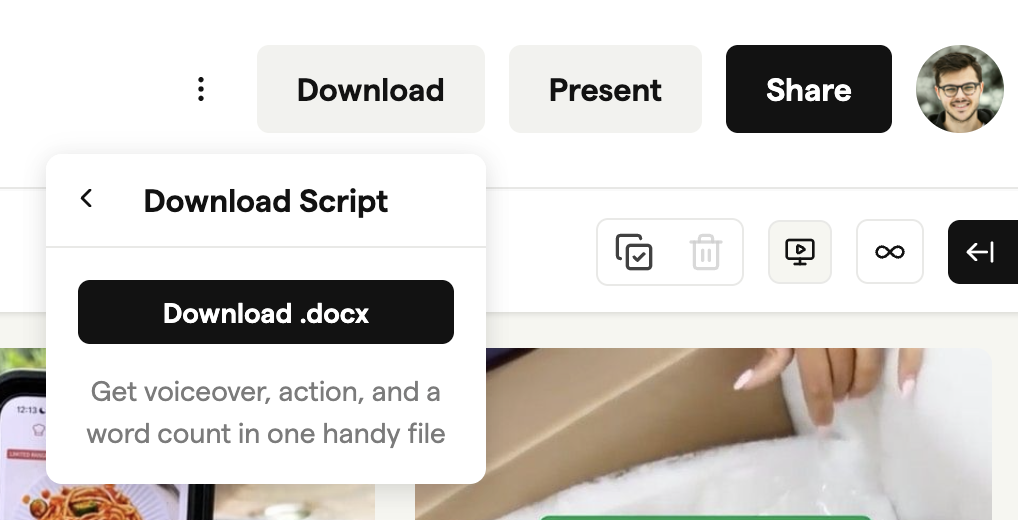
The Word export includes:
- Voiceover and dialogue text
- Action descriptions
- Scene headings and frame labels
- Word count for each frame
This format is particularly useful when you need to share scripts with voiceover artists or get sign-off on dialogue from clients before moving into production.
Spreadsheet
Export your storyboard as an Excel-compatible spreadsheet (.xlsx) that works with Google Sheets, Microsoft Excel, and other spreadsheet applications.
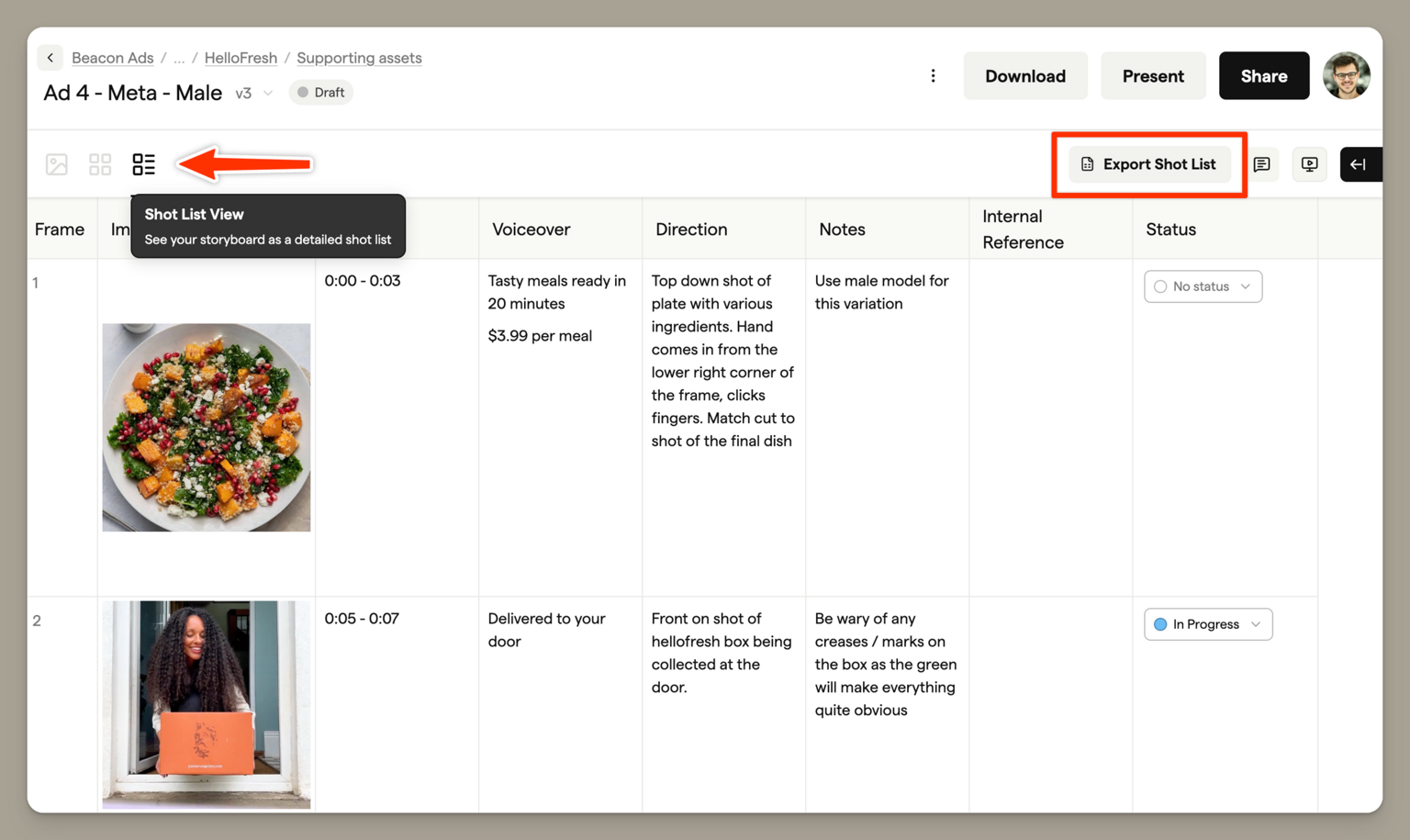
You can choose to include:
- Frame images — Embed thumbnail images directly in the spreadsheet
- Comments — Include all frame comments for reference
The spreadsheet format is ideal for production planning, shot tracking, and sharing detailed breakdowns with your production team. Many studios use this format to create shooting schedules or track progress across departments.
Images
Download all your frame images as a ZIP archive. Each frame is exported as an individual image file and sent to your email address.
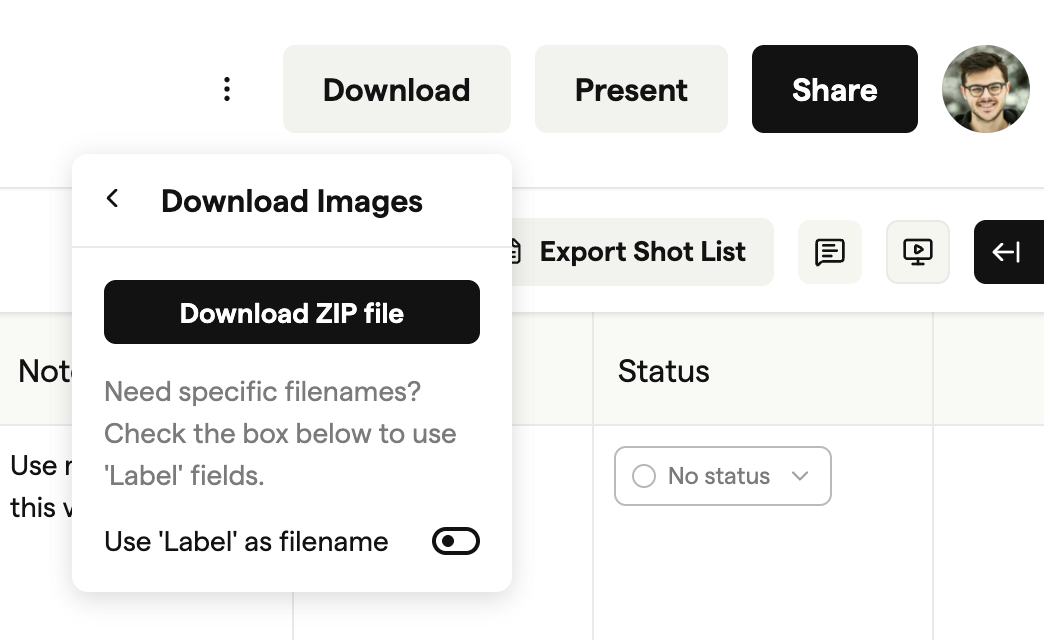
Because image exports can be large, Boords processes them in the background and emails you a download link when your ZIP file is ready. You can customise filenames to use frame labels, making it easy to organise and reference images in other applications.
This export is useful when you need to:
- Import frames into editing software
- Share individual shots with specific team members
- Archive storyboard assets
Animatic
Export your storyboard as an MP4 video with frame timing, transitions, and audio. The animatic is generated automatically based on your timeline settings.
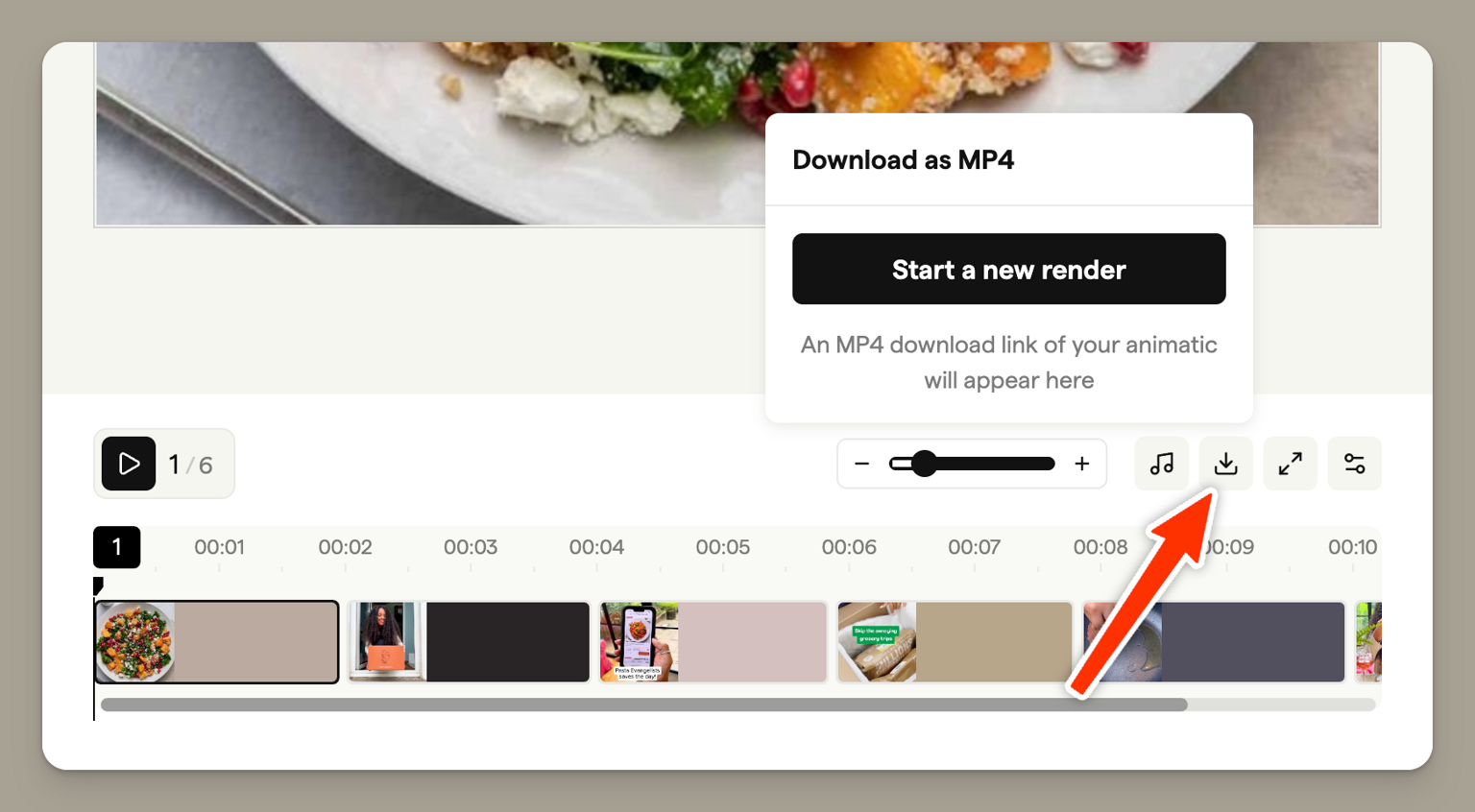
The animatic export includes:
- Frame timing based on your timeline
- Any voiceover or audio tracks you've added
- Subtitle support
Animatics are processed in the background — you'll receive an email notification when your video is ready to download. This format is perfect for presenting timing and pacing to clients, or for sharing early-stage previews with your production team.
Slides (PowerPoint)
Choose Slides to export your storyboard as a widescreen slide deck. There are two formats:
- PowerPoint downloads an editable
.pptxdeck that opens in PowerPoint, Keynote and Google Slides. Frame text becomes real text boxes, keeping bold, italic, colour, links and lists, and images are embedded at full resolution. - Images downloads a ZIP with one image per slide, ready to drop into any presentation tool.
Pick a layout, then set the appearance and footer, and click Export PowerPoint or Export images. When the export is ready, click the download button in the window that appears (Download PowerPoint for a deck). For step-by-step import instructions, see how to use Boords with Google Slides. During a trial, Slides exports images only. Upgrade to export an editable PowerPoint deck.
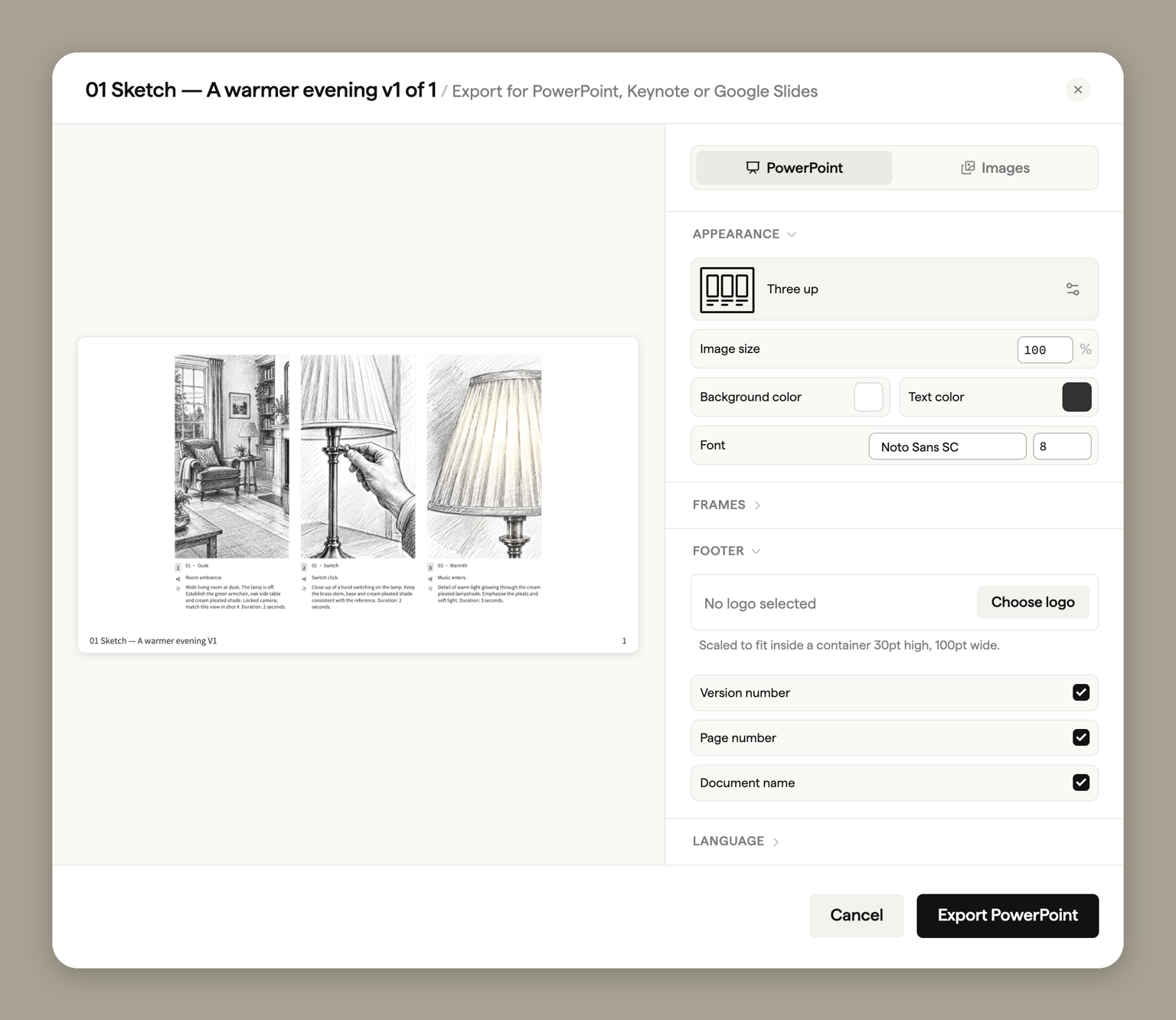
This format is useful when you need to incorporate your storyboard into a larger presentation, such as a client pitch deck or creative brief.
Script exports
Scripts have their own Export menu in the script header, with four formats: PDF (a typeset document with searchable text, working links, and AV columns intact, in A4 or US Letter with an optional statistics page), Word (.docx), Markdown (.md), and plain text (.txt). Files are named after the script and version.
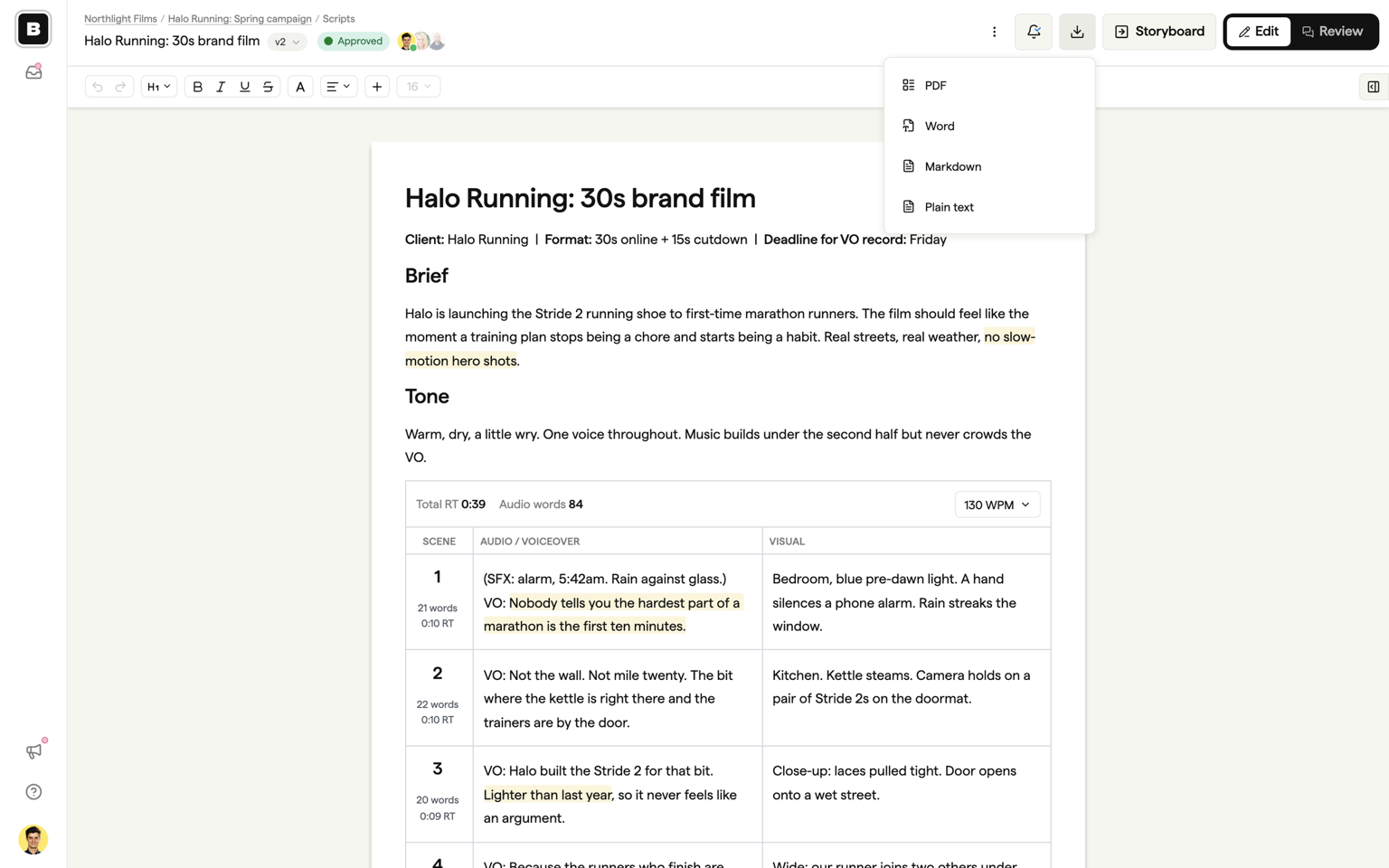
For full details, see Versions and exports.
Export formats at a glance
Storyboards
| Format | File type | Best for |
|---|---|---|
| Client presentations, print-ready documents | ||
| Word | .docx | Script sharing, voiceover briefs |
| Spreadsheet | .xlsx | Production planning, shot tracking |
| Images | .zip | Importing into editing software, archiving |
| Animatic | .mp4 | Timing previews, client reviews |
| Slides | .pptx or .zip | Editable pitch decks, creative briefs |
Scripts
| Format | File type | Best for |
|---|---|---|
| Client sign-off, VO record sessions, printing | ||
| Word | .docx | Editing in Word, sharing with writers |
| Markdown | .md | Pasting into other tools |
| Plain text | .txt | The words only, anywhere |
See Versions and exports for script export details and plan availability.