
Versions and exports
Review rounds as versions, plus PDF, Word, Markdown, and plain text exports
Review rounds are versions of the same script rather than new files, and when you need the script outside Boords you can export it as PDF, Word, Markdown, or plain text.
A round is a version, not a new filename
When a round of feedback comes in and you want to keep the previous draft intact, create a new version. Click the version pill next to the script title (it reads v1, v2, and so on) and choose New Version.
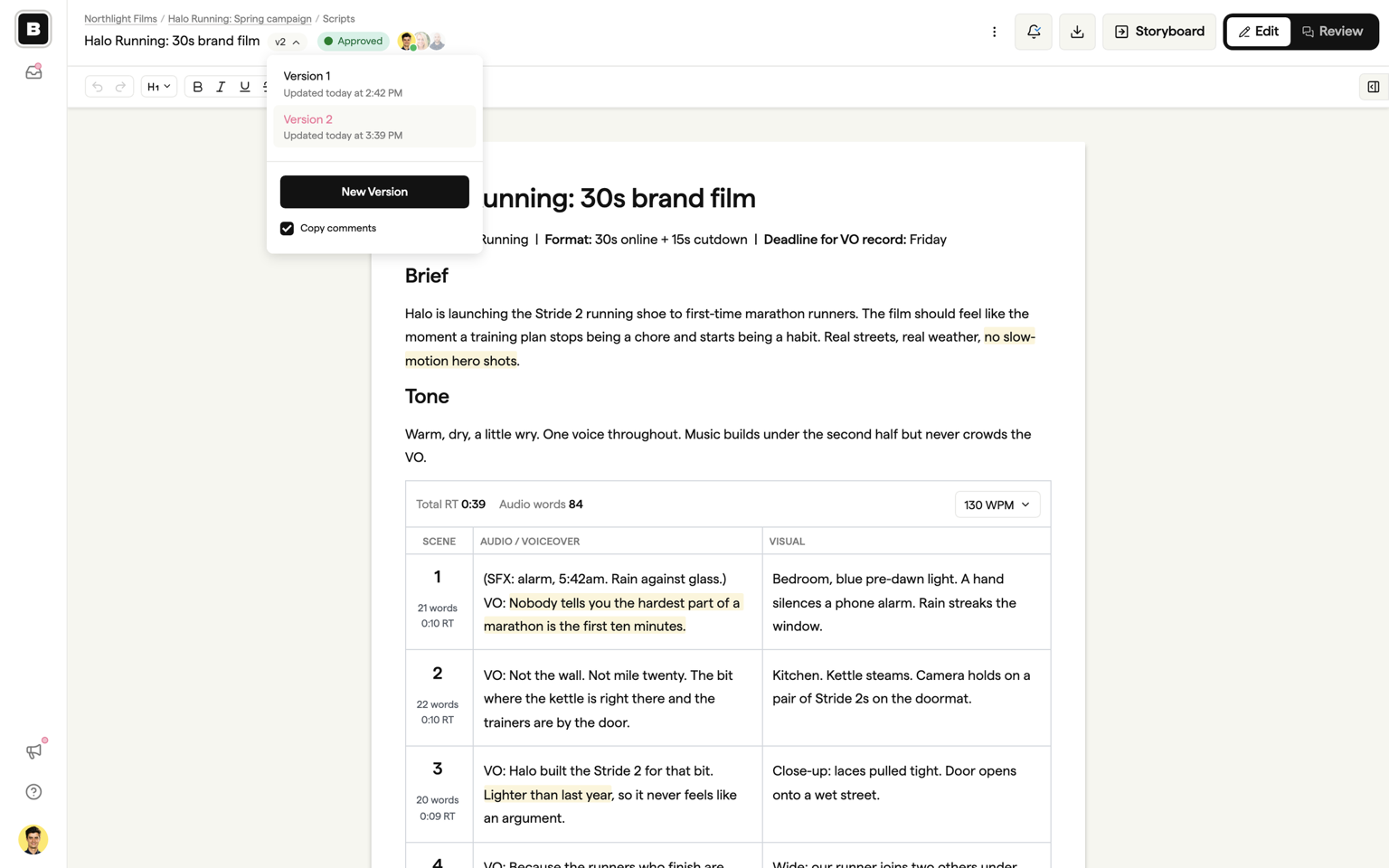
The new version is a full copy of the document. By default, Copy comments is ticked, so every comment thread comes across still anchored to the right lines and a new round does not throw away the last one. Untick it if you want the new version to start with a clean comments panel.
The review link keeps pointing at the newest version automatically, so clients do not need a new link for each round. See Review and sign-off for how the link behaves.
Creating new versions is available on paid plans. See pricing for details.
What each version keeps, and what is shared
Each version keeps its own status and its own content. That is what makes the sign-off record work: v1 can stay Approved while v2 is In progress. A new version starts at Draft.
The title, passphrase, and all of the script settings are shared across every version. Change any of them on one version and it applies to all of them.
Switching and deleting versions
Every earlier version stays readable. Open the version pill and pick any version to switch to it. In Review, guests can only switch versions if you have turned on Allow guest version switching in the script settings.
Any version can be deleted as long as the script has more than one, including the one you are looking at. Version numbers are positions, so if you delete v2 of three versions the old v3 becomes v2. Links to remaining versions keep working.
Version vs duplicate
A new version continues the same script: same review link, same settings, shared history, and it does not use another active script slot.
Duplicate (from the dashboard card menu or the ⋮ menu in the editor) creates a completely independent script from the current version only. It gets its own review link and its own history, and it counts as a new active script towards your plan limit. Use duplicate when you want to start a genuinely separate script from an existing one, and a new version for the next round of the same script.
Exports
Open the Export menu (the download icon in the header) to download the script in one of four formats:
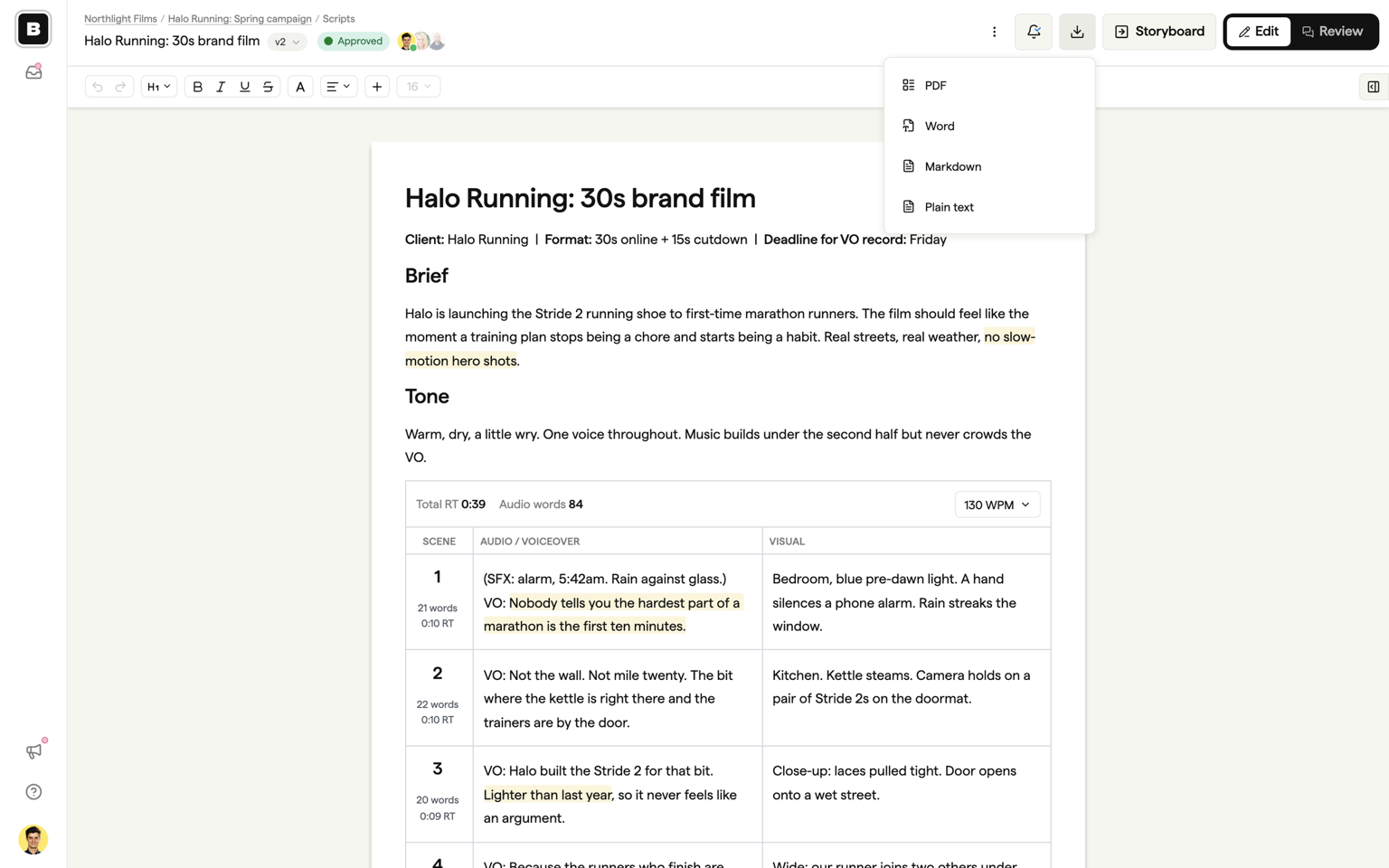
- PDF: a typeset document with searchable text, working links, and tables and AV columns preserved. Choosing PDF opens a preview where you pick A4 or US Letter and decide whether to include statistics, which adds word count, reading time, and total voiceover runtime to the first page. Every PDF includes the script title, version, export date, and page numbers.
- Word (.docx): rich text with headings, formatting, images, tables, and AV blocks intact, so an AV script keeps its two-column layout in Word.
- Markdown (.md): plain Markdown for pasting into other tools.
- Plain text (.txt): the words only.
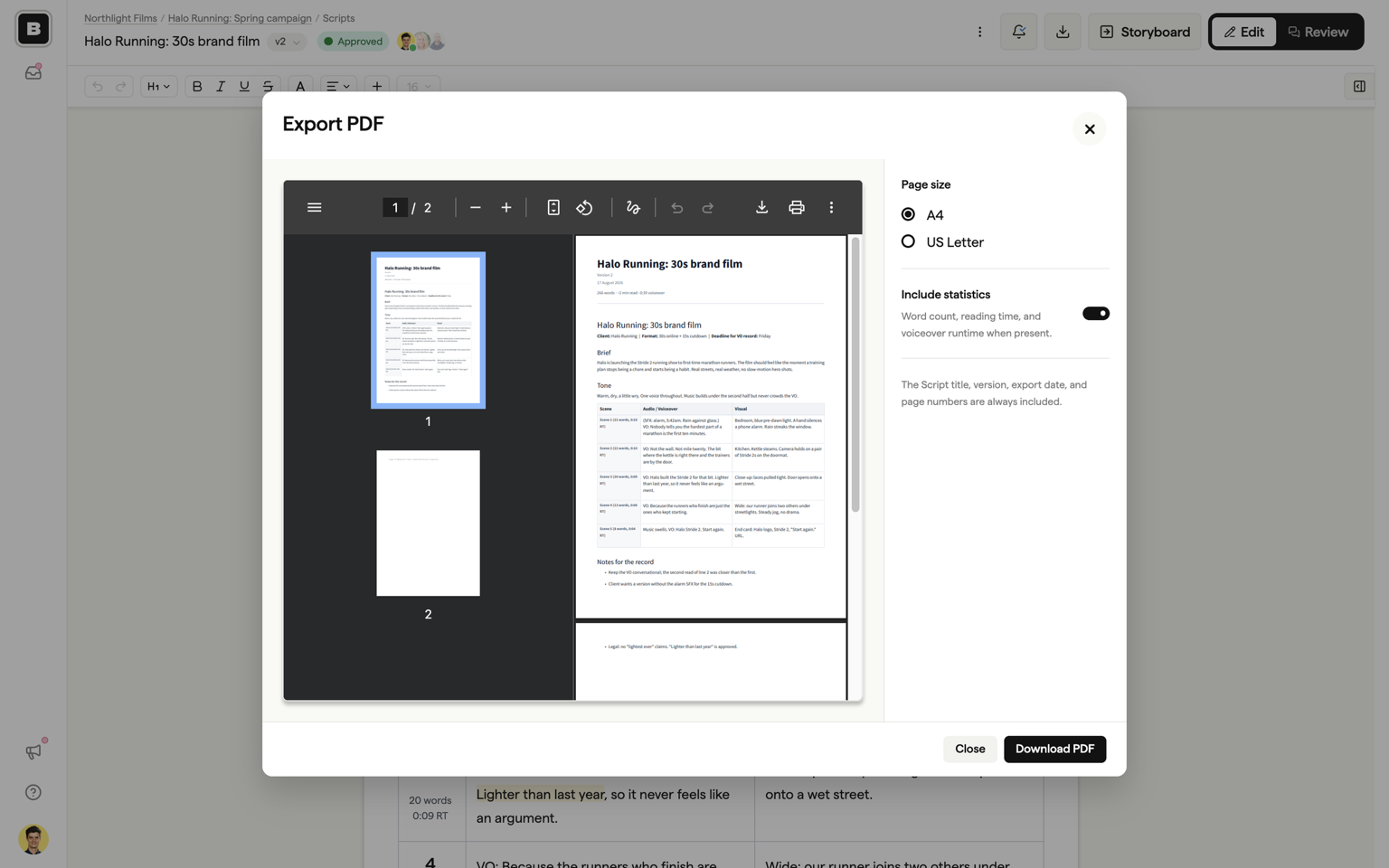
Files are named after the script and version, for example Halo Running 30s brand film_v2.pdf, so a folder of exports sorts itself.
Exports capture what is in the editor at the moment you click, including edits that have not finished syncing, so you never download a stale copy.
PDF export is available on every plan. On Free, PDFs carry a Boords watermark. Word, Markdown, and plain text exports, and clean PDFs, are available on paid plans. See pricing for details.
Guests and downloads
By default, guests on the review link cannot download the script. Turn on Allow guests to download in the script settings to show them the Export menu in Review. Guests get the same formats your plan allows.
FAQ
They come with you. Creating a version copies the comment threads across by default, still anchored to the right lines, so a new round does not throw away the last one. Untick Copy comments when you create the version if you would rather start clean. Each version keeps its own status, and the activity trail records who did what and when across all of them.
PDF, Word (.docx), Markdown, and plain text. The PDF export is a real typeset document rather than a screenshot: searchable text, working links, tables and AV columns preserved, and an optional statistics page with word count, reading time, and total voiceover runtime. PDF is available on every plan (with a watermark on Free); Word, Markdown, and plain text are part of paid plans.