
Wonder Unit's Storyboarder is a free, open-source desktop app for artists who draw their own boards. Boords is built for teams making video for clients: script to storyboard and animatic, one share link for client comments, and a record of every version until the board is approved.
Storyboard software for video agencies & brand teams
One workspace for storyboards, animatics, comments, and approvals. Spend time on the creative, not the back-and-forth.
| Feature | Boords | Wonder Unit Storyboarder |
|---|---|---|
| Free Access | ||
| Open Source | ||
| Where It Runs | Web browser | Desktop app for Mac, Windows and Linux |
| G2 User Rating | 4.7/5 from 27 reviews | Not Provided |
| Drawing Tools | ||
| Start From a Script | Yes (Fountain import) | |
| Animatics | ||
| AI Storyboard Generator | ||
| Shot Generator From a Text Description | ||
| Share Link for Client Review | ||
| Client Comments Without an Account | ||
| Approval Status on Each Board | ||
| Export Formats | PDF, PowerPoint, Word, Excel, MP4, image ZIP, After Effects, Premiere Pro and DaVinci Resolve (XML) | Premiere, Final Cut, Avid, PDF, animated GIF |
Is Boords or Wonder Unit right for me?
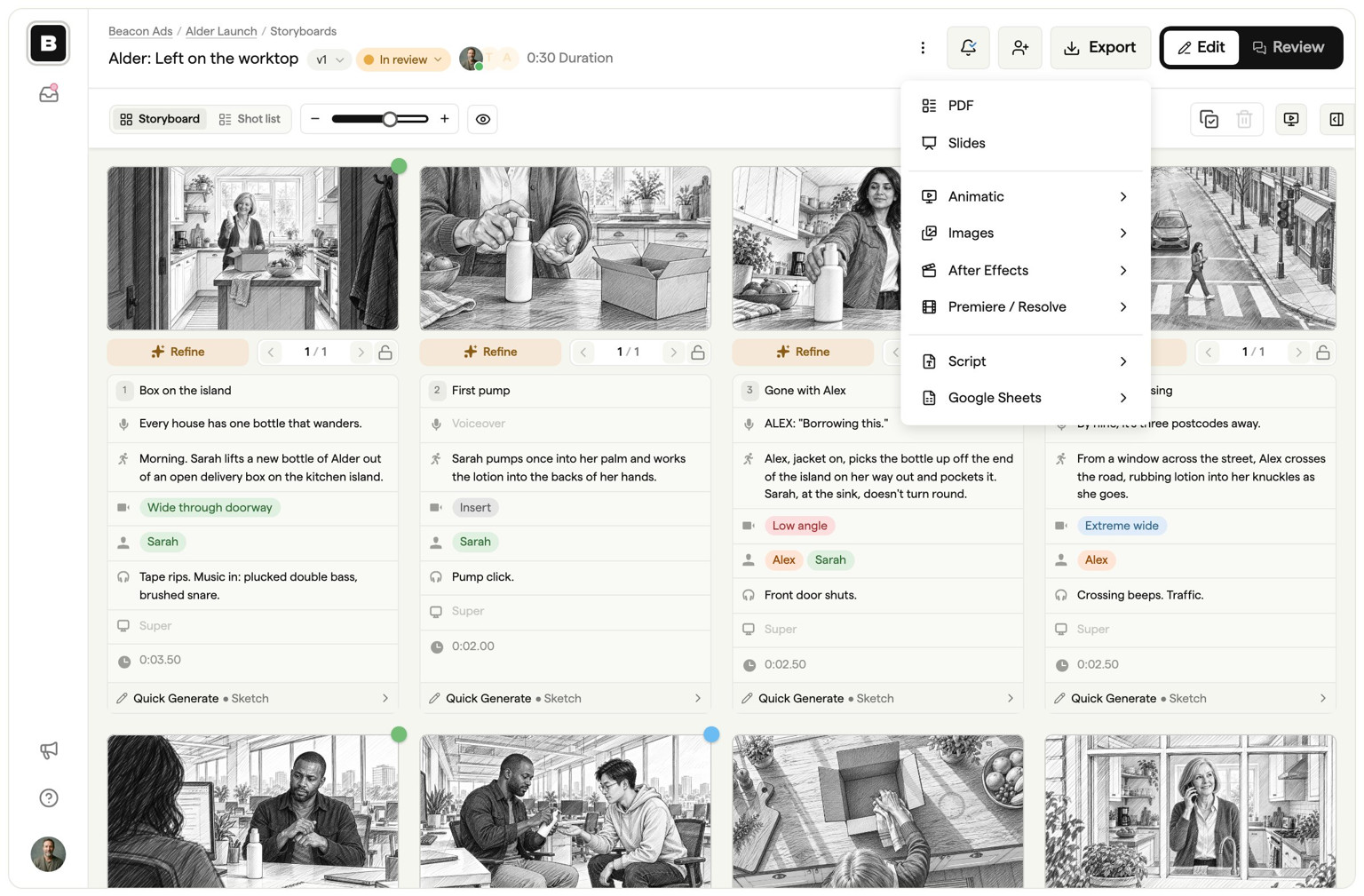
Choose Boords if your team makes video for clients and the board has to be reviewed and signed off. You build the storyboard from the script and share one link. Clients comment on individual frames without creating an account. Each round is saved as a version, and your team moves the board through review to Approved, so everyone can see which version was signed off.
Boords also covers the steps around the board: AI image generation for rough frames, animatics timed to the voiceover, shot lists from the board, and exports to PDF, PowerPoint, MP4, Premiere Pro and DaVinci Resolve.
Choose Storyboarder if you draw your own boards and want a free tool on your own computer. It does three things better than Boords:
- It's free and open source. There's no plan or seat to pay for, and the code is on GitHub if you want to change it.
- Drawing comes first. Pressure-sensitive pencils, pens and brushes, onion skin and a one-click round trip to Photoshop suit artists who sketch every frame. You can also draw on printed worksheets and import them with your phone.
- Shot Generator. Type a description of a shot and it builds a reference shot for you to draw over.
Storyboarder is a desktop app, so there's no share link for client review: you send a PDF, a GIF or an edit export and collect feedback somewhere else. Its latest release is version 3.0.0, from February 2021.
In short: Storyboarder suits an artist boarding on their own. Boords suits a team that needs the client to see, comment on and sign off the board before the shoot.
Boords vs. Wonder Unit: An In-Depth Comparison
AI-Powered Storyboard Generation
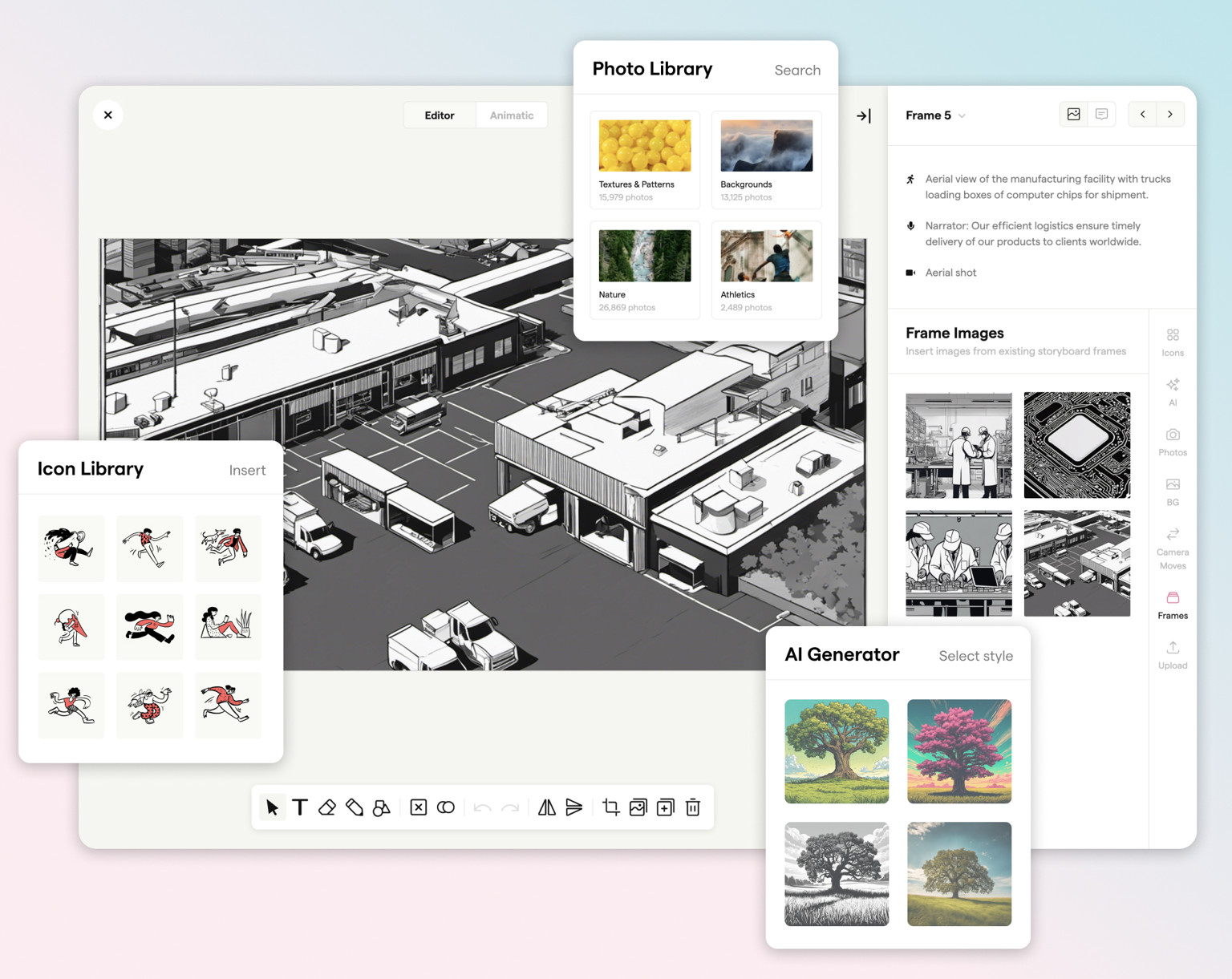
Boords generates frames from a text description, so you can rough out a board for the client before anyone draws it. You can then replace frames with sketches, stock images or final artwork as the idea firms up.
Storyboarder has no AI image generation. You draw each frame, import images, or use its Shot Generator to build a reference shot to draw over. That suits an artist who wants to draw, but takes longer when you need a first pass for a client by the end of the day.
Team Collaboration
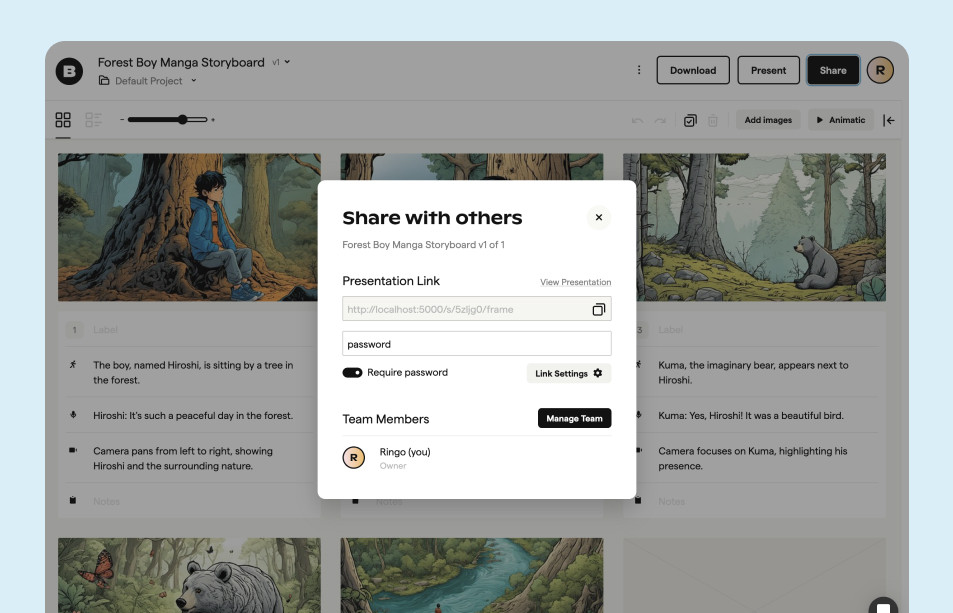
Boords is built around review. Your team works on the same storyboard in the browser, and clients open a share link and comment on individual frames without creating an account. Each round is kept as a version, so you can see what changed and which version was approved.
Storyboarder works on files on your own computer. To share a board you export a PDF, an animated GIF or an edit timeline, and feedback comes back by email or in another tool. There's no built-in way for a client to comment on a frame.
Multiple Export Formats
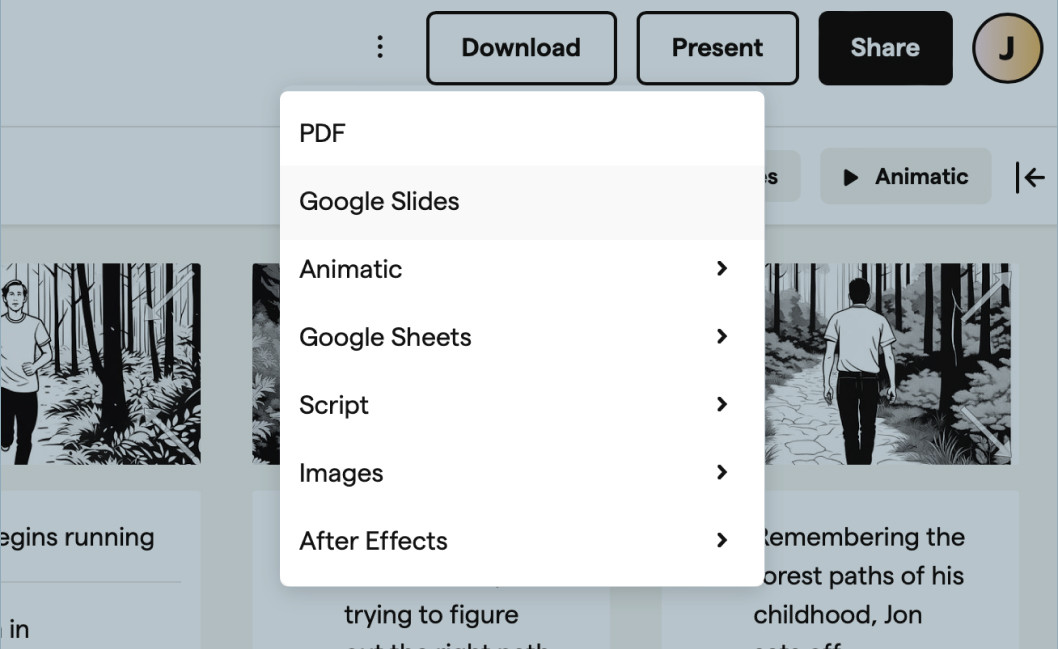
Once the board is approved, Boords hands it on in the format each team needs: a PDF or PowerPoint deck for the client, a spreadsheet shot list for the crew, an MP4 animatic, or a Premiere Pro, DaVinci Resolve or After Effects timeline with every frame at its approved timing, notes and sound. It also provides a shareable link, making it easy to share work with clients or team members.
Wonder Unit's Storyboarder also offers multiple export formats, including Premiere, Final Cut, Avid, PDF, and Animated GIF. However, it does not provide a shareable link for client review. For video teams who need client sign-off and the handoff to the edit in one place, Boords is the better choice.
Storyboard software for video agencies & brand teams
One workspace for storyboards, animatics, comments, and approvals. Spend time on the creative, not the back-and-forth.
If you're boarding on your own and want to draw every frame, Storyboarder is free and capable. If the board is going to a client for comments and sign-off, Boords keeps the script, frames, feedback and approved version in one place.
Sharper preproduction, less back-and-forth
Workflow tips and Boords product updates for video and brand teams, twice a week.
Storyboarding software built for studios & agencies
One workspace for storyboards, animatics, comments, and approvals. Spend time on the creative, not the back-and-forth.