Shot List Template: Free Download and Example

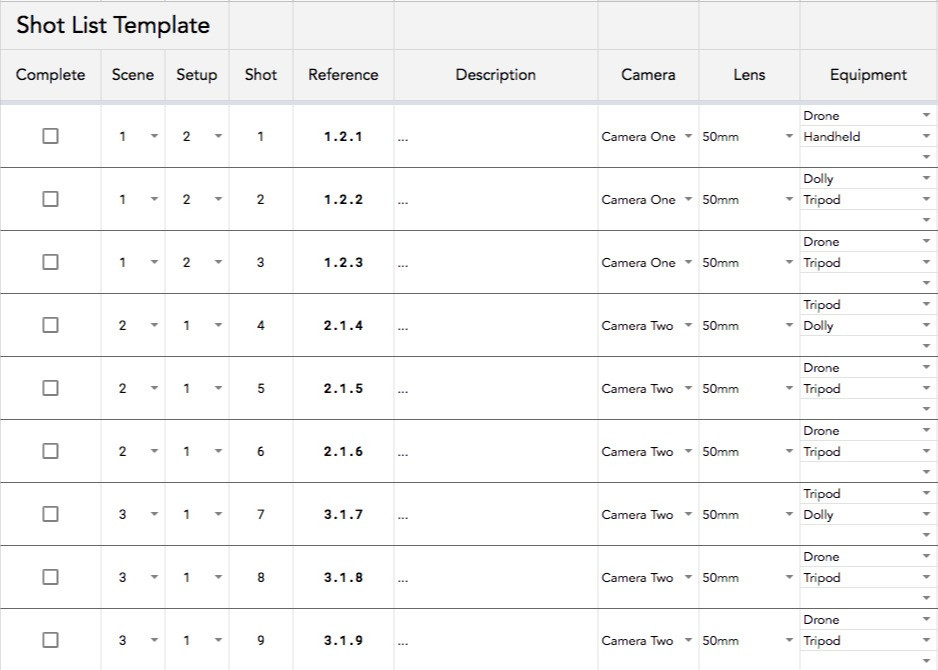
A shot list is a numbered table of every shot you plan to film, one row per shot, with the scene, shot size, angle, movement, lens and audio the crew needs on the day. Our free template opens in Google Sheets, downloads as an Excel file, and has 14 planning columns. Copy it below, or read the filled-in example first.
The template also has a tick box to mark each shot done and a reference code built from the scene, setup and shot numbers (1.2.1 is scene 1, setup 2, shot 1). If you plan in a storyboard first, you don't need to type the list from scratch: see make the shot list from your storyboard.
Google Sheets Shot List Template
Perfect for any film or video production, from short films and music videos to brand spots.
Shot list example
These are the first six shots of a 30-second product video for a coffee brand, as they'd go into the template. Some columns are left out here so the table fits; the template has all of them.
| Shot | Scene | Description | Shot size | Angle and movement | Lens | Audio |
|---|---|---|---|---|---|---|
| 1 | 1 | Kettle on the hob, steam rising, morning light from the window | WS | Eye level, static | 24mm | Room tone |
| 2 | 1 | Hand pours water over the coffee grounds | CU | High angle, static | 50mm | Pour sound effect |
| 3 | 1 | Grounds bloom in the filter | ECU | Overhead, slow push in | 100mm macro | MOS |
| 4 | 2 | Presenter lifts the mug and speaks to camera | MS | Eye level, static | 50mm | Lav, sync dialogue |
| 5 | 2 | Pack shot: bag of beans beside the mug | CU | Low angle, slider left to right | 85mm | MOS, voiceover in post |
| 6 | 2 | Empty table for the end card | WS | Eye level, static | 24mm | MOS |
Two things to notice. The shots are numbered in edit order, not shooting order: shots 1 and 6 share a wide setup and lens, so you'd shoot them back to back. And three shots are MOS (no sound recorded), so you can schedule them together and free up the sound recordist.
What goes in each column
| Column | What to write | Example |
|---|---|---|
| Scene | The scene number from the script. Leave it blank if the whole video is one scene. | 1 |
| Setup | A new number each time the camera or lighting moves. Group shots by setup when you schedule. | 2 |
| Shot | The shot number within the scene. Some crews restart it for each setup. | 1 |
| Description | The subject, the action and anything the camera must catch. | Hand pours water over the grounds |
| Camera | Which camera, if you're shooting with more than one. | Camera A |
| Lens | The focal length. | 50mm |
| Equipment | What's supporting the camera. | Tripod, slider, gimbal, drone |
| Cast | Who's in the shot. | Presenter |
| Movement | What the camera does, if it isn't static. | Pan, tilt, dolly, tracking, crane |
| Angle | Where the camera sits relative to the subject. | Eye level, high, low, overhead, Dutch |
| Shot size | How tight the framing is. | WS, MS, MCU, CU, ECU |
| Audio | How sound is captured, or MOS if it isn't. | Boom, lav, voiceover |
| Time est. | How long the setup takes, not the shot. It's what you build the day's schedule from. | 20 min |
| Best take | Filled in on the day so the editor can find the keeper. | Take 3 |
Shot sizes are usually abbreviated: wide shot (WS), very wide shot (VWS), mid shot (MS), medium close-up (MCU), close-up (CU) and extreme close-up (ECU). A scene might open on a wide establishing shot, cut to a mid shot of the subject, then a close-up of the action.
Why are shot lists important?
It's easy to get lost during a shoot, even with a small crew. With several locations, multiple actors and a large crew, it only gets more complicated. A shot list keeps everyone working from the same plan.
Before filming, it lets the director check that every shot and angle is accounted for, and gives the first assistant director what they need to build the shooting schedule. During filming, it works as a cheat sheet for the director, the director of photography and the crew, so each department knows what's next.
If a crew member falls ill or has to leave, the shot list lets the rest of the team carry on without losing the plan.
When to create a shot list
Create your shot list after the script is finished, at the same time as creating your storyboard. The shot list helps you organise the cast, crew, equipment and locations the shoot needs. (You'll need a few other documents too, like a call sheet, and most of them start from the shot list.)
During filming, add notes for your editor: which takes to use, comments, and card or clip numbers. Adding the clip number or timecode for the best take speeds up the edit a lot.
Organise your shots by location and setup. Grouping similar shots means you can shoot them together, even if that isn't the order they appear in the edit. That's fine.
Make the shot list from your storyboard
On agency and brand work, the storyboard is usually what the client signs off. If the shot list is then typed up separately, a frame the client changed late can reach the shoot in one document and not the other. Building the list from the approved board avoids that.
In Boords, every storyboard has a shot list view: the same frames as a table, one row per frame.
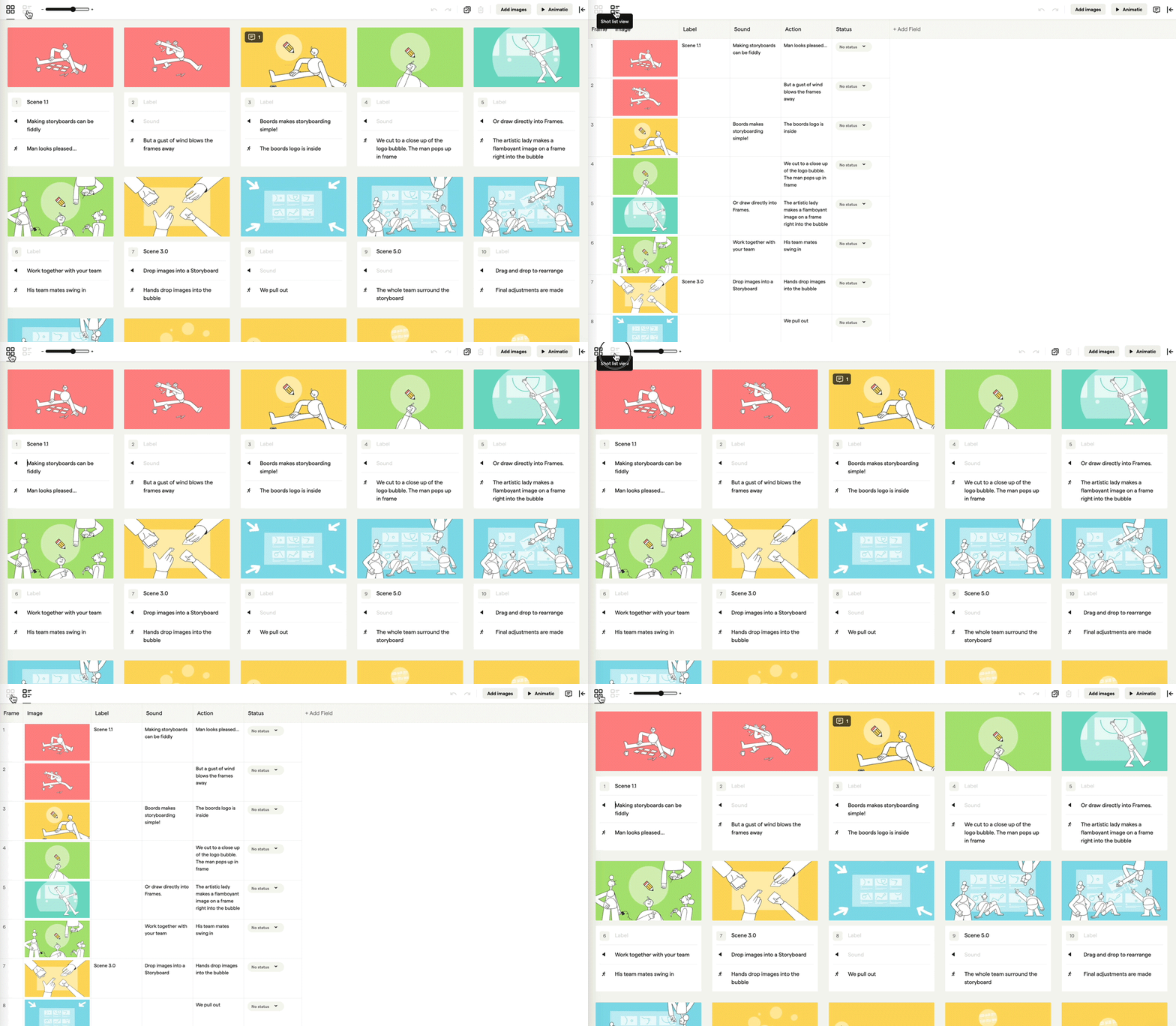 Toggling between storyboard and shot list in Boords
In the shot list view, Export Shot List downloads an Excel file that also opens in Google Sheets. Each row is a frame, with its number, its image, a column for each of the board's text fields and its status. The worksheet is named after the storyboard and its version number, so the crew can see which version of the board the list came from.
Get the board approved before you export. Our storyboard approval checklist covers what the client should sign off first, and shot list software shows the rest of the handoff.
Frequently asked questions
What should a shot list include?
At minimum: a shot number, the scene, a one-line description, the shot size, the camera angle and any camera movement. Most crews add the lens, audio, equipment, cast and a setup time estimate. Our template has all of these, plus a best-take column for the editor.
What is the difference between a shot list and a storyboard?
A storyboard shows what each shot looks like, as a sequence of frames. A shot list says how to capture each shot, as a table the crew works through on the day. Most productions use both: the storyboard to agree the visuals, the shot list to run the shoot.
Who makes the shot list?
The director, usually with the director of photography. The first assistant director then uses it to build the shooting schedule. On a small brand or agency shoot, the director or producer often writes it alone.
How do I make a shot list in Google Sheets?
Copy our template (File, then Make a copy), delete the example rows and add one row per shot. Number shots in edit order, then sort or filter by setup when you plan the shooting order. For Excel, download the copy as a .xlsx file.
Google Sheets Shot List Template
Perfect for any film or video production, from short films and music videos to brand spots.
Fail to plan, plan to fail
Shot lists are a core part of pre-production. Like storyboards, they save time by getting everyone to agree before the shoot. Copy the free template above, or try our shot list software.
Sharper preproduction, less back-and-forth
Workflow tips and Boords product updates for video and brand teams, twice a week.