A new What's new panel
Product updates now open in a What's new panel beside your notifications, with a screenshot or video for each change and a dot that shows what you haven't seen.

Everything new, improved and fixed in Boords, as it ships. Got an idea? Request a feature.
Product updates now open in a What's new panel beside your notifications, with a screenshot or video for each change and a dot that shows what you haven't seen.
The frame menu is now grouped into adding an image, the image itself and the frame. Empty frames show Generate image on the canvas, and frames with an image show Refine image.
When Gemini declines a request that includes images, such as photos of real people, the message now suggests trying GPT Image 2.5 Flare or different reference images, not only rewording your prompt.
Uploading an animated WebP to a frame made every AI edit of that frame fail. Upload image now saves a still image, so edits work with Gemini and GPT Image 2.5.
Moving a monthly subscription to yearly billing on the same plan, from the yearly offer or the pricing page, ended in an error. The switch now goes through.
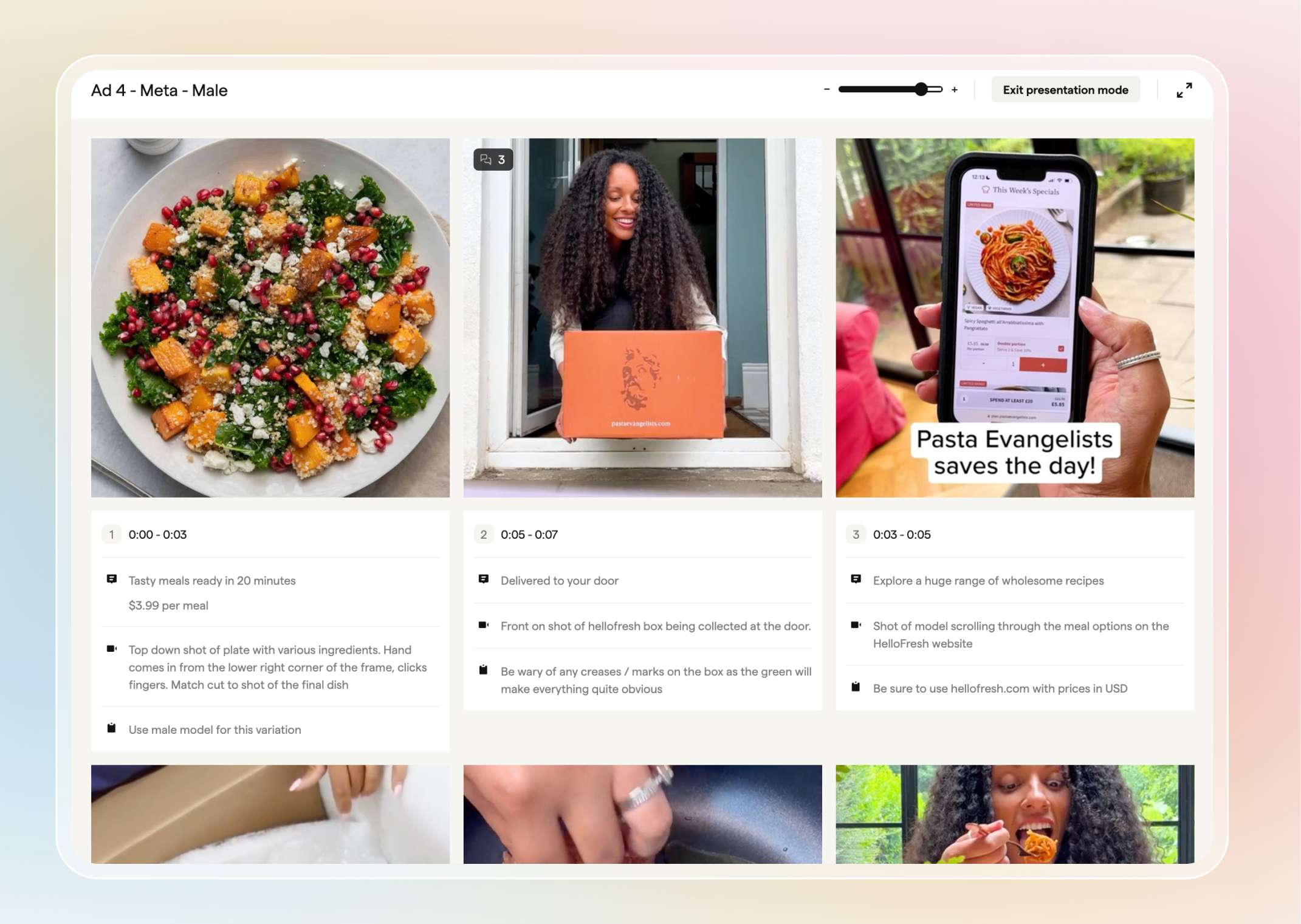
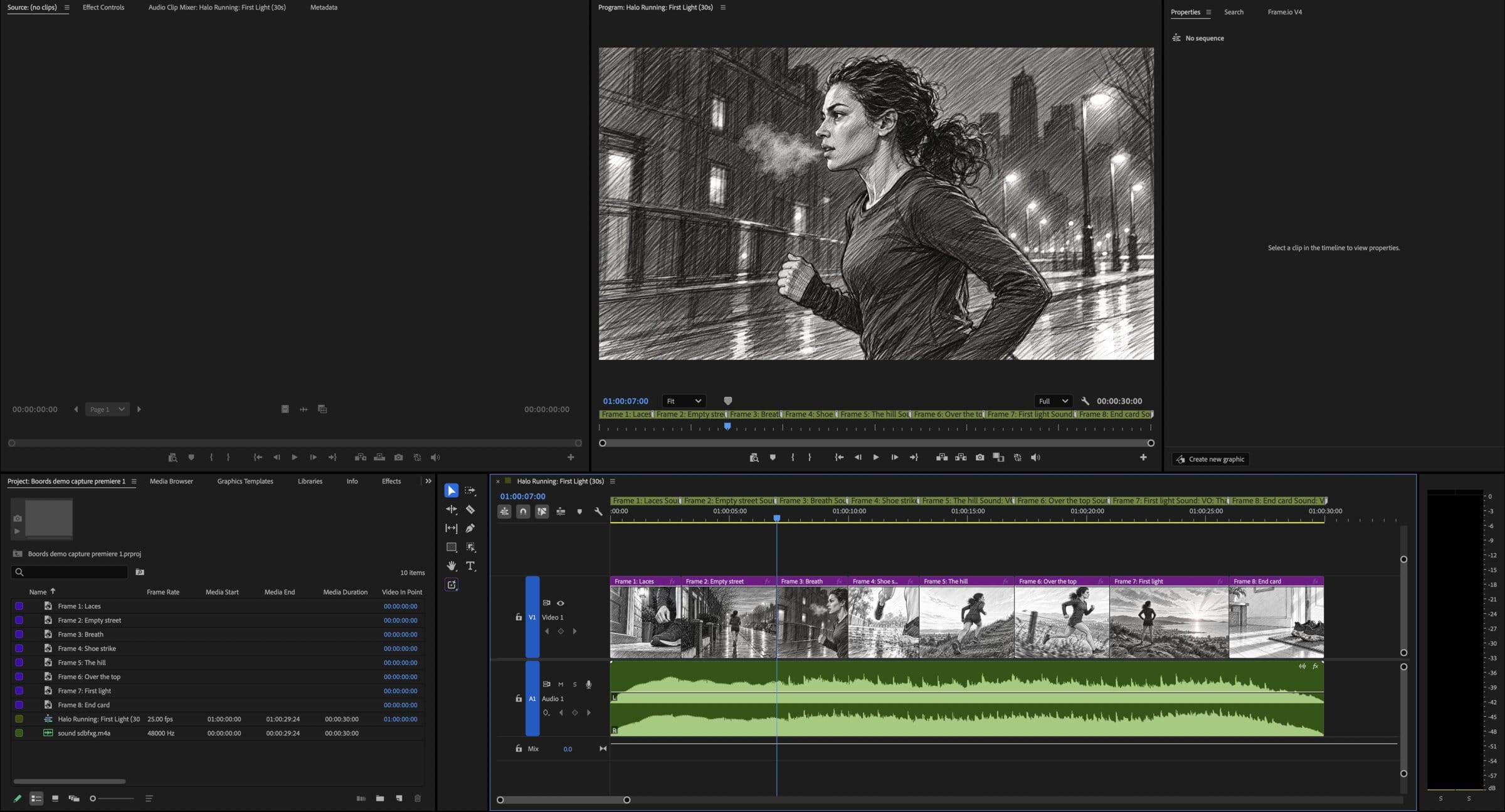
Choose Premiere / Resolve from a storyboard's Export menu to carry on your edit in Adobe Premiere Pro or DaVinci Resolve, with no plugin needed.
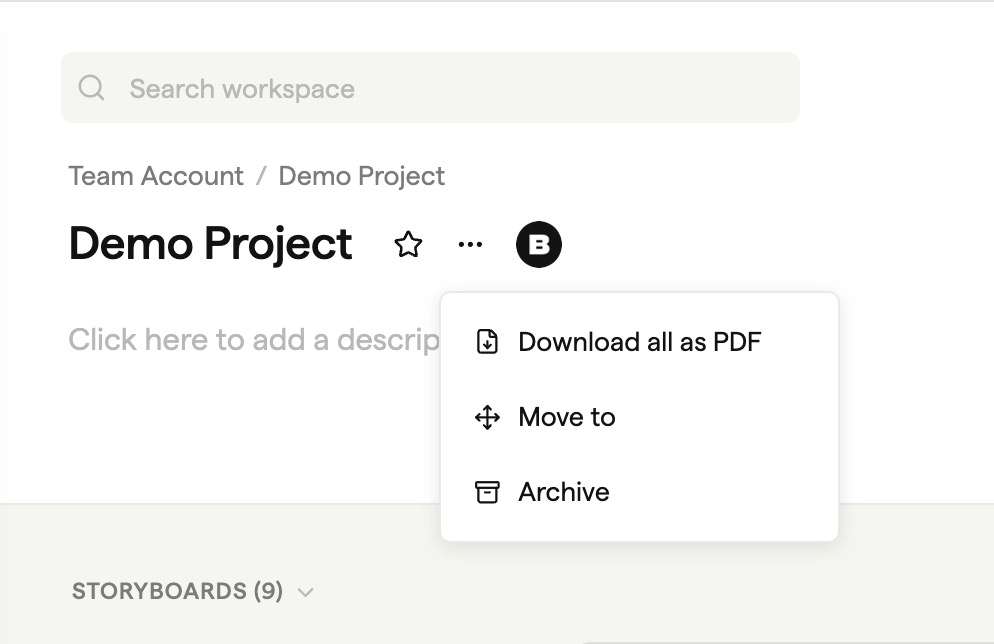
Choose Download all as PDF from a project's three-dot menu, or select storyboards and click Download as PDF, to get each storyboard's latest version as a PDF in one ZIP.
Renaming a storyboard or project used to break links to its old address. Bookmarked and emailed links now open the current page.
Image and After Effects ZIP downloads had been leaving out your storyboard's soundtrack. They now include it again.
After generating an image, undo or redo on your storyboard could fail to save without any error, so your frames went back when you reloaded the page. Undo and redo now save as expected.
Open Elements, then Icons in the frame editor to search or browse 13,265 icons and illustrations by category or style.
The After Effects export now includes a script that builds the composition for you, with your frames at their Boords timings, the soundtrack and a marker for each frame.
When you use Boords from Claude, ChatGPT or another AI app, archiving a storyboard now needs your confirmation first.
Emails from Boords no longer get cut off at the right edge when you read them on a phone.
Images generated in the Sketch style now come out in greyscale, so colour from reference photos no longer shows up in a pencil sketch frame.
Moving a monthly subscription to yearly billing on the same plan from the pricing page could end in an error. The switch now goes through.
Every @ list in a storyboard now ends with Generate in Playground and Upload image, so you can create or upload a reference image from the @ menu.
Projects named only in non-Latin characters, such as Hebrew, Japanese or Cyrillic, now work through the Boords API and AI app connections like any other project.
When a script import can't fill a field you picked, or makes a different number of frames than you asked for, Boords now creates the storyboard with a warning instead of failing.
Type @ when generating an image and pick a frame from the Frames group to use its current image as a reference, so your shots stay consistent.
Choose Slides from a storyboard's Export menu to download an editable .pptx deck for PowerPoint, Keynote or Google Slides.
Pasted text in comments, replies and edits on storyboards and scripts now saves exactly as you see it, where before it could be cut short when you sent it.
When Boords is connected to ChatGPT, it can open a Boords panel beside the conversation showing your storyboard frames, scripts and frame comments.
Search on the projects page now returns results much faster for teams with lots of projects and storyboards.
Upgrading partway through a billing period now keeps you on the new plan, and the new plan's extra AI credits are added to what you have left this period.
Actions inside a project, like listing or creating storyboards, updating a project or creating a script, now respond much faster through connected AI apps and the Boords API.
Add to Claude on your Connections page now opens Boords in Claude's connector directory, so you can connect without pasting a server URL.
New versions and duplicates of a storyboard now keep every frame, including frames whose image was replaced through the Boords API or a connected AI app.
Text pasted into a frame field now saves the same way typed text does. In some browsers it showed in the editor but never saved.
Connections now work on every plan, including Free. Set them up from Connections in your account menu.
Your team's activity feed is now available through the Boords API and connected AI apps, so you can ask Claude or ChatGPT what changed on a project.
Large frame changes from the Boords API or a connected AI app now appear live for anyone with the storyboard open, including on shared review links.
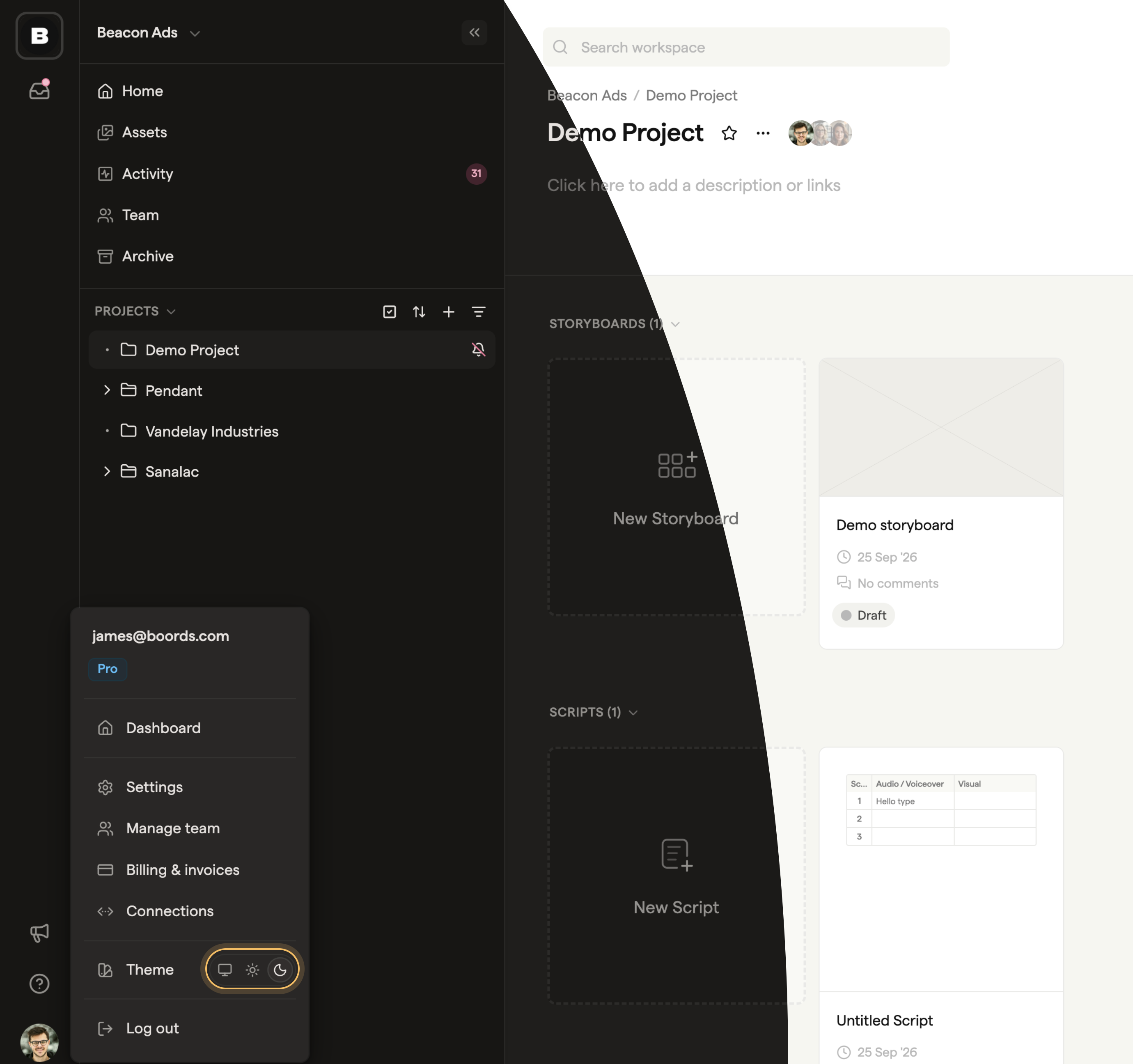
Boords now comes in light and dark, and follows your computer's setting by default.
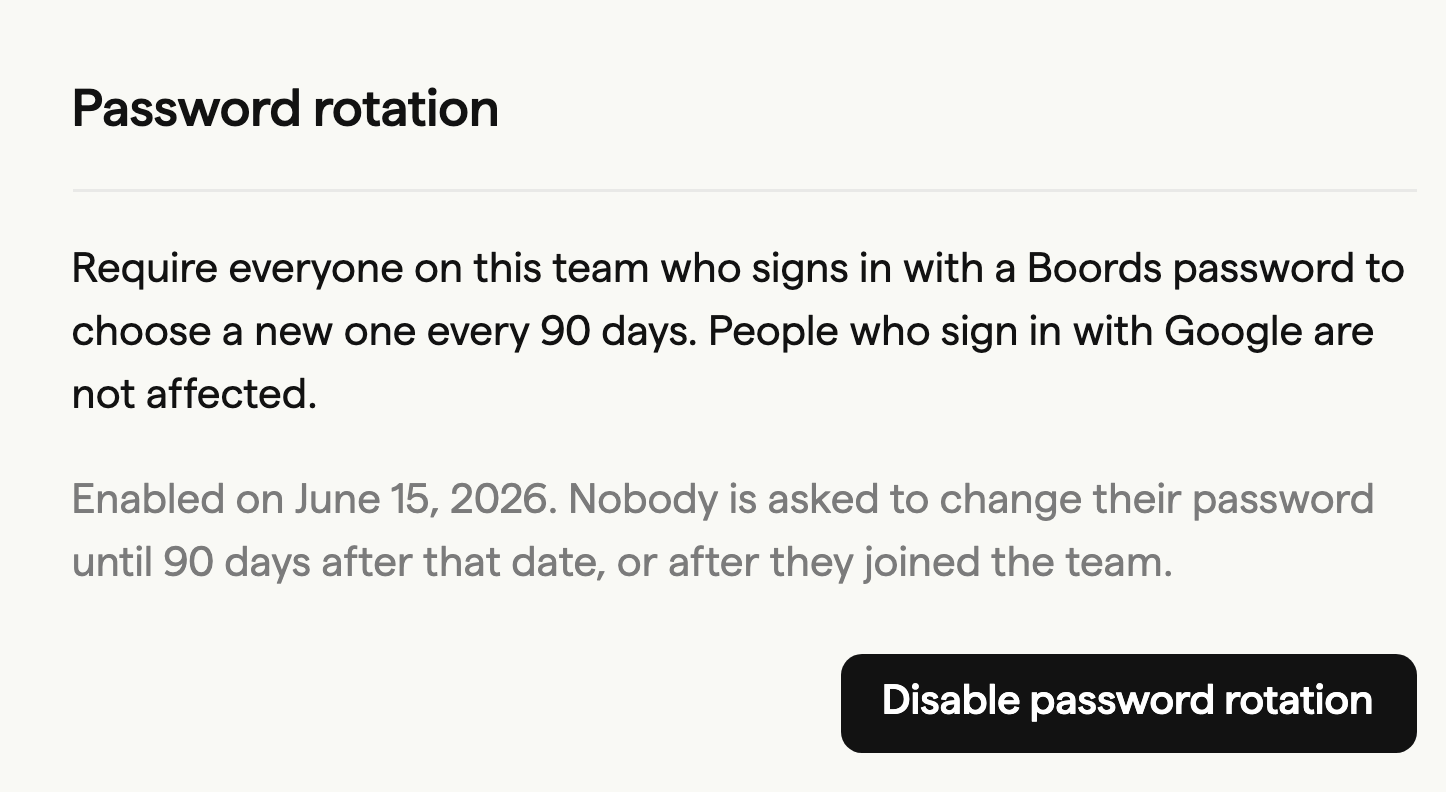
On the Agency plan, team admins can require everyone who signs in with a Boords password to choose a new one every 90 days.
You can now connect Boords to AI apps that support MCP, such as Claude, and ask them to work in your account.
Duplicated storyboards and new versions now get their own copy of the animatic audio, so MP4 export and removing the audio work as normal.
If you build on the Boords API, list requests now page through every result, and lists can include archived projects, storyboards and scripts.
Restoring an archived project now brings back only the storyboards archived along with it. Storyboards you archived on their own before that stay archived.
Single-user plans such as Solo now see the full team Settings menu, including API & Webhooks, Domain and team Settings.
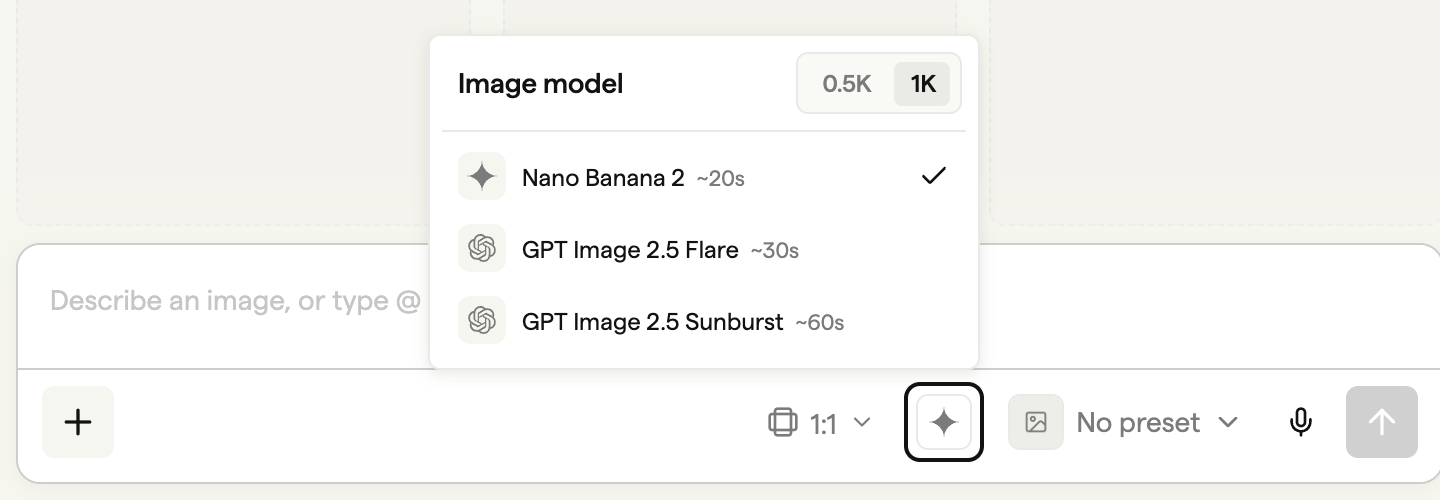
Pick Nano Banana 2, GPT Image 2.5 Flare or GPT Image 2.5 Sunburst from the Image model menu, at 0.5K or 1K resolution.
If the connection drops while a Boords Agent reply is streaming, Boords now loads the saved reply instead of showing an error, without repeating any steps or using extra credits.
The Boords Agent message box on an empty storyboard now has the same style picker as the Agent sidebar. Pick a style before you send, and the first frames Agent generates use it.
Boords Agent now knows what's in your team's Asset Library. It can look up your characters, locations and props, and reuse images you mentioned earlier in the chat.
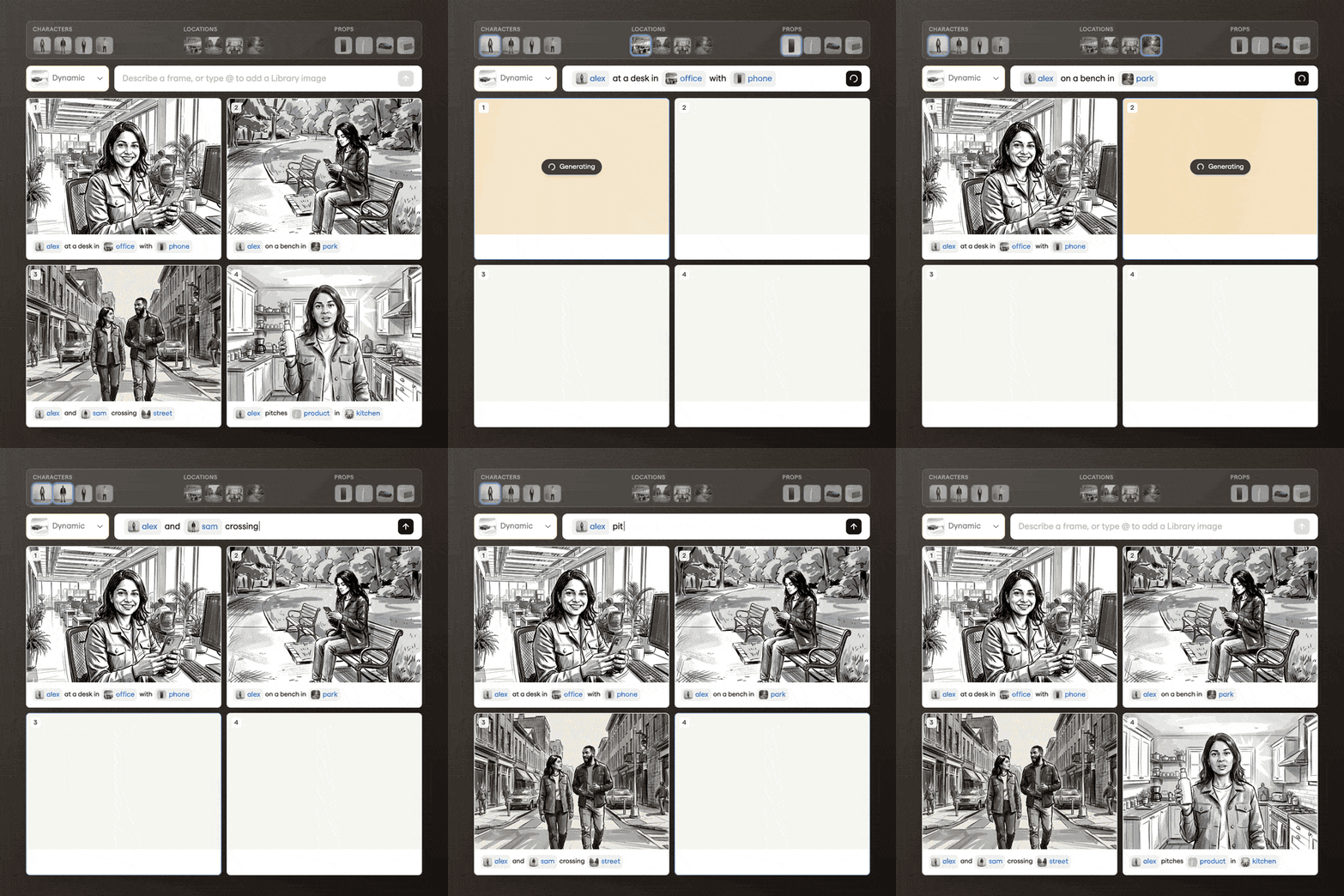
Type @ in Generate, Playground or Boords Agent and pick a character, location or prop from your Asset Library to use it as a reference for the image.
Changing a storyboard's status in Boords now sends a storyboard.updated webhook, the same as a change made through the API.
The Asset Library gives your whole team one place for the images you reuse across projects. Click Assets in the left sidebar of your dashboard to open it.
Restoring an archived storyboard from any version now brings back every version, even if you archived it while viewing a later one.
Closing and reopening the storyboard sidebar now brings back the panel you had open, such as Comments. Before, on teams with Boords Agent turned on, it switched to Agent every time.
Ask Boords Agent for 2 to 50 frames in one request, either blank or with their text already filled in.
In the player's full-screen mode, the Go to first frame and Go to last frame buttons did nothing. They now jump to the start and end of your storyboard.
If your first payment for a paid plan expires before you finish it, you can now start a fresh checkout for the same plan and billing period.
After you removed an image from a frame, the frame's button still said Refine. It now says Generate, so you can create a new image straight away.
Animatic soundtracks can now run up to 13 minutes, up from just over 8.
Paid invoice emails, with the PDF attached, now go to the billing email on your subscription. If no billing email is set, they go to the account owner's email as before.
Integrations that sync storyboards through the Boords API can now avoid duplicates and overwrites. Existing integrations keep working without changes.
In the script editor, type / at the start of a line to open the Insert menu at your cursor.
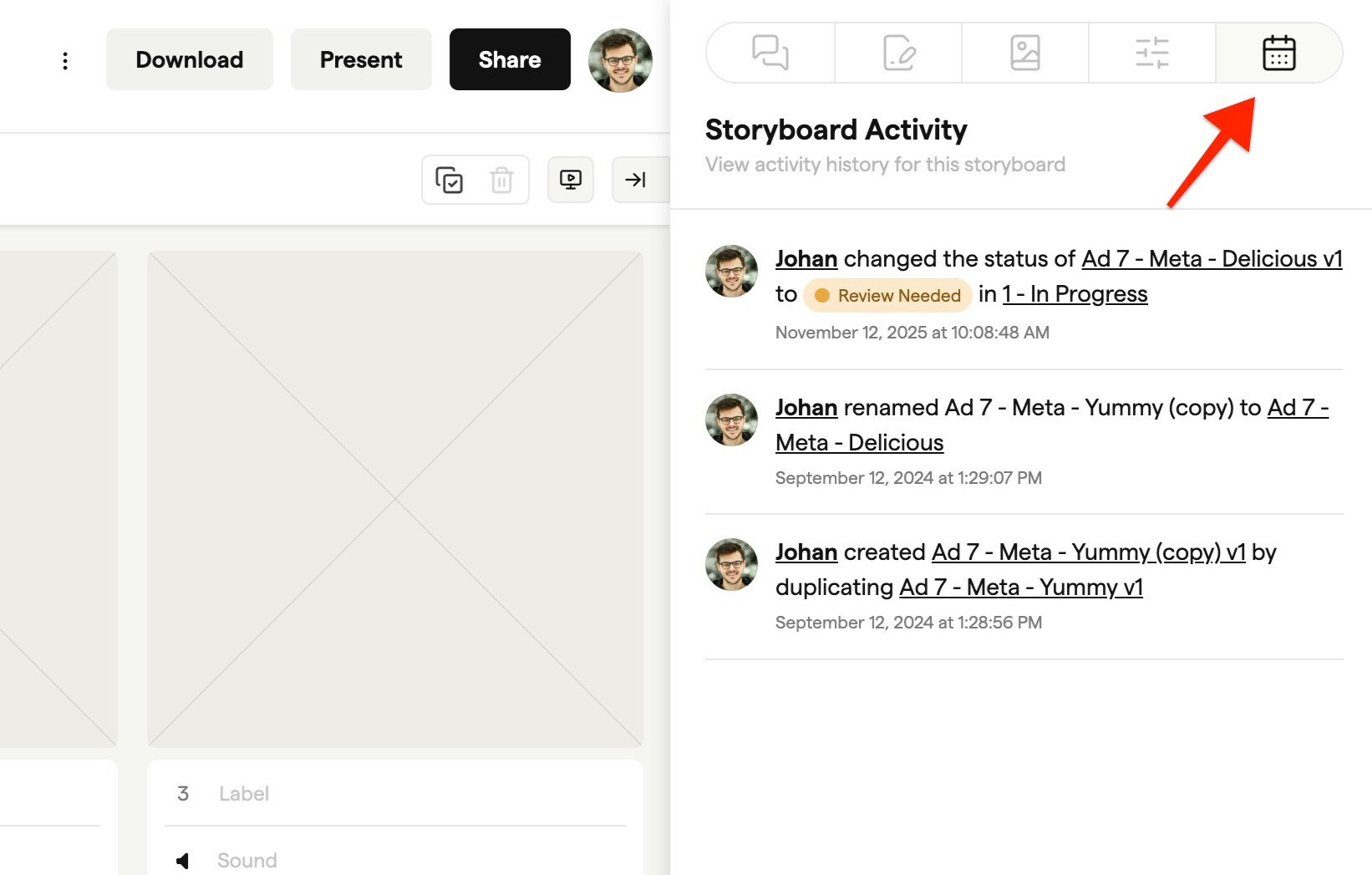
Free teams can now see who changed what without upgrading. Open the Activity panel in a storyboard's sidebar to see its history.
The Boords API now covers scripts. You can list, create, update, duplicate, archive and restore scripts and save new versions.
Click Save to Boords in the free Video Script Template, the AI Script Generator or the video script guide on boords.com to open your AV script in Boords.
Scripts are now available to every team, so you can write a video's script in the same project as its storyboard, get it approved, then turn it into a storyboard.
Attach a commercial script, AV script, shot list or table to Boords Agent and it now creates one frame per row or shot, instead of a fixed set of ten frames.
Arabic text copied into frames from other apps could export broken apart or in the wrong order in storyboard PDFs. It now exports as connected text in the right order.
If the image model is briefly too busy when you generate a frame, Boords tries again up to two more times before showing an error, so fewer generations fail.
Paste an image from your clipboard into a comment or reply and it's attached, the same as using the Add attachment button. Any text you copied with the image stays in the comment.
Storyboards with lots of frames do less work as you scroll and edit, and images further down the grid load as you reach them.
Change a storyboard's frame size from Frame Size in the Settings tab of the storyboard sidebar.
Boords Agent is now switched on by default for most teams, and the beta labels are gone.
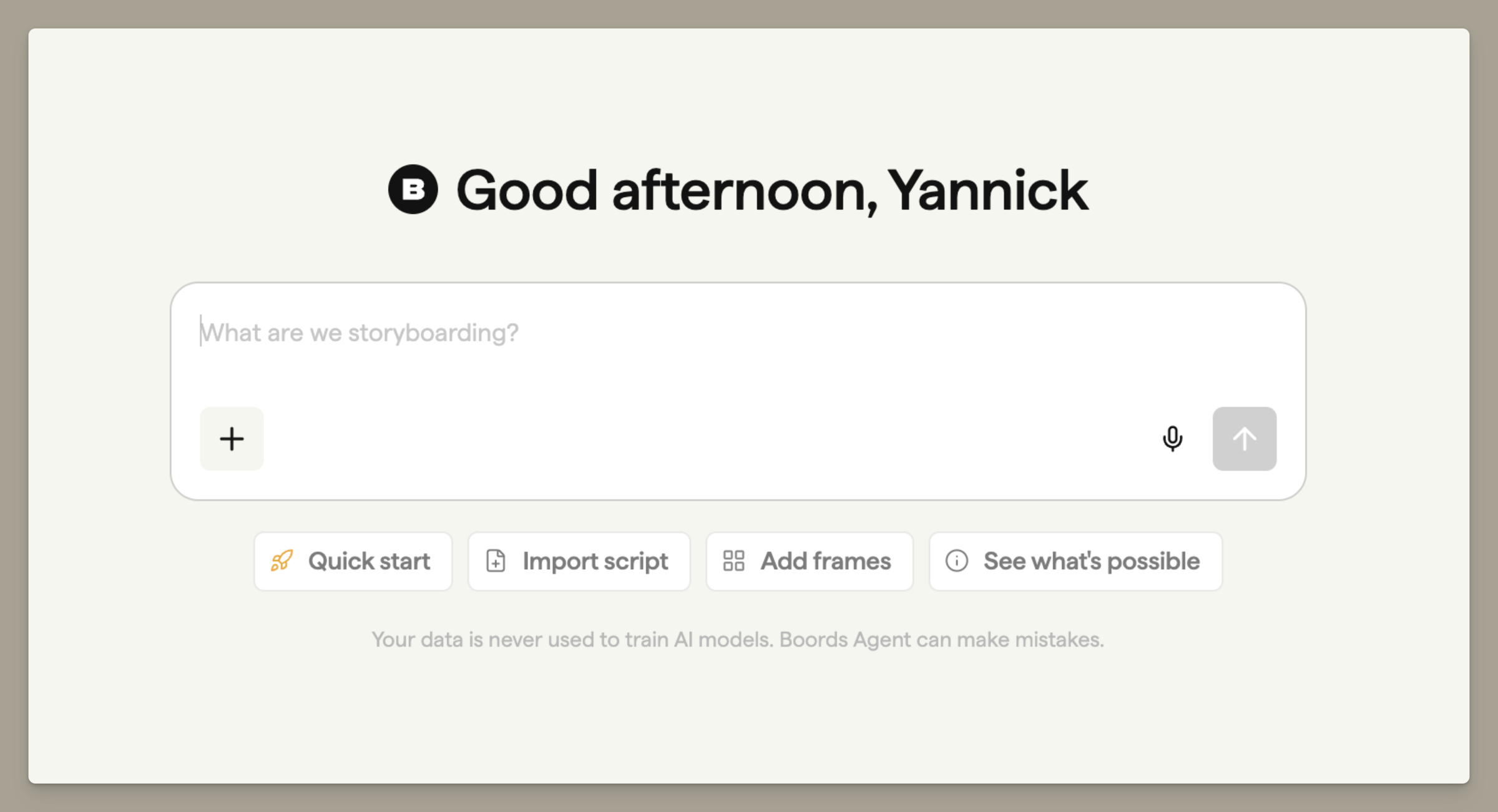
Archived projects now have a Delete option in their three-dot menu in the Archive, next to Restore.
Dragging an image from the Image Library tab into a frame now uses the full-resolution image, not a small thumbnail.
If an AI image fails to generate after it has used your credits, those credits now go back to your team. Successful generations and generations you cancel yourself are not refunded.
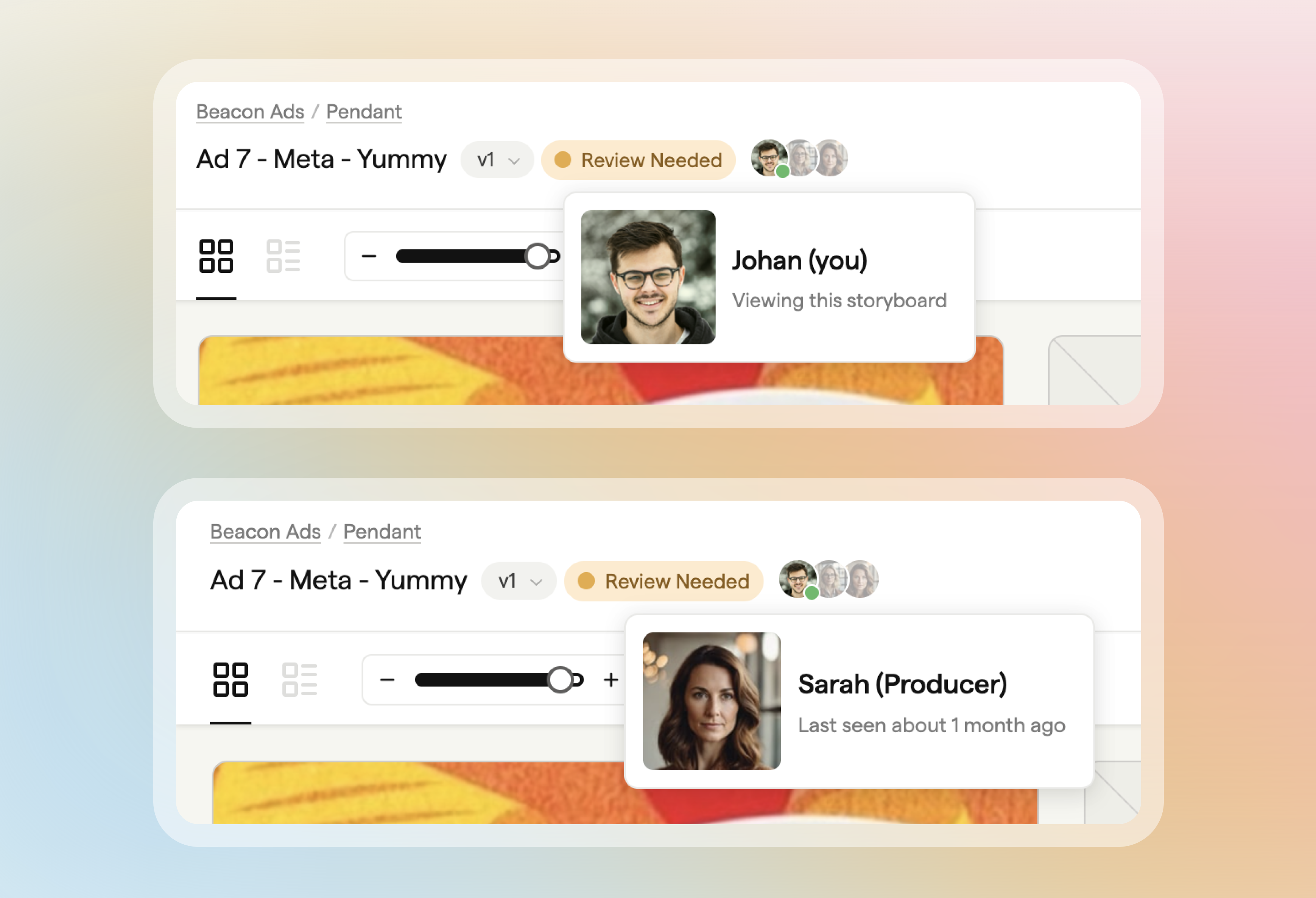
The storyboard header now shows your team's avatars, so you can see who's online, with a green dot on anyone who has the same storyboard open.
Boords Agent can now read a public web page you paste into the chat, such as a brief, and prepare a ZIP of every image in your storyboard.
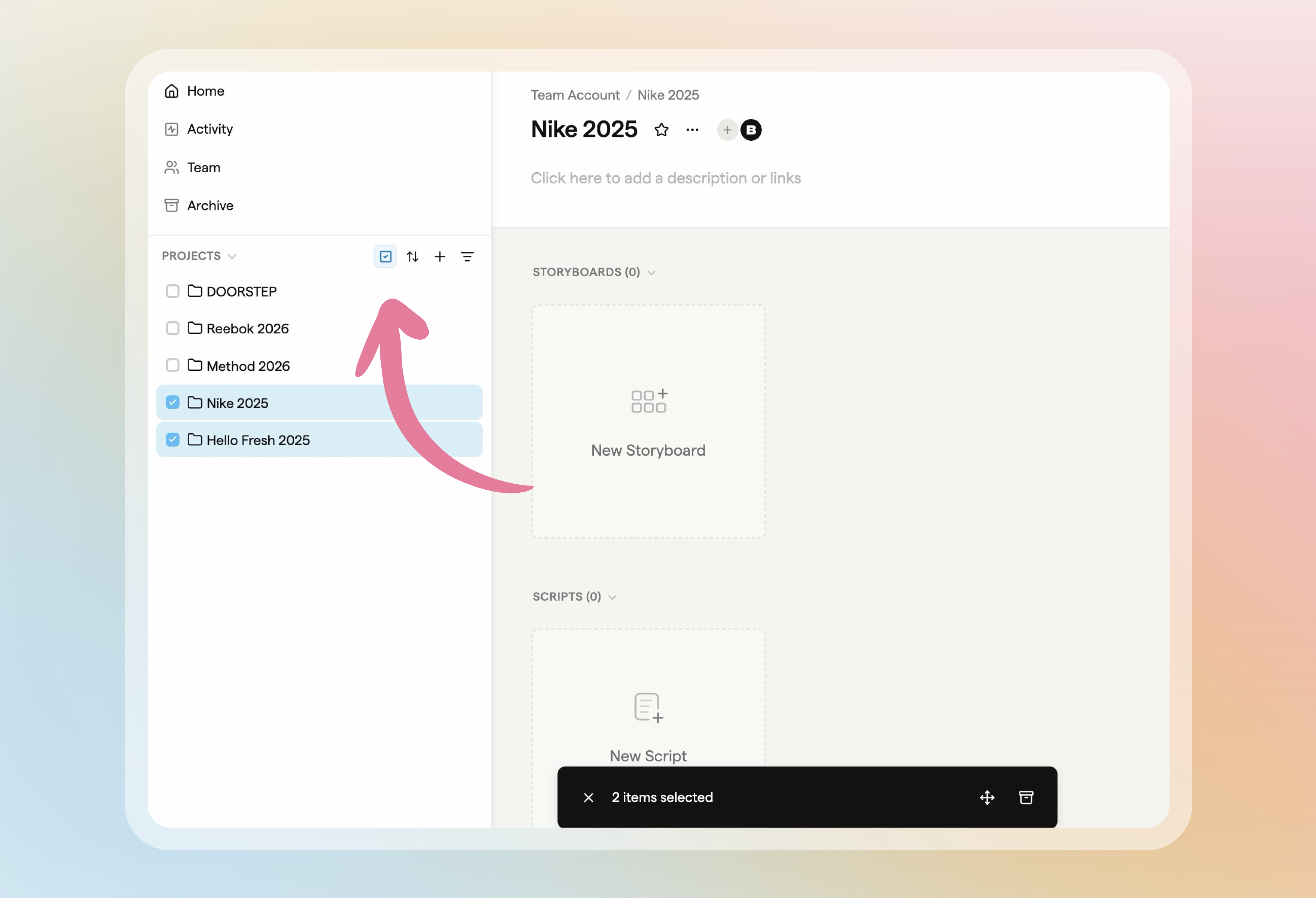
Select several projects straight from the projects sidebar, then move or archive them together.
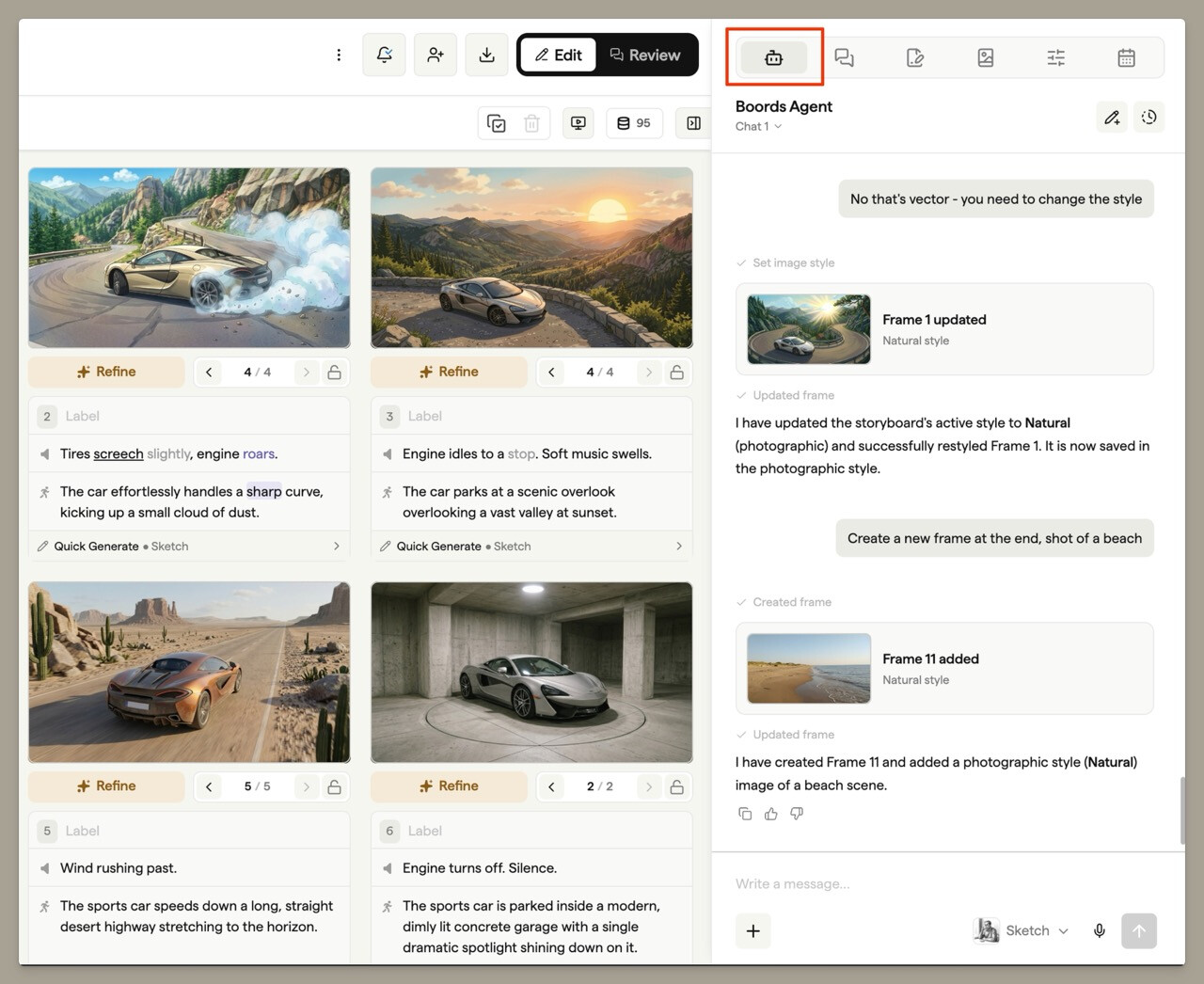
Boords Agent is an AI assistant in the storyboard sidebar that knows the board you have open. Describe what you're making and it roughs out frames while you watch.
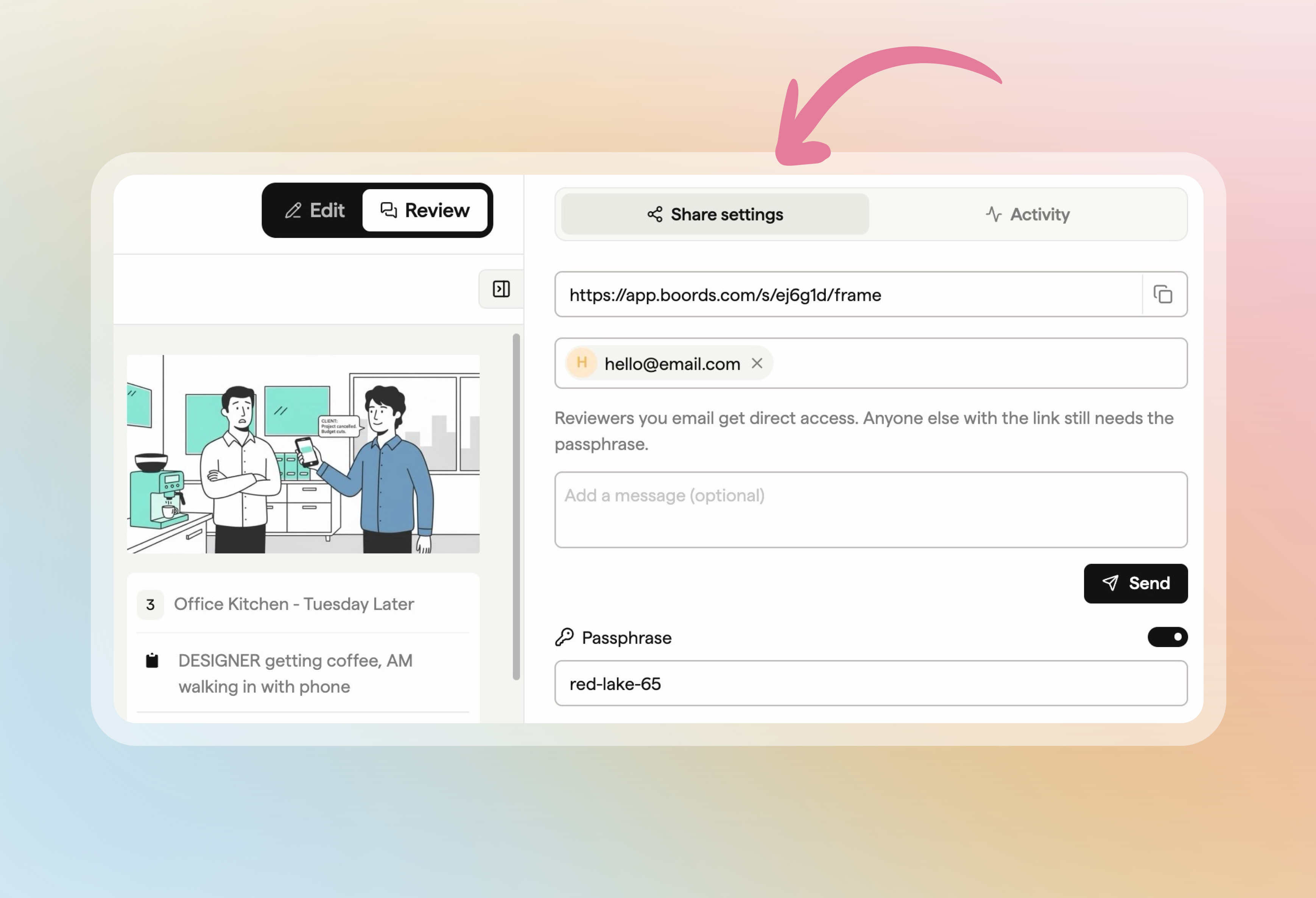
Send a storyboard for review straight from Share settings: add your reviewers' email addresses and each reviewer gets their own link.
Invitations sent from free accounts were arriving without a link to accept them. Every invite email now includes the link your teammate needs to join.
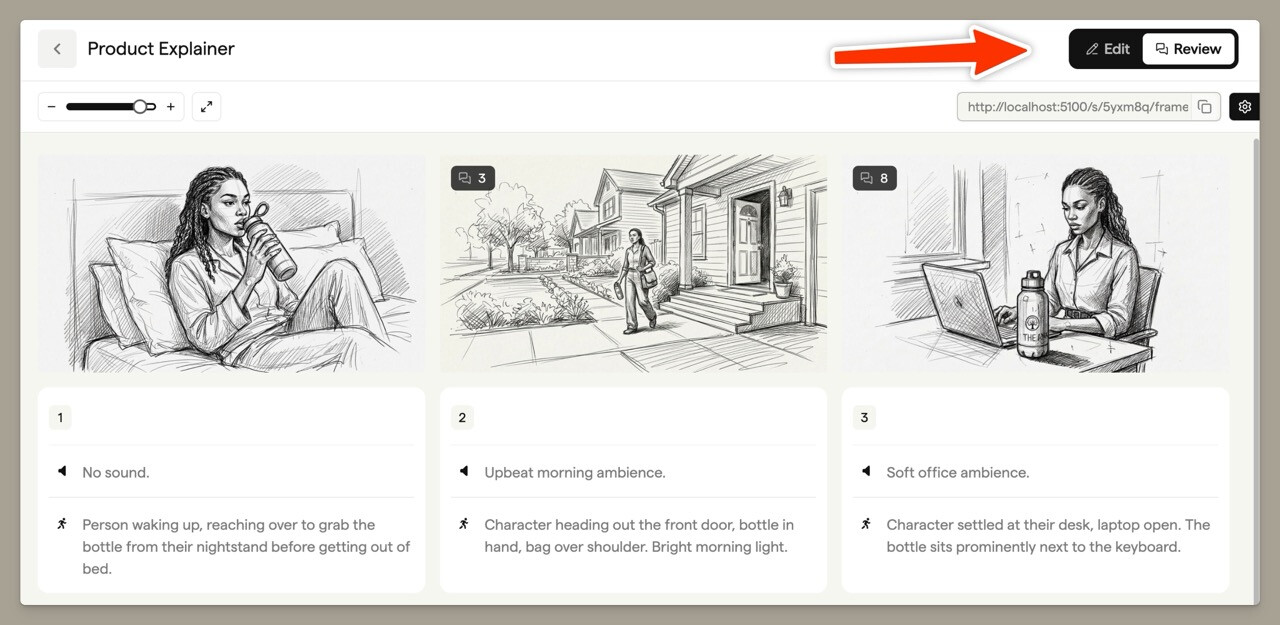
Every storyboard header now has an Edit / Review toggle, so you can check the shareable view your clients get and switch back to editing in one click.
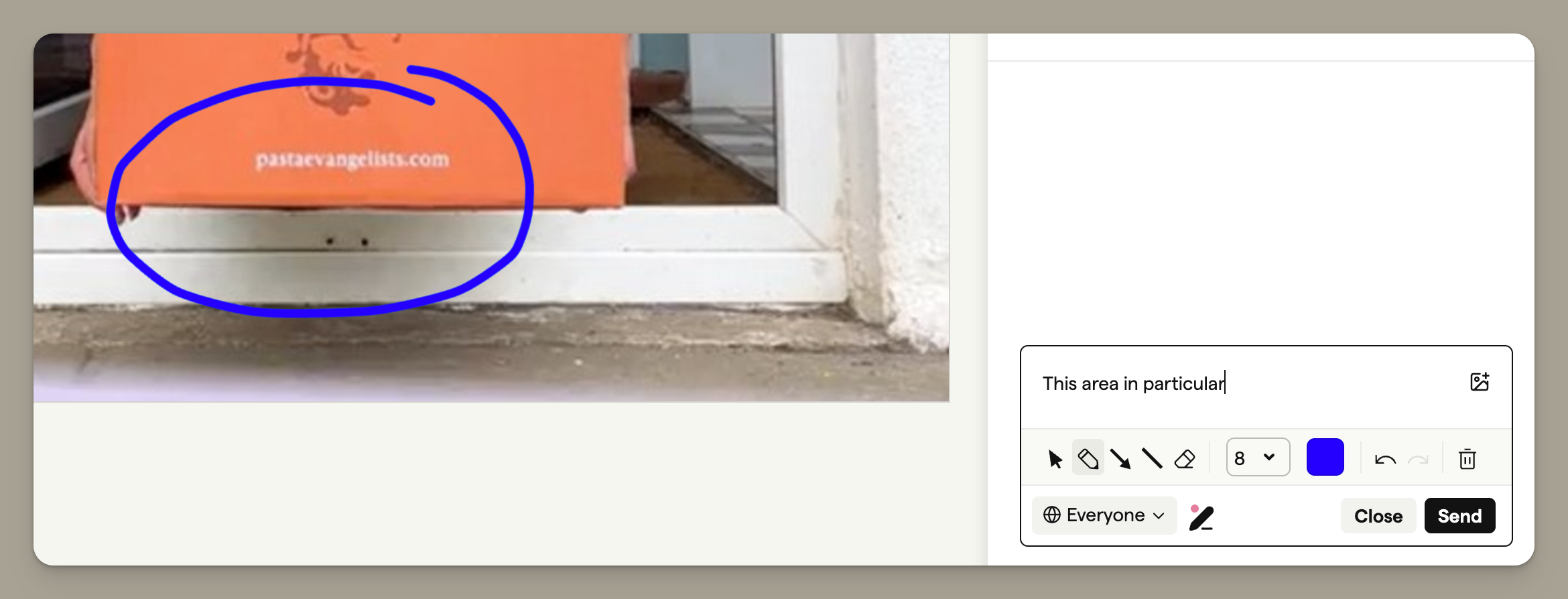
The Free plan now includes five storyboards, up from two. Free users can also draw annotations on frames when leaving a comment, using the pen icon in the comment box.
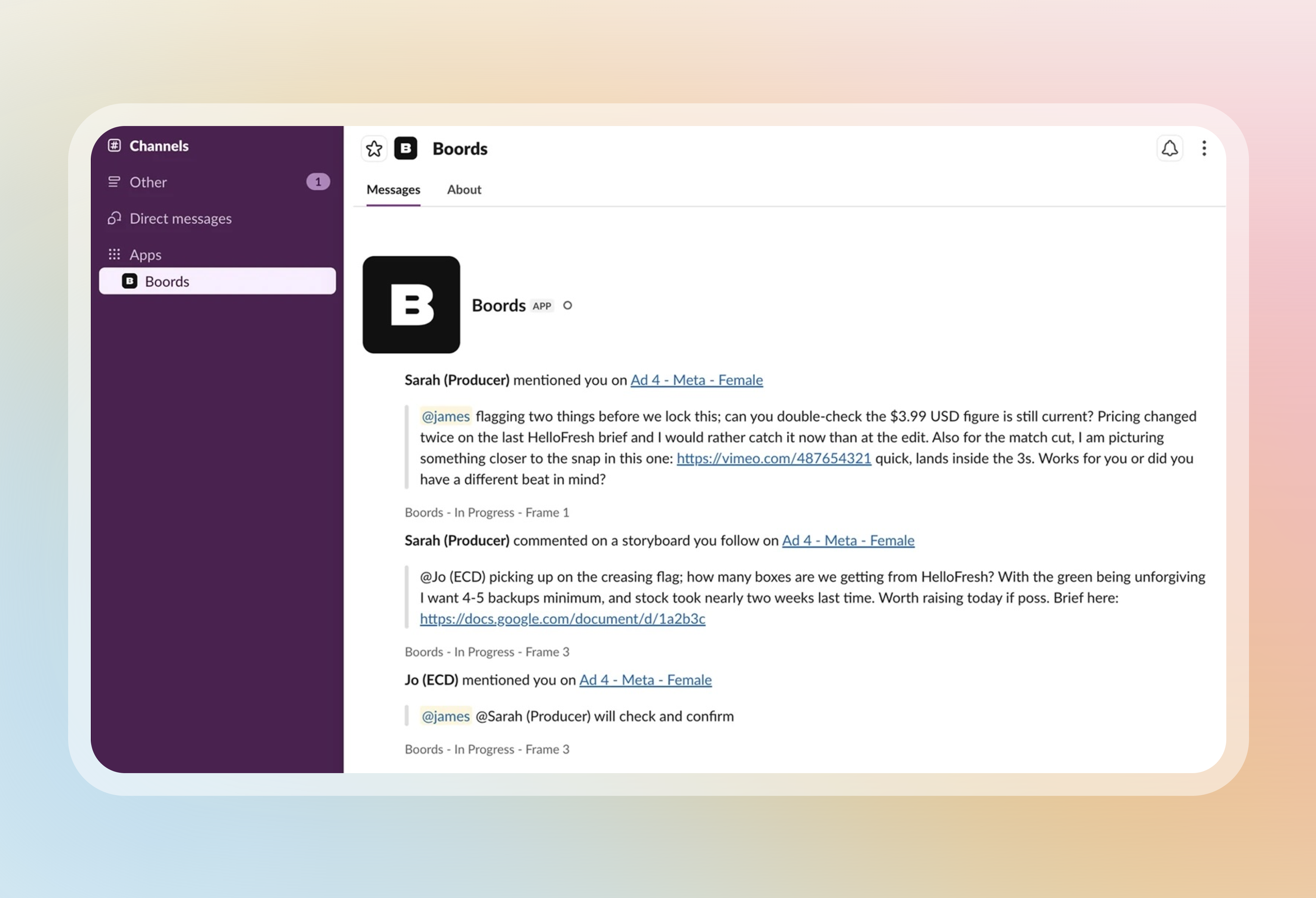
Get mentions, replies and new comments on storyboards you follow as Slack DMs. DMs go only to you and are never posted in channels.
Script import now recognises scene headings written in several other languages, so these scripts split into scenes and frames correctly.
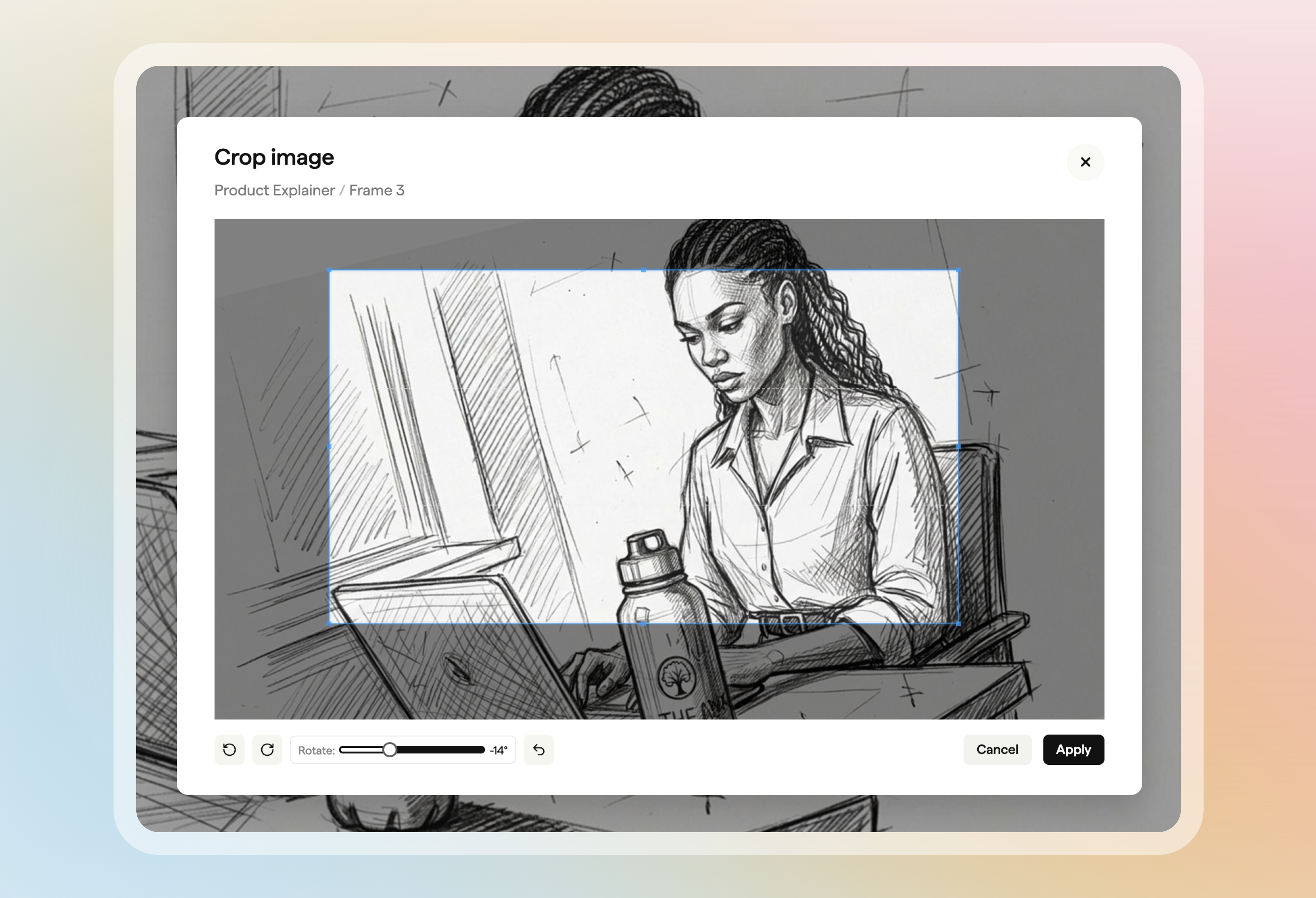
Crop image now opens a built-in editor that keeps the crop at your storyboard's aspect ratio and lets you rotate the image.
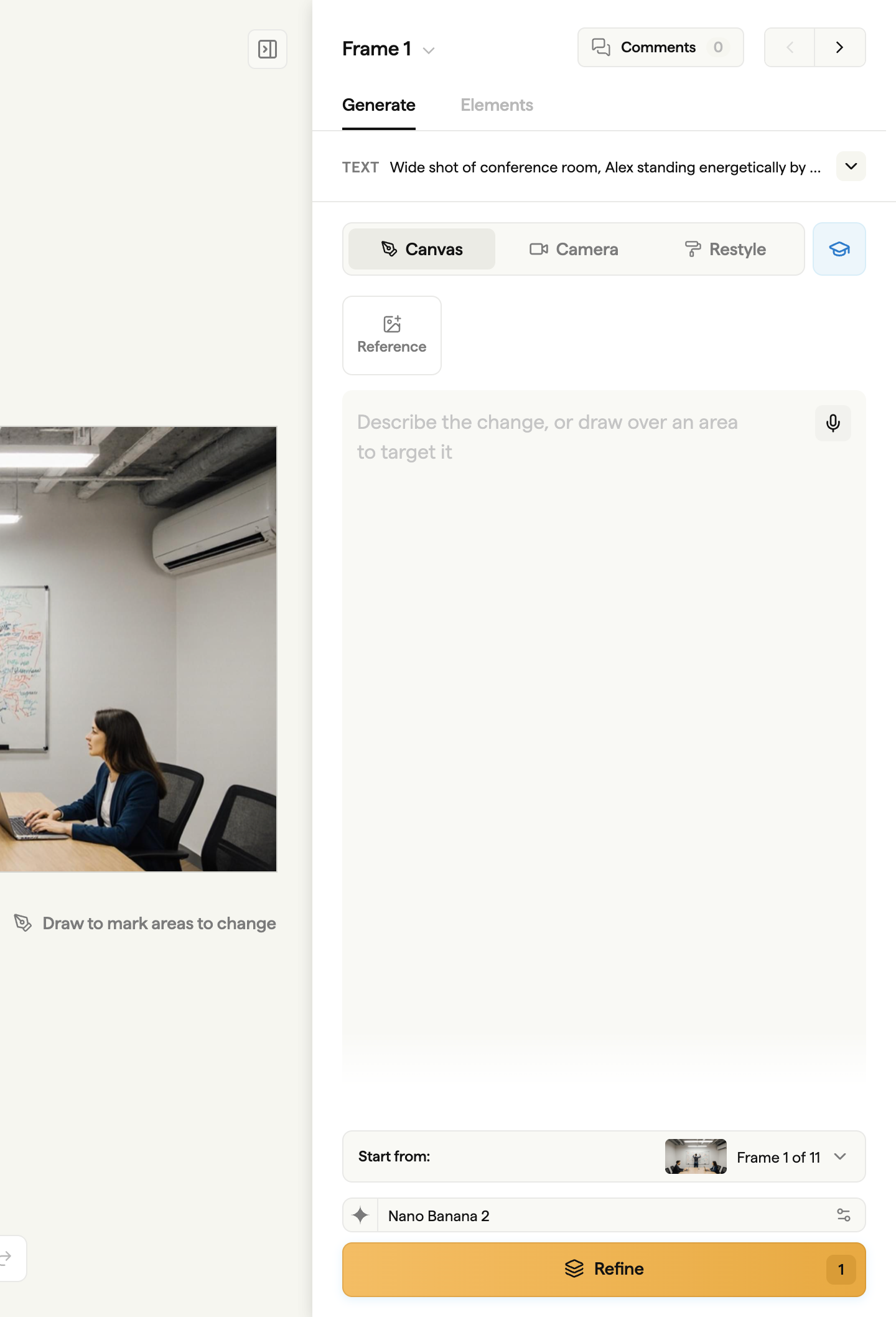
Generate, edit, reframe or restyle a frame's image from the Generate tab in the frame sidebar, with every change saved as a revision.
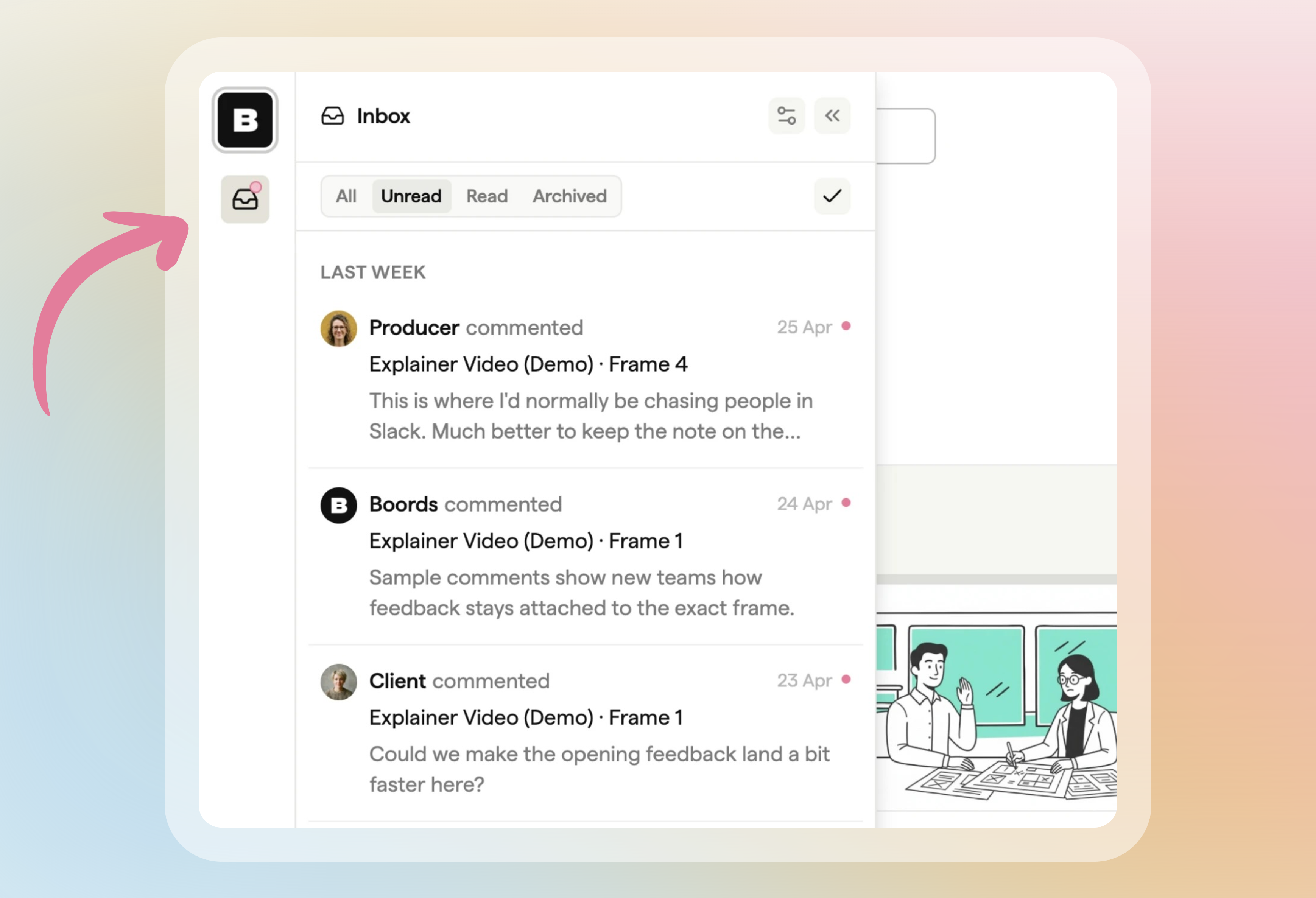
Type @ in a comment to mention a teammate. Mentions, replies to your comments and new comments on storyboards you follow collect in your Inbox in the left sidebar.
On desktop, the storyboard editor now has the same left sidebar as your projects dashboard, so you can switch teams or get help without leaving the storyboard.
Import Script now turns each screenplay scene into its own frame. For scripts with 100 or more scenes, you pick a range of up to 80 scenes to import at a time.
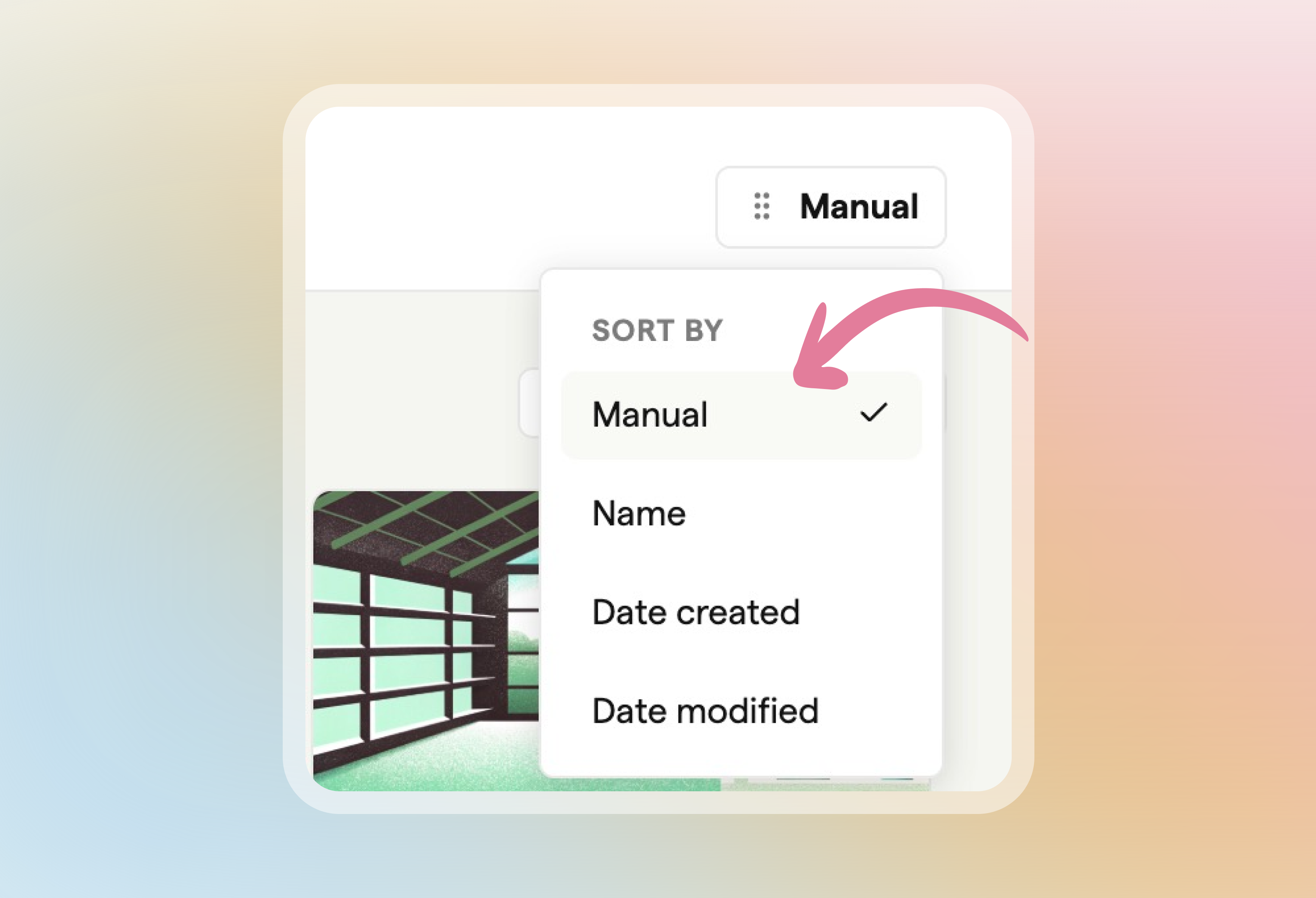
Choose Manual from the sort menu in a project to drag and drop storyboards into the order you want. The order is saved to the project, so teammates who sort by Manual see the same arrangement.
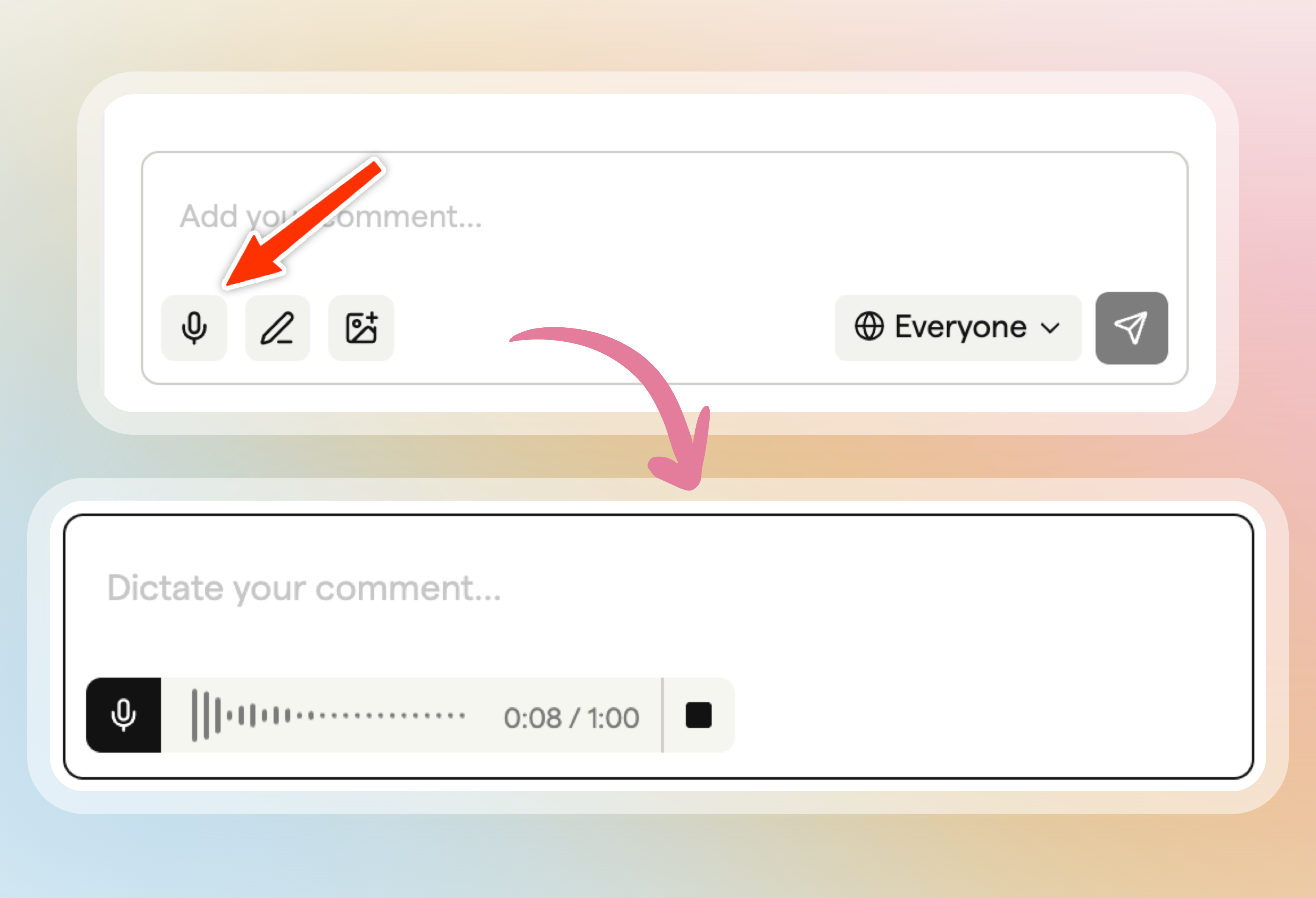
Speak your comments instead of typing them, link someone straight to a comment, and see when a comment was edited.
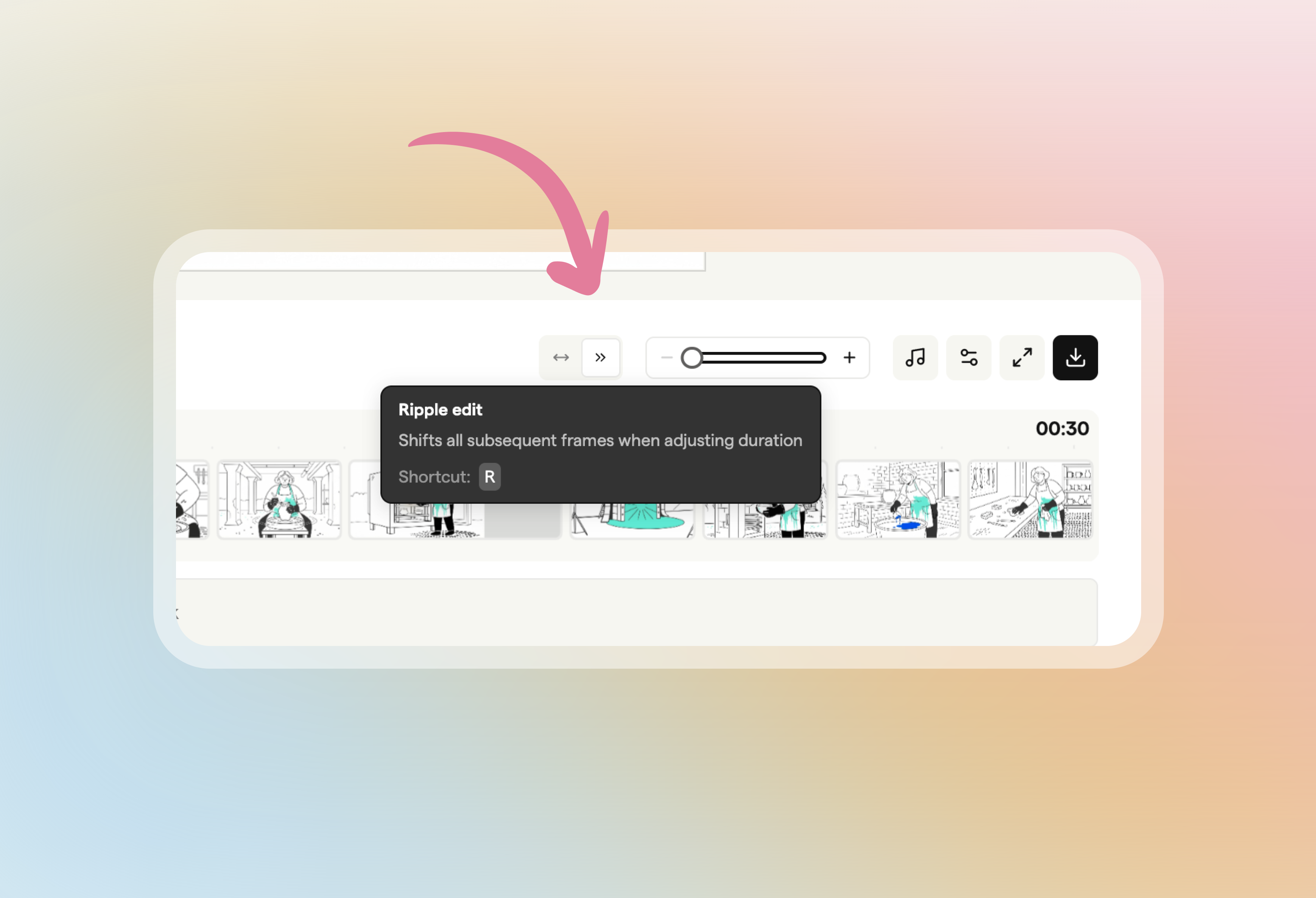
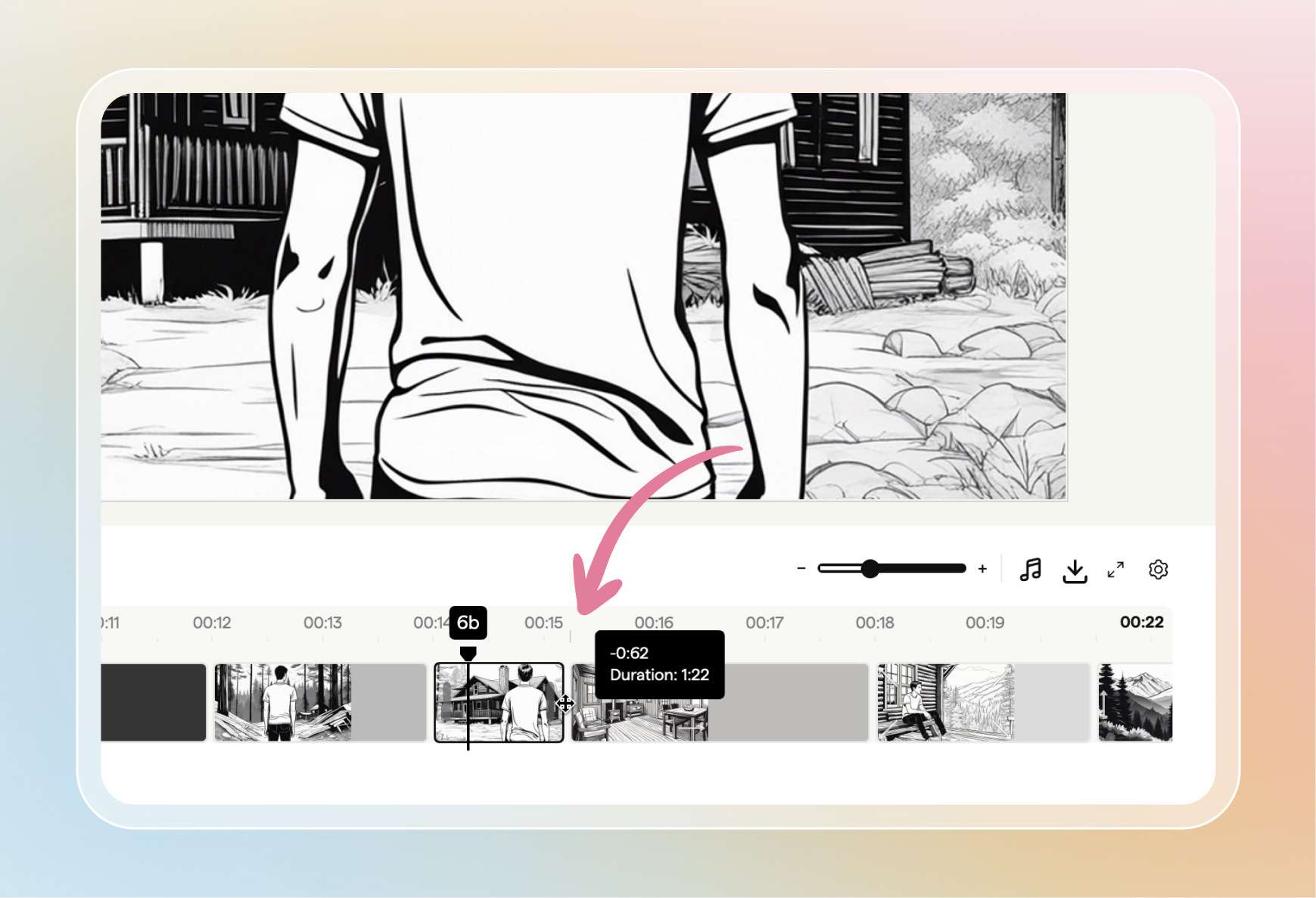
Ripple edit on the animatic timeline shifts every following frame along when you drag a frame's duration handle, keeping their own durations.
Use the Boords API to work with projects, storyboards, frames, comments and team members from your own scripts and pipelines, with webhooks when things change.
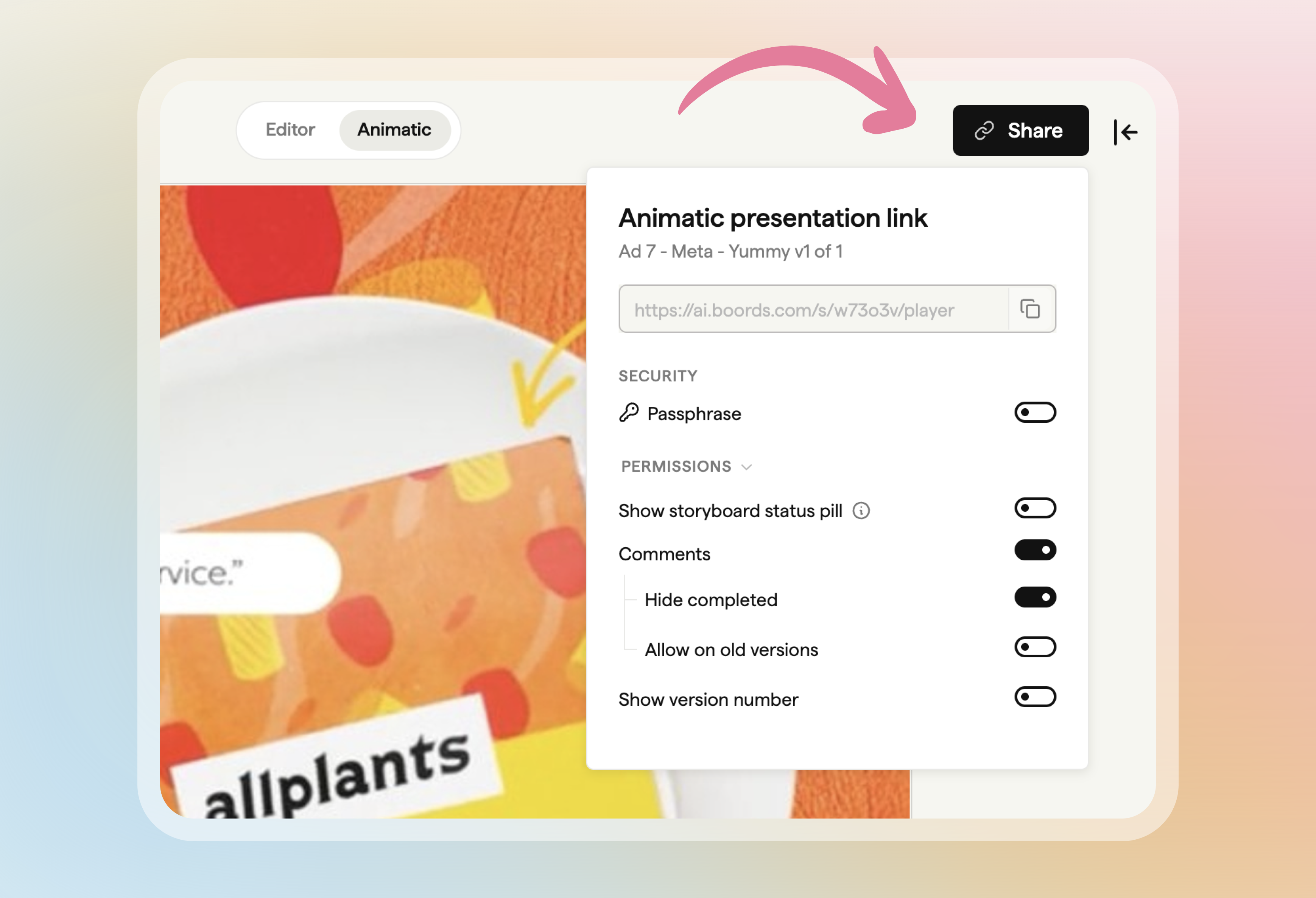
The animatic player has its own Share button for a presentation link that opens straight in the player, and you can add a soundtrack from the timeline.
If you've cancelled but your plan hasn't ended yet, click Resume Subscription in the banner at the top of the app to keep it.
Using Copy from frame to swap in another frame's image no longer leaves the frame stuck processing with a broken image.
Import Script now checks your file or pasted text before the import starts, so you see straight away if it's over the size or length limit.
You can now drop an image straight onto the comment box to attach it as a reference, instead of using the attachment button.
Logos with a transparent background now keep their transparency on the cover page of your PDF exports, instead of showing a solid box behind them.
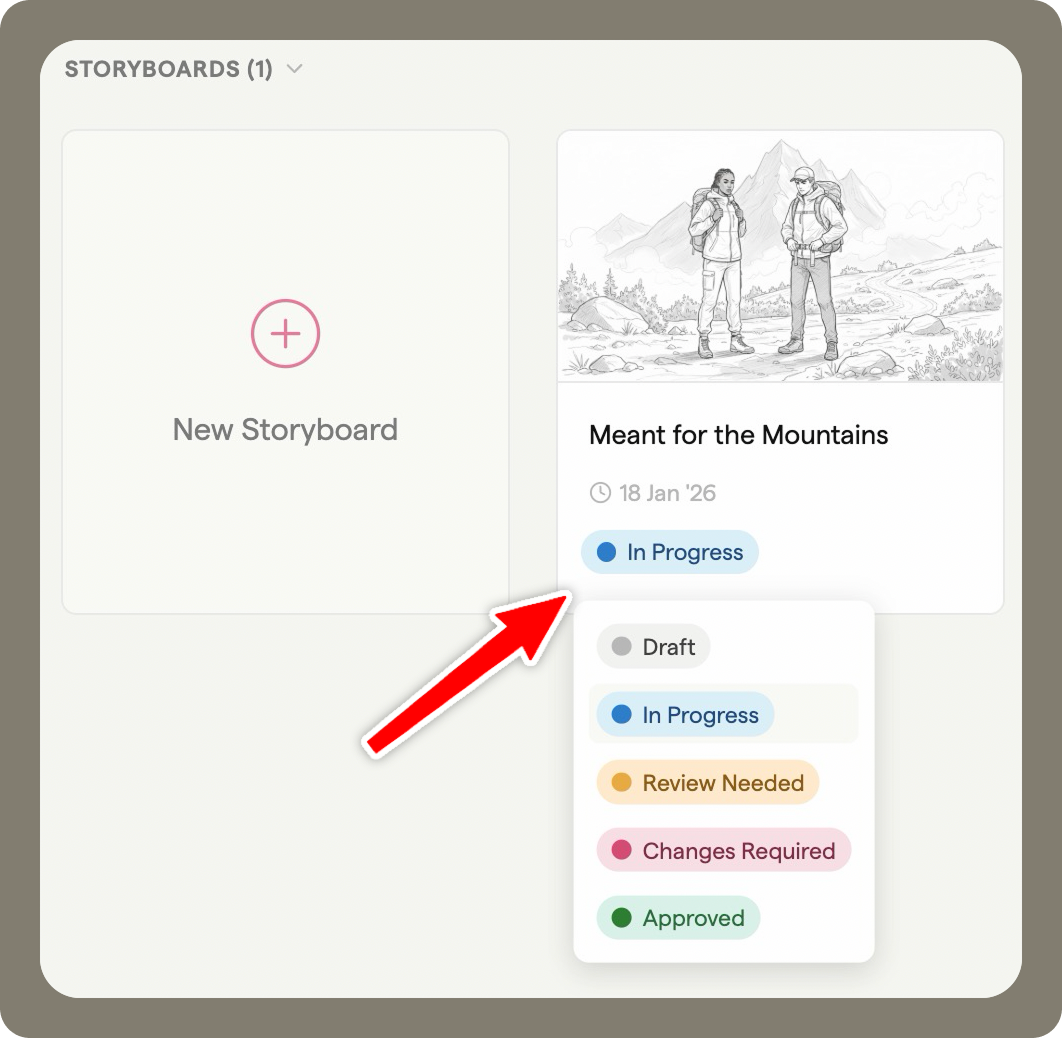
If your team uses storyboard statuses, you can now change a storyboard's status from the status menu on its card in the project, without opening the storyboard.
Choose every project a Restricted teammate can see from a single dialog, instead of opening each project in turn.
Small question mark buttons now sit next to the features they explain. Click one to open the matching help guide in a new tab, so your storyboard stays open.
If someone opens a share link to a frame number that no longer exists, Boords now takes them to the nearest frame, either the first or the last.
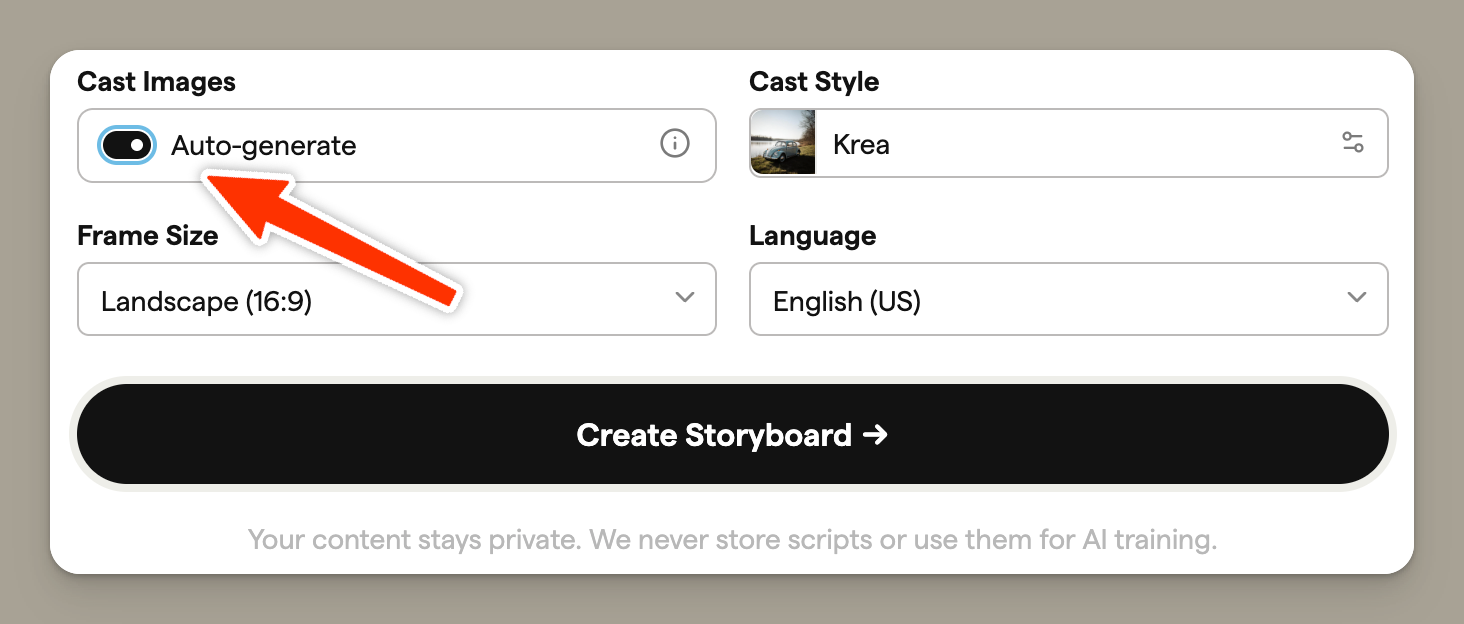
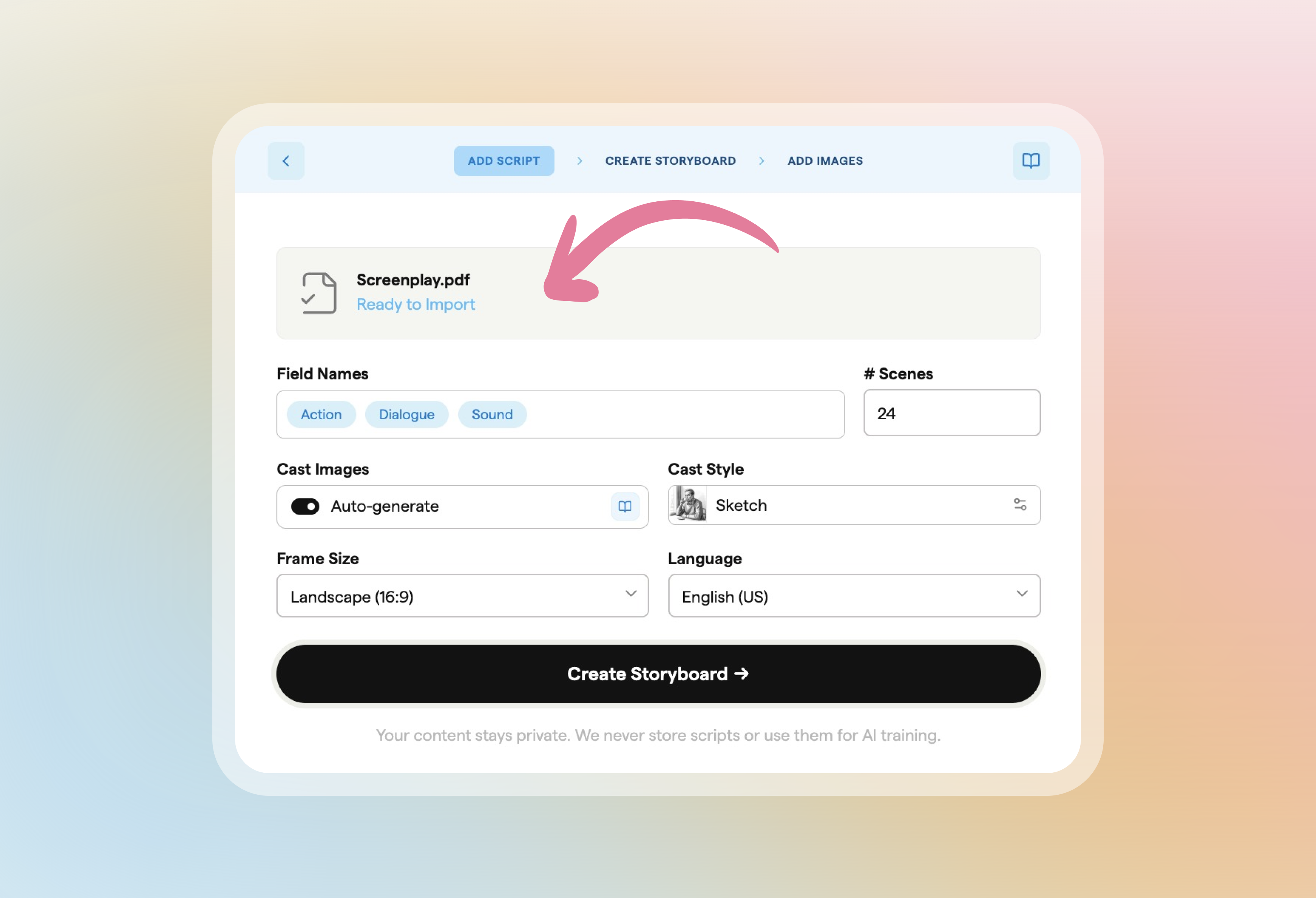
When you import a script, the Cast Images toggle lets you decide whether Boords detects your main characters and creates reference images for them.
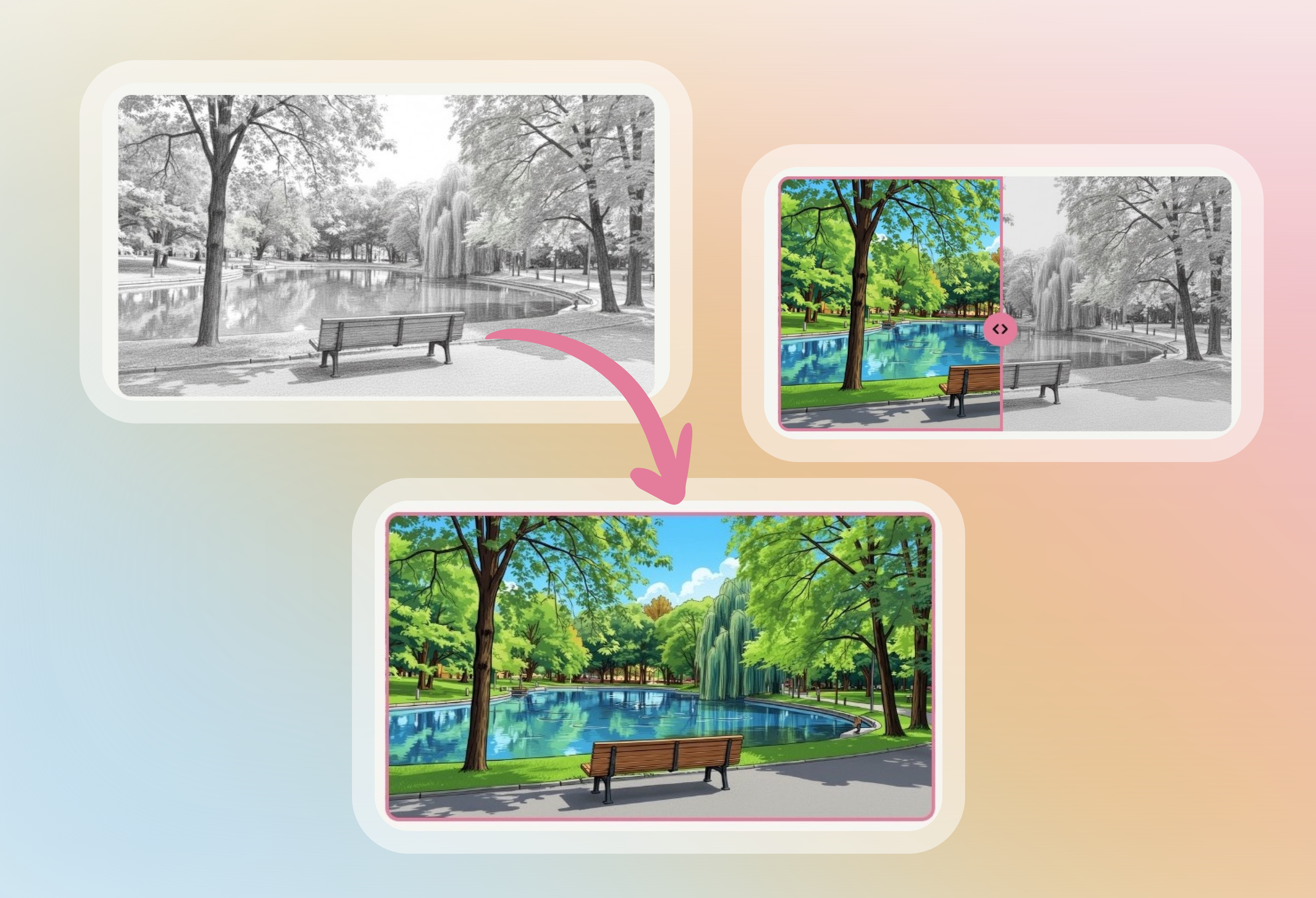
Restyle redraws a frame's current image in the style you pick and keeps the layout, characters and poses, so you can try a new look without starting again.
Picking images from Google Drive when adding a frame image had stopped working. You can now add frame images from Google Drive again.
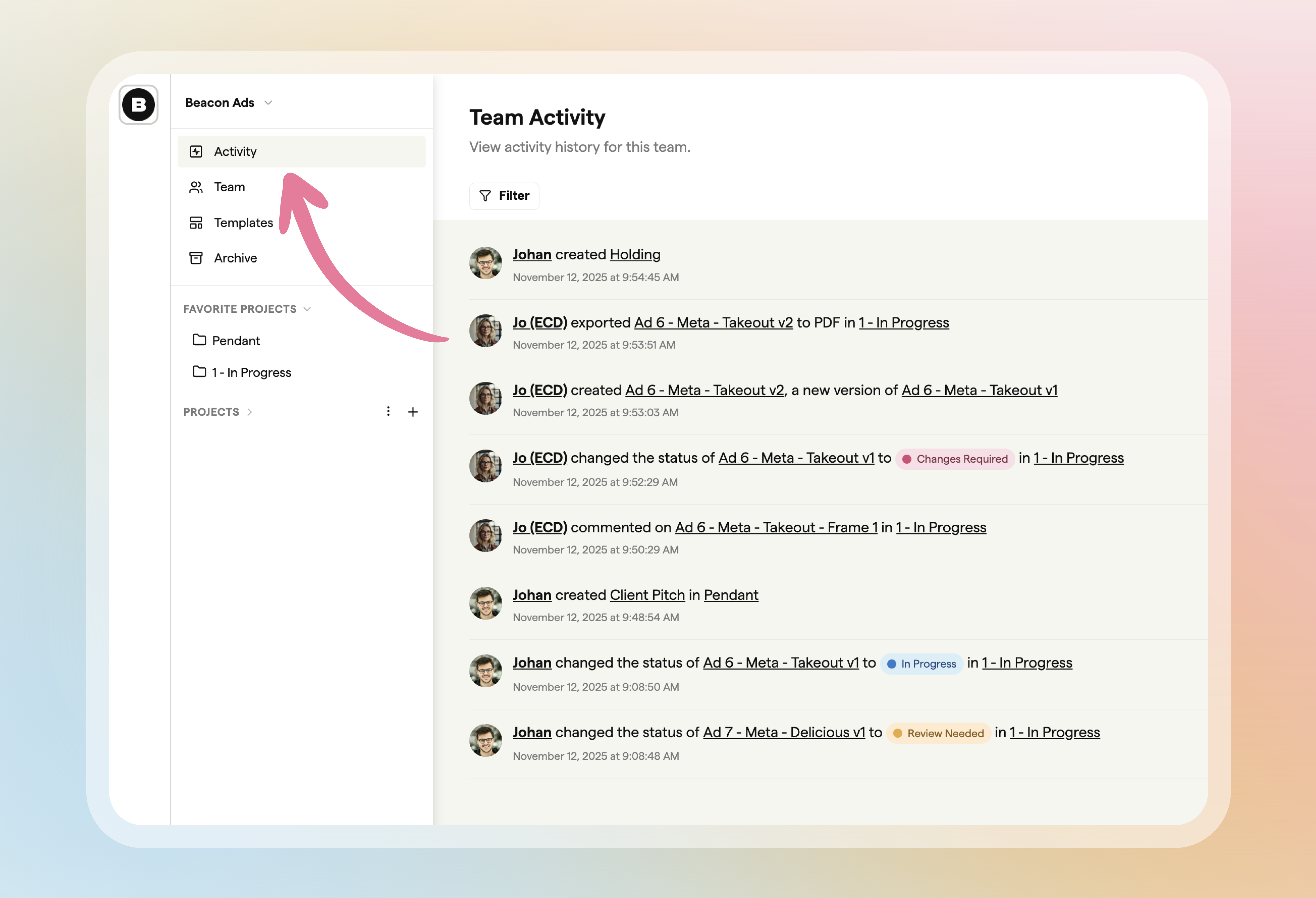
Account owners and admins on paid plans can open Activity in the sidebar to see and filter what's happening across all your team's storyboards and projects.
Some PNG frame images, such as ones with transparency, could fail to show in exported PDFs in some PDF viewers. Boords now converts these images when you export, so every frame appears.
When you import a script, Boords picks out the main characters and creates a reference image for each one, so your characters look the same from shot to shot.
When you change the image style in the generator, the new style now applies to every frame in the storyboard, so you no longer need to set it frame by frame.
In the image generator, press Tab in an empty prompt field and Boords writes a prompt from the frame's text fields, such as action or dialogue.
When you upload a script file to Import Script, Boords now reads it and fills in Field Names and # Scenes for you. Check them and change anything you need before you import.
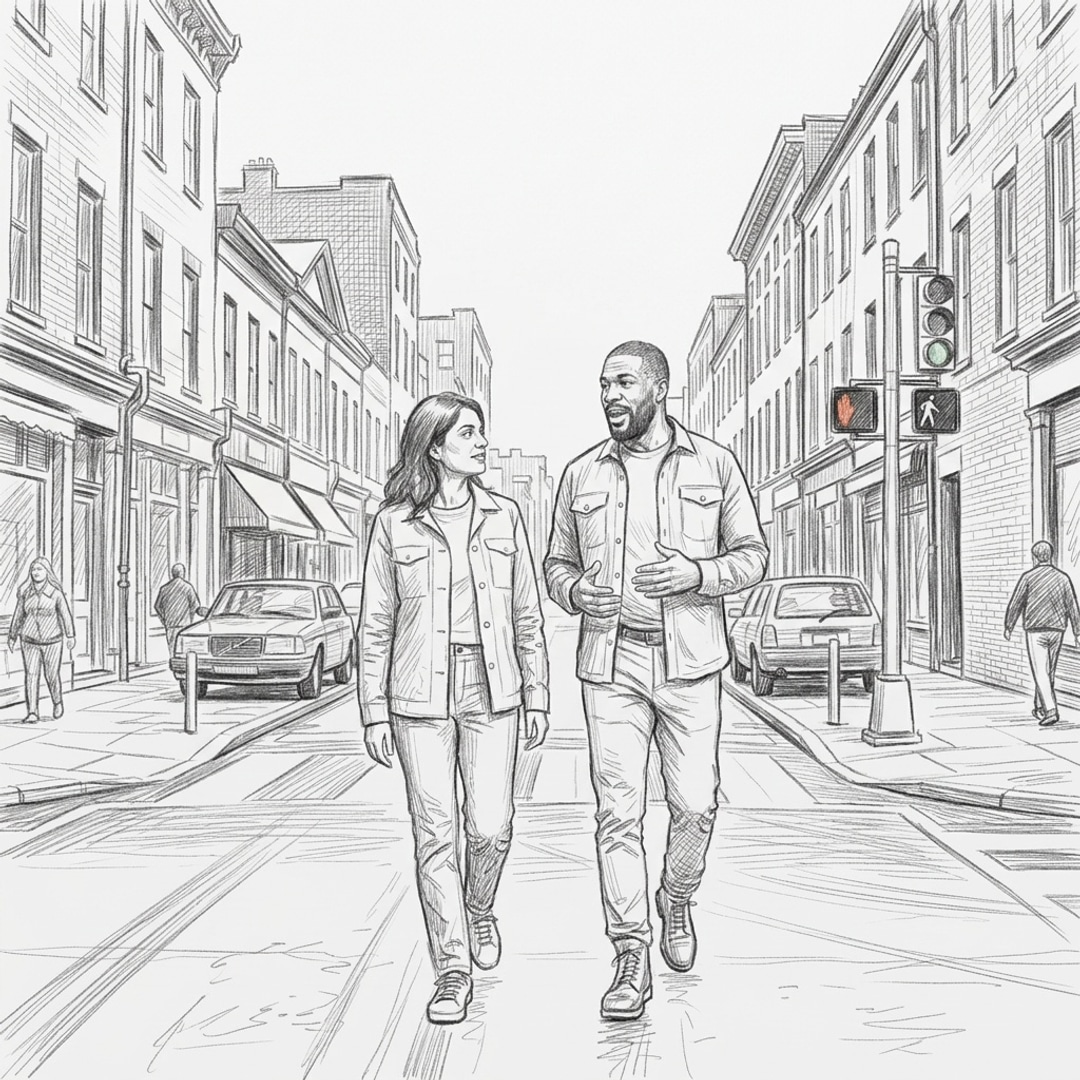
The Sketch style creates traditional storyboard-style pencil sketches with loose, monochrome linework. Choose Sketch from the image style picker when you generate a frame.
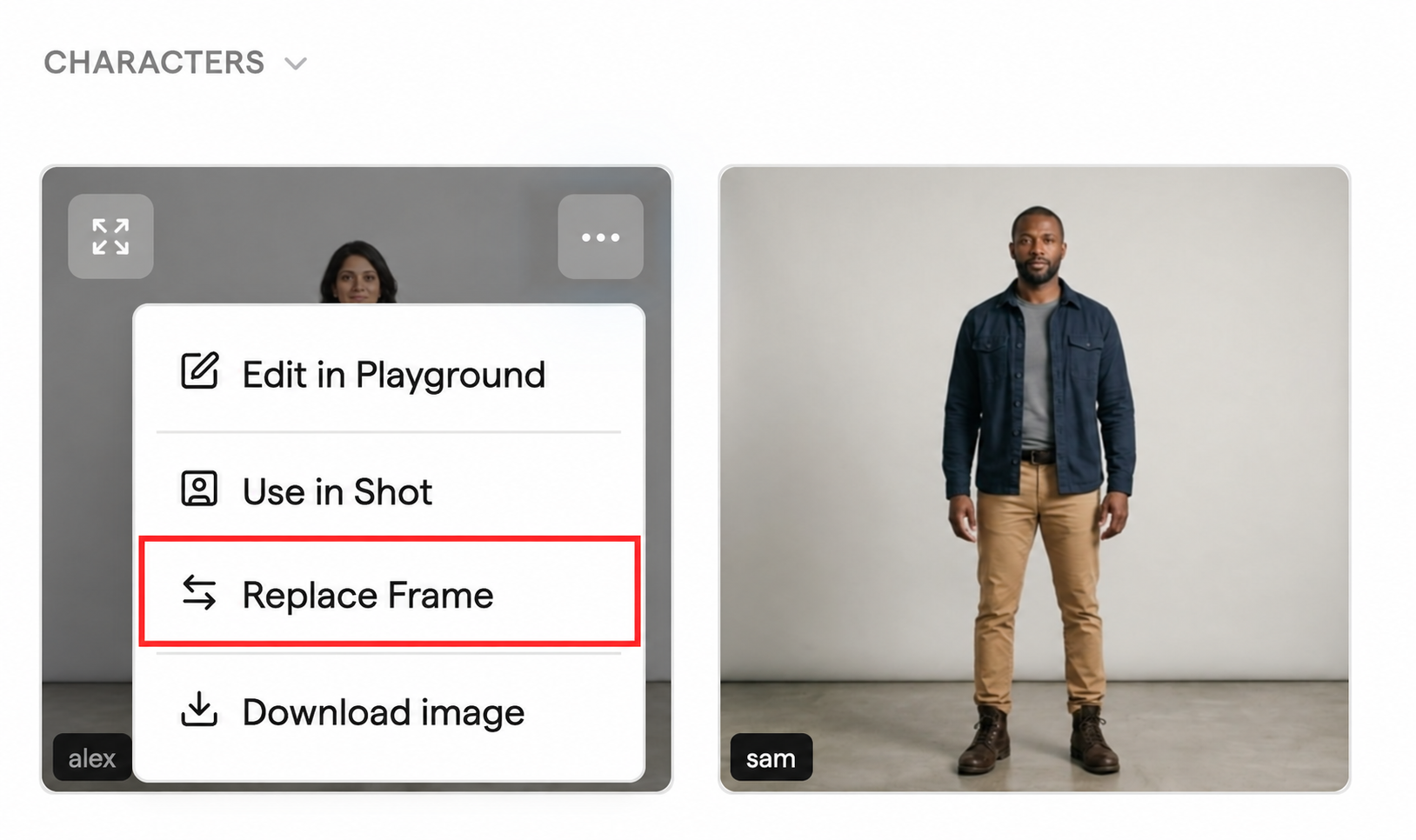
Open the menu on any Playground or Image Library image and choose Replace Frame, then pick the frame to update. The frame keeps its text and comments.
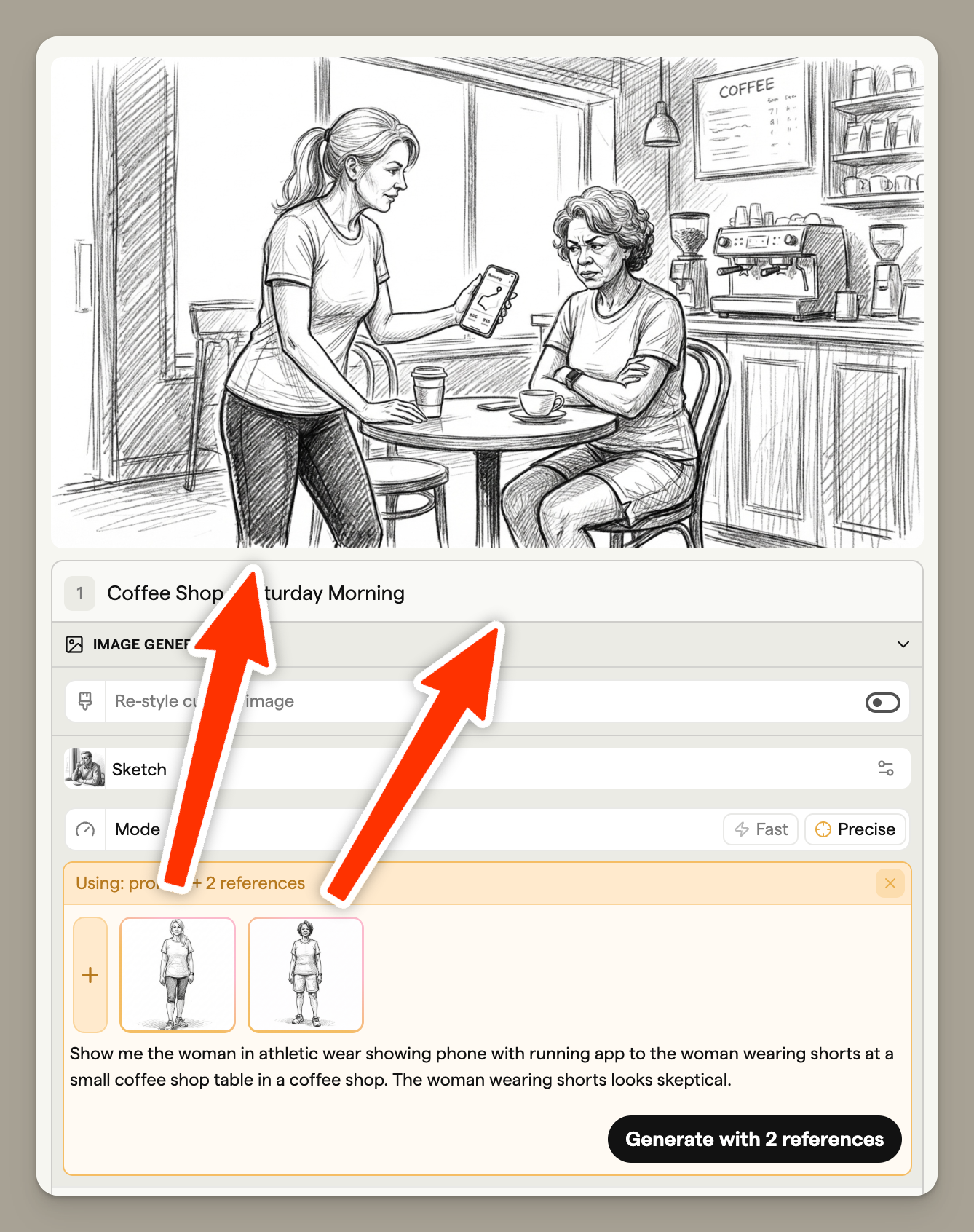
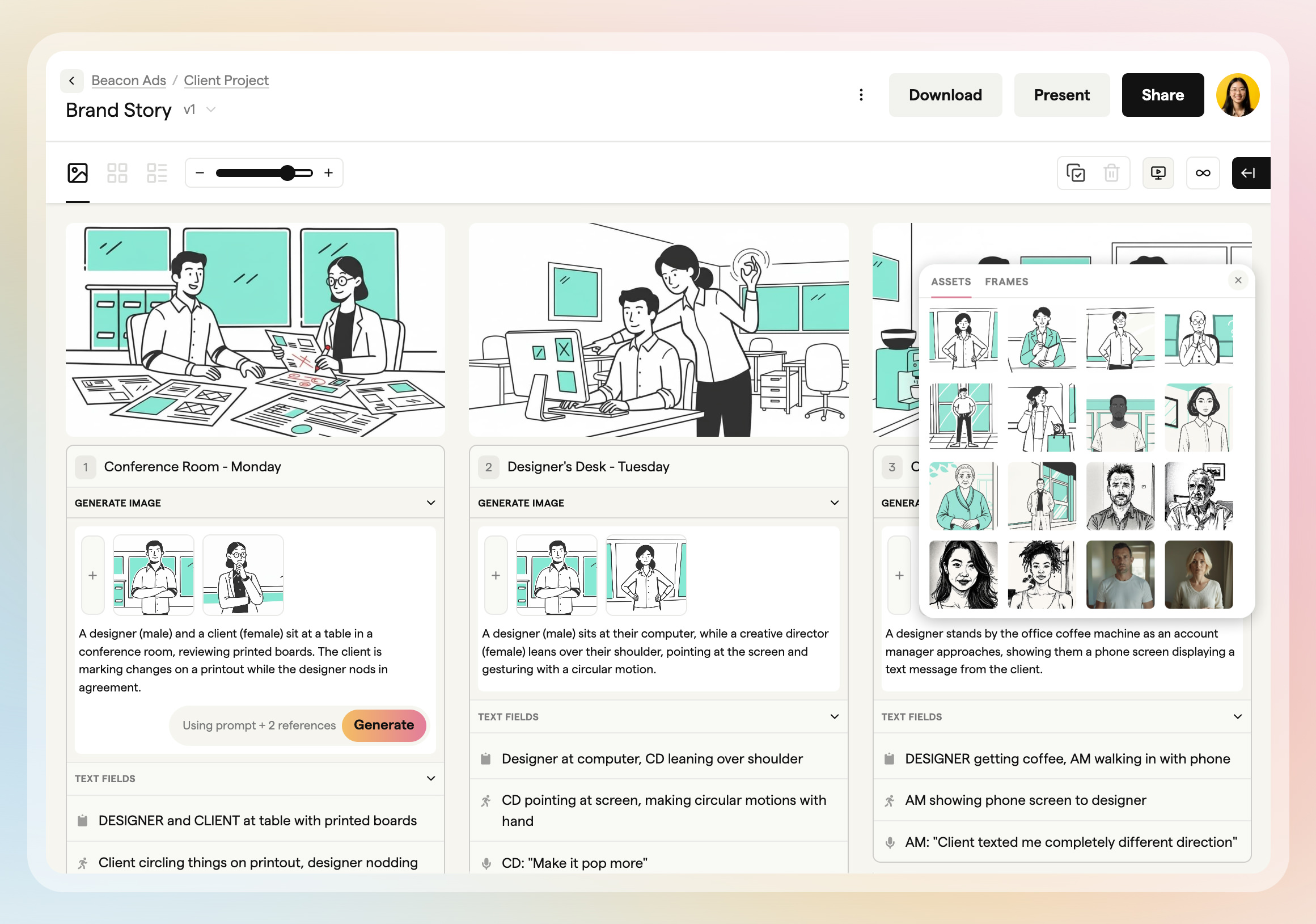
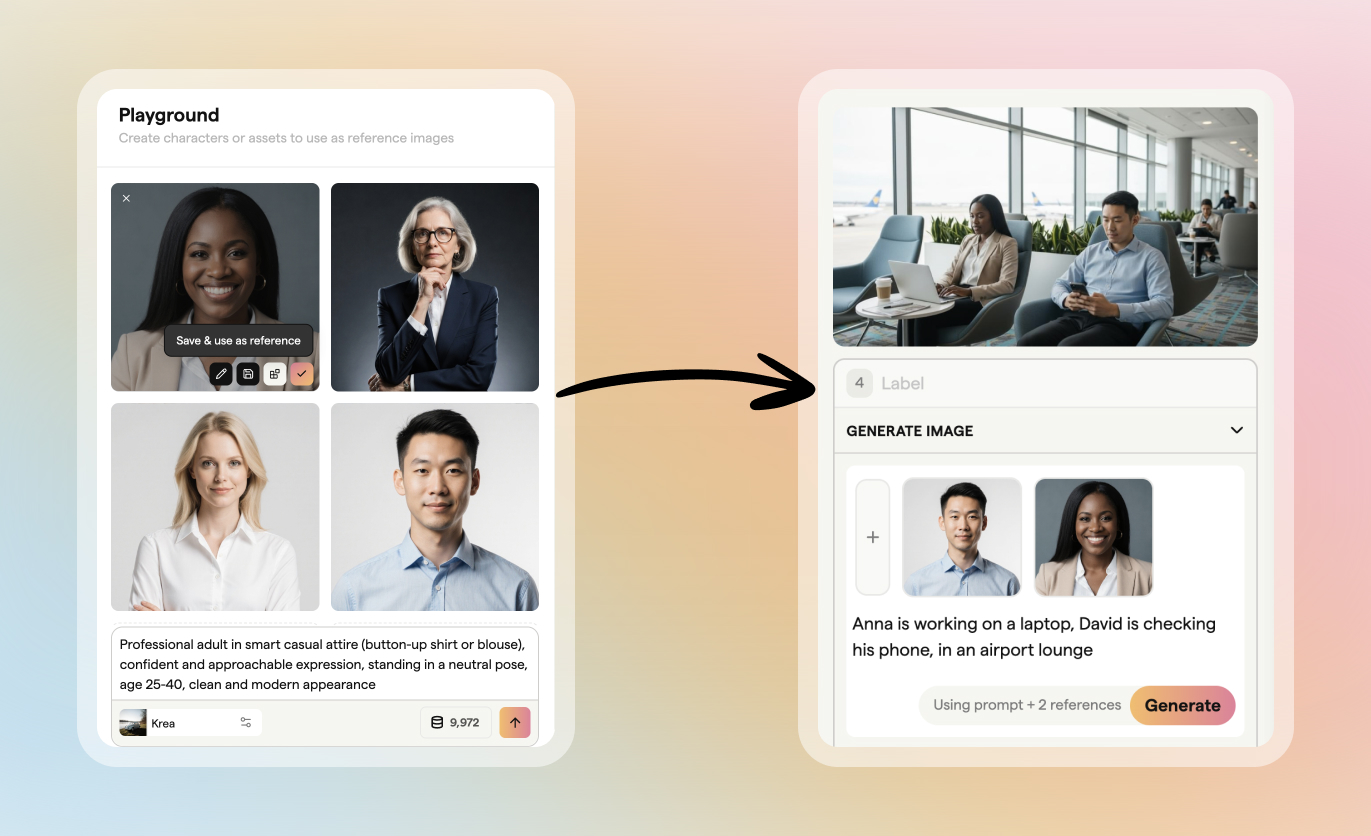
You can now combine several characters and reference images when you generate a frame, so shots with more than one recurring character or prop stay consistent.
Use the Playground to create characters and other images before they go into a storyboard, then use them as references in any frame.
Inside a project, Sub-projects and Storyboards sit in their own sections that you can collapse, and Boords remembers which ones you closed in that browser.
When you paste a script into Import Script, Boords reads it and fills in Field Names and # Scenes for you. Check them and change anything you need before you import.
Project search now lists your team's templates alongside projects and storyboards. Click a template result to create a new storyboard from it in the project you have open.
In a project, move your pointer across a storyboard's thumbnail to scrub through a preview of its frames. You can check what's inside without opening it.
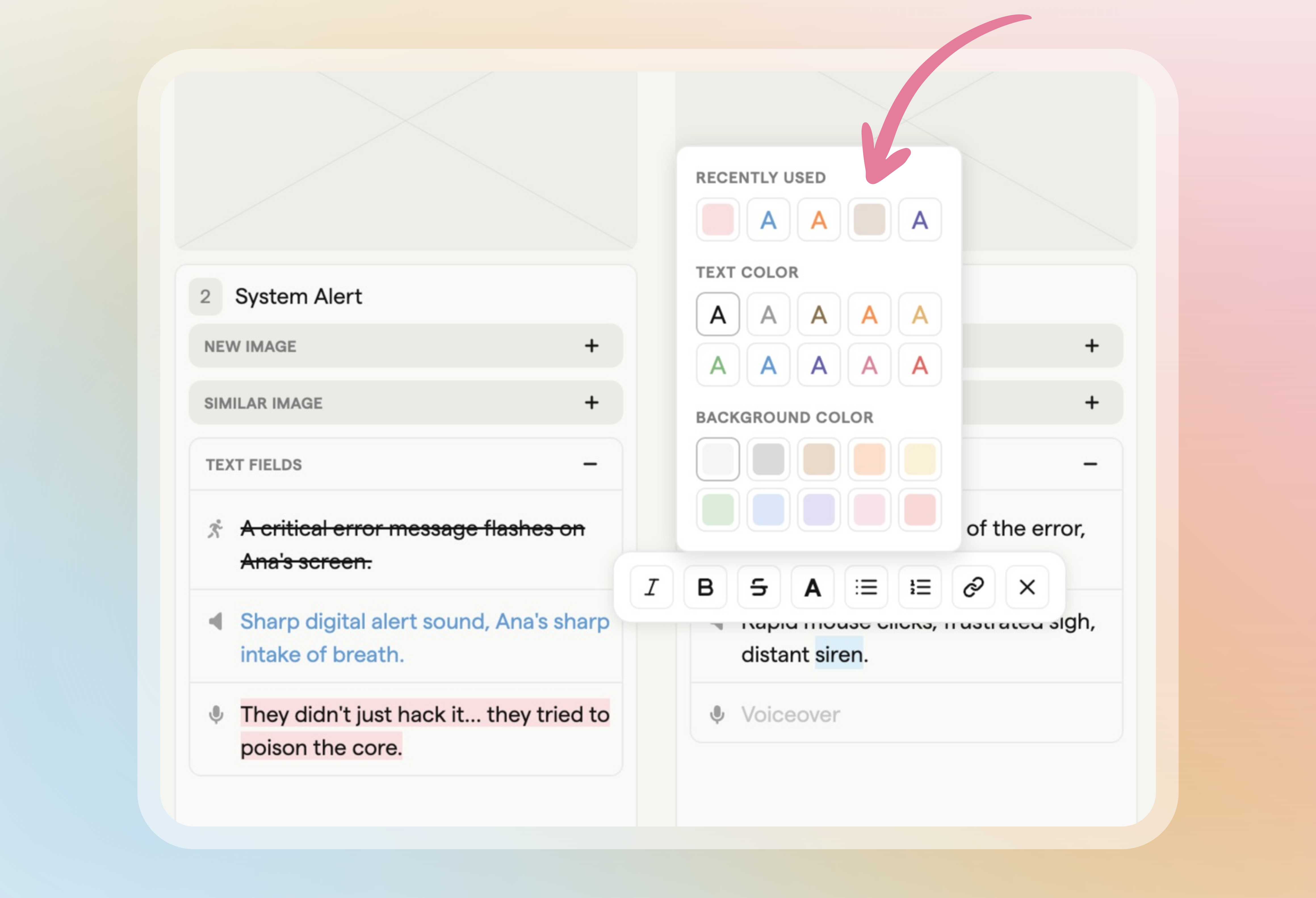
Select text in a frame field or comment and use the formatting toolbar to add strikethrough, text colour or a background highlight.
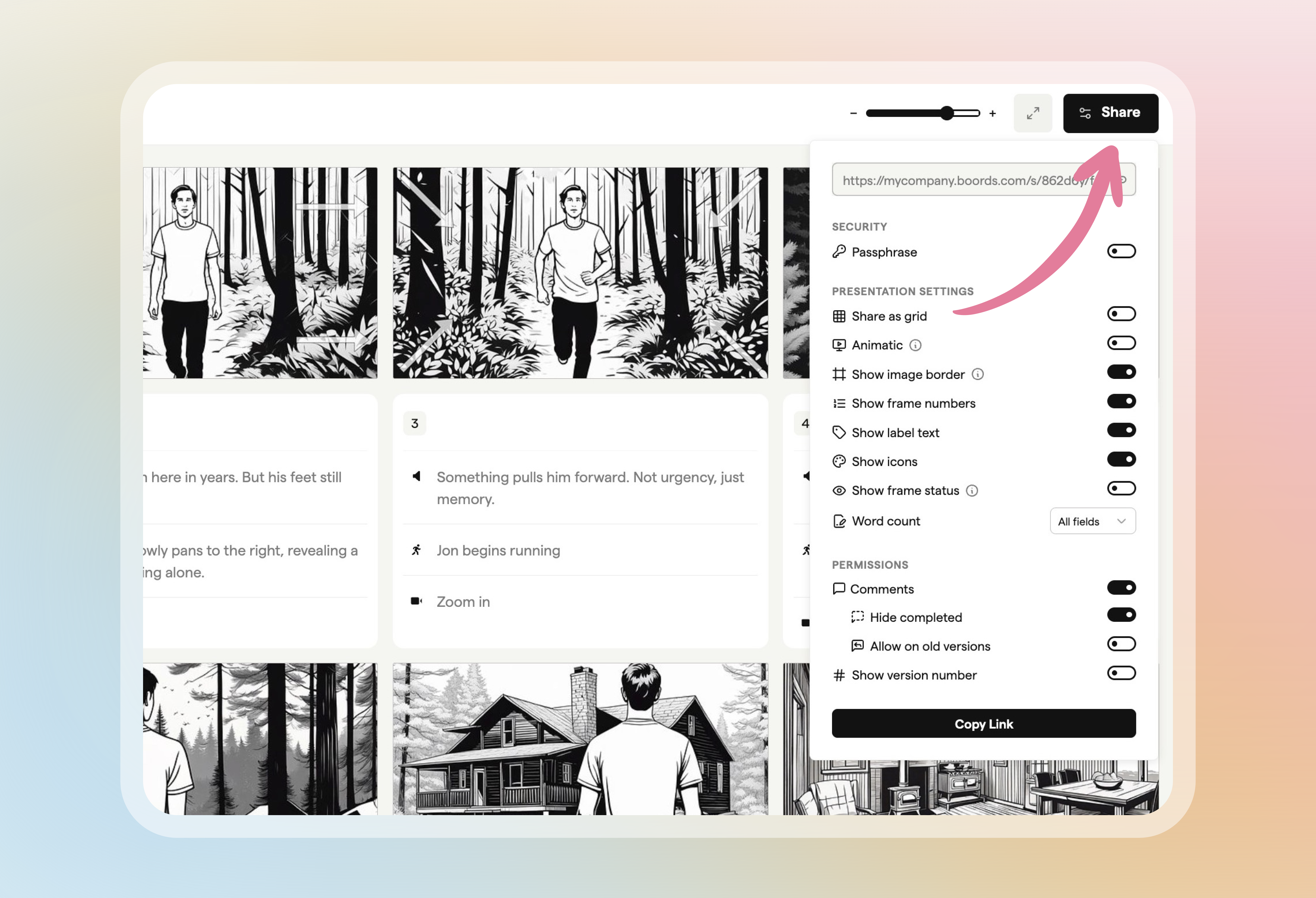
Open your storyboard's shareable link while signed in and click the settings button in the header to manage the link without going back to the editor.
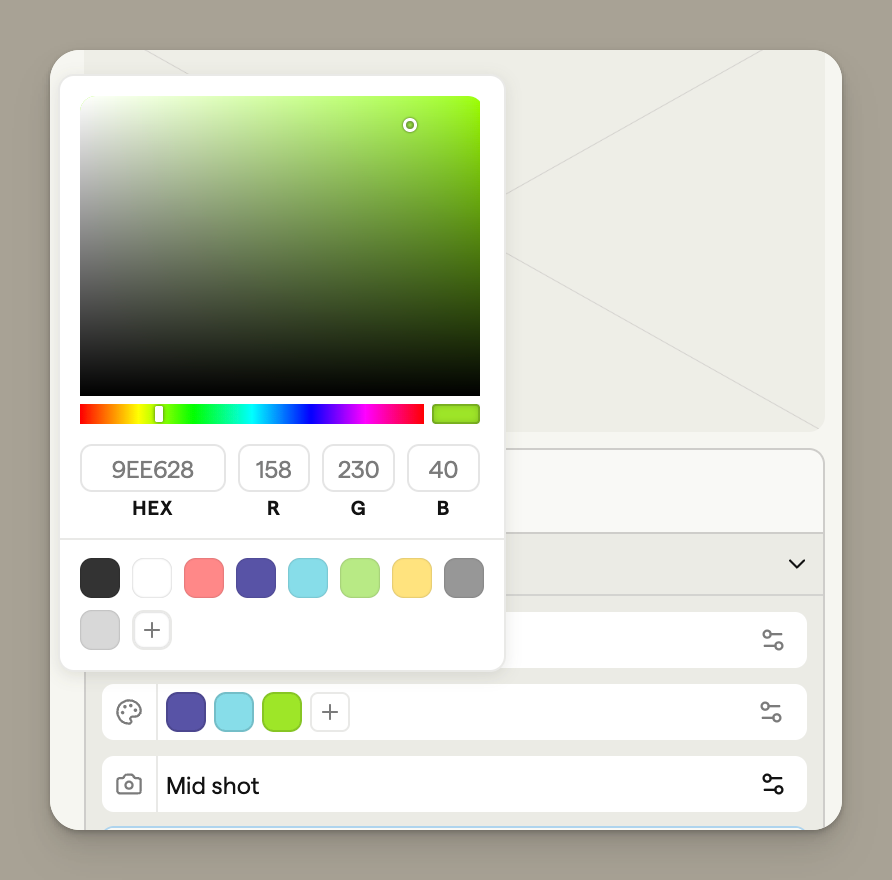
Some image styles let you set a colour palette of up to four colours, such as your brand colours, for Boords to use when it generates the frame.
When you zoom into the animatic timeline, a scrollbar appears so you can drag along it to reach any frame.
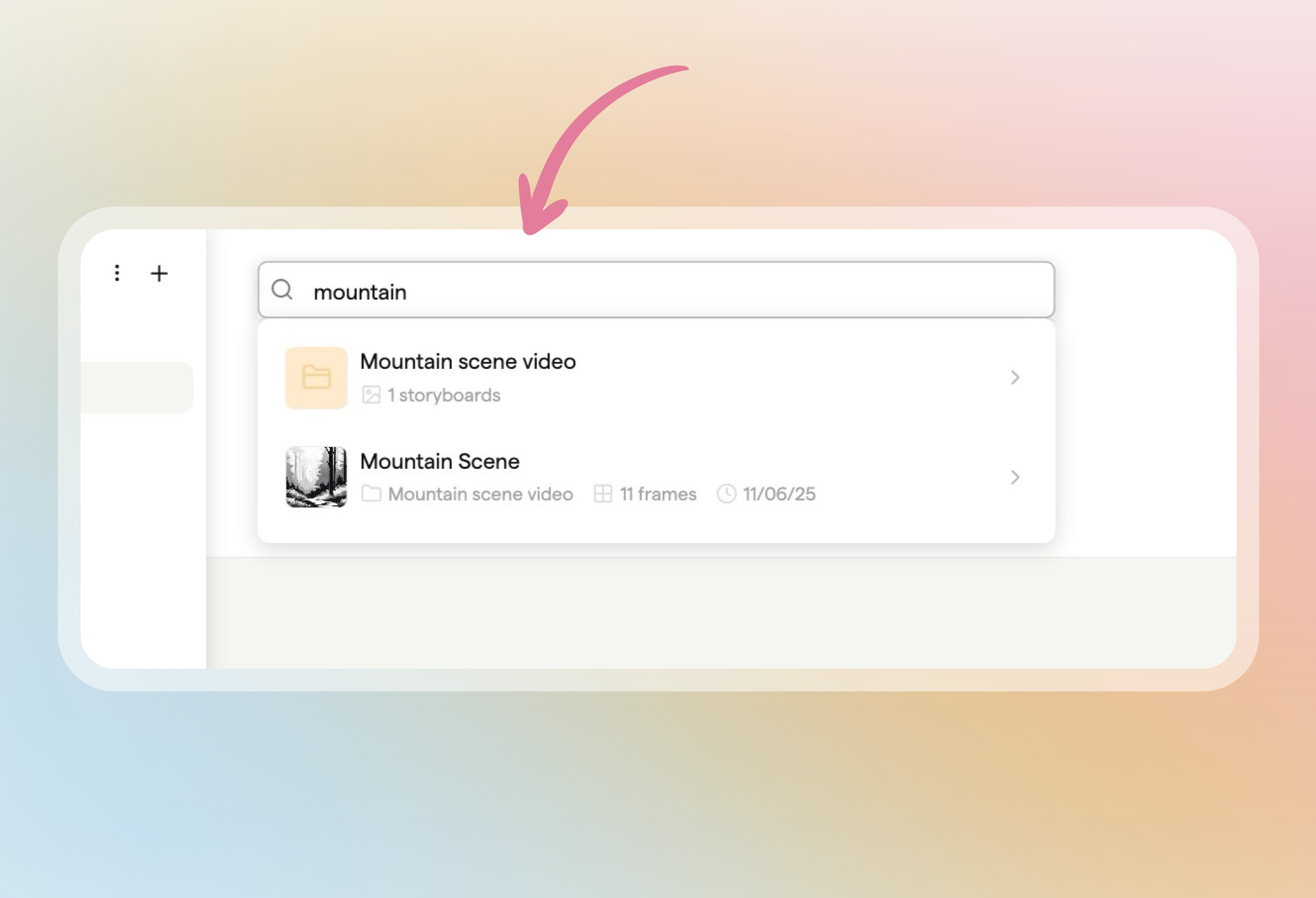
Use the Search workspace field at the top of your projects page to find any project or storyboard by name and jump straight to it, on desktop or mobile.
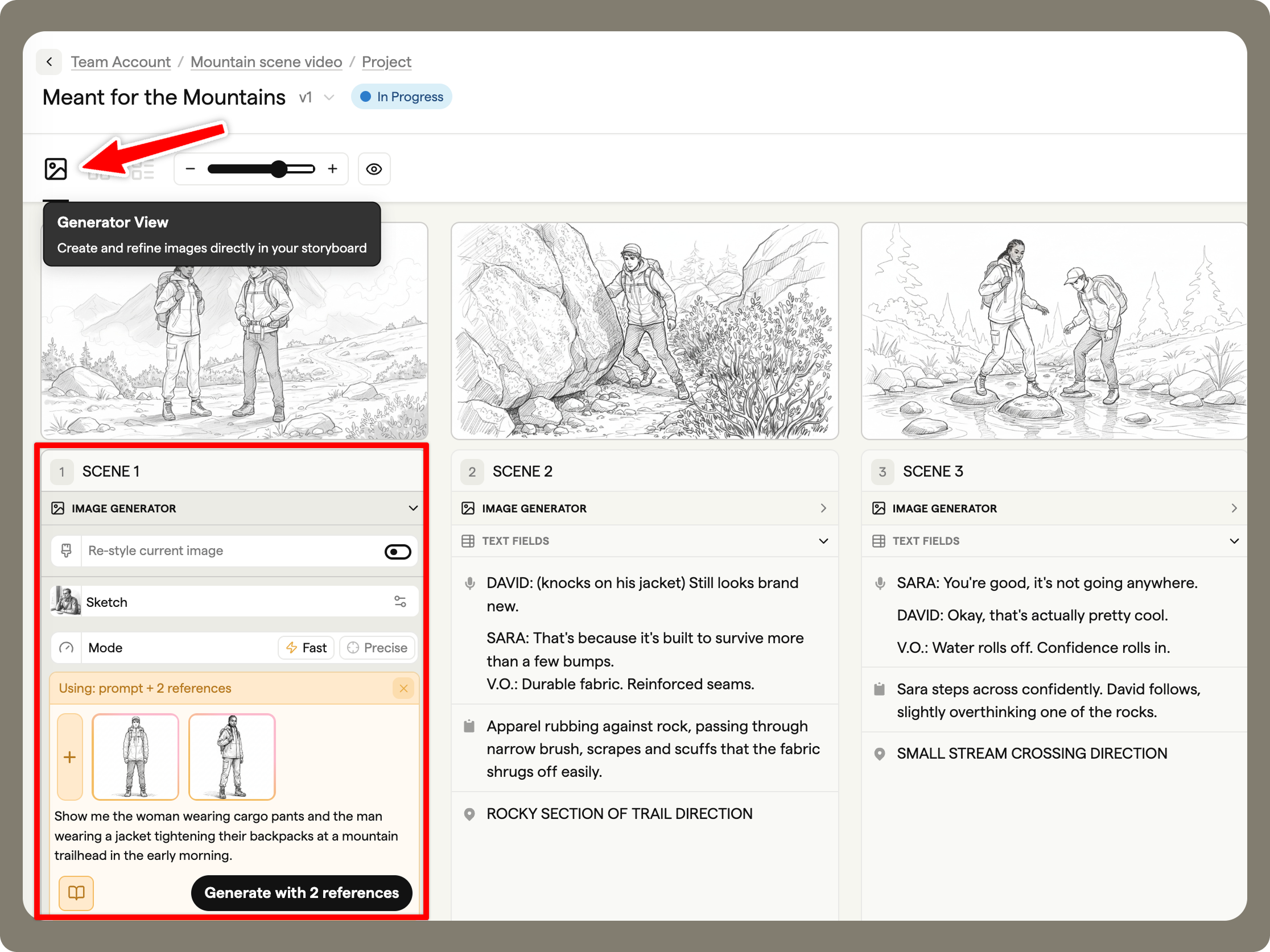
Switch to Generator view from the view buttons in your storyboard header, then write a prompt on any frame and generate its image right in the grid.
If you hadn't uploaded your own cover logo, PDF exports could fail without showing an error. These exports now download as expected.
The animatic timeline now shows each frame as its own block with a thumbnail, so you can check the order of your shots at a glance.
If you left the frame editor with Alt+Tab and came back, dragging a shape, image or text could leave a copy behind. Dragging now moves the object as you'd expect.
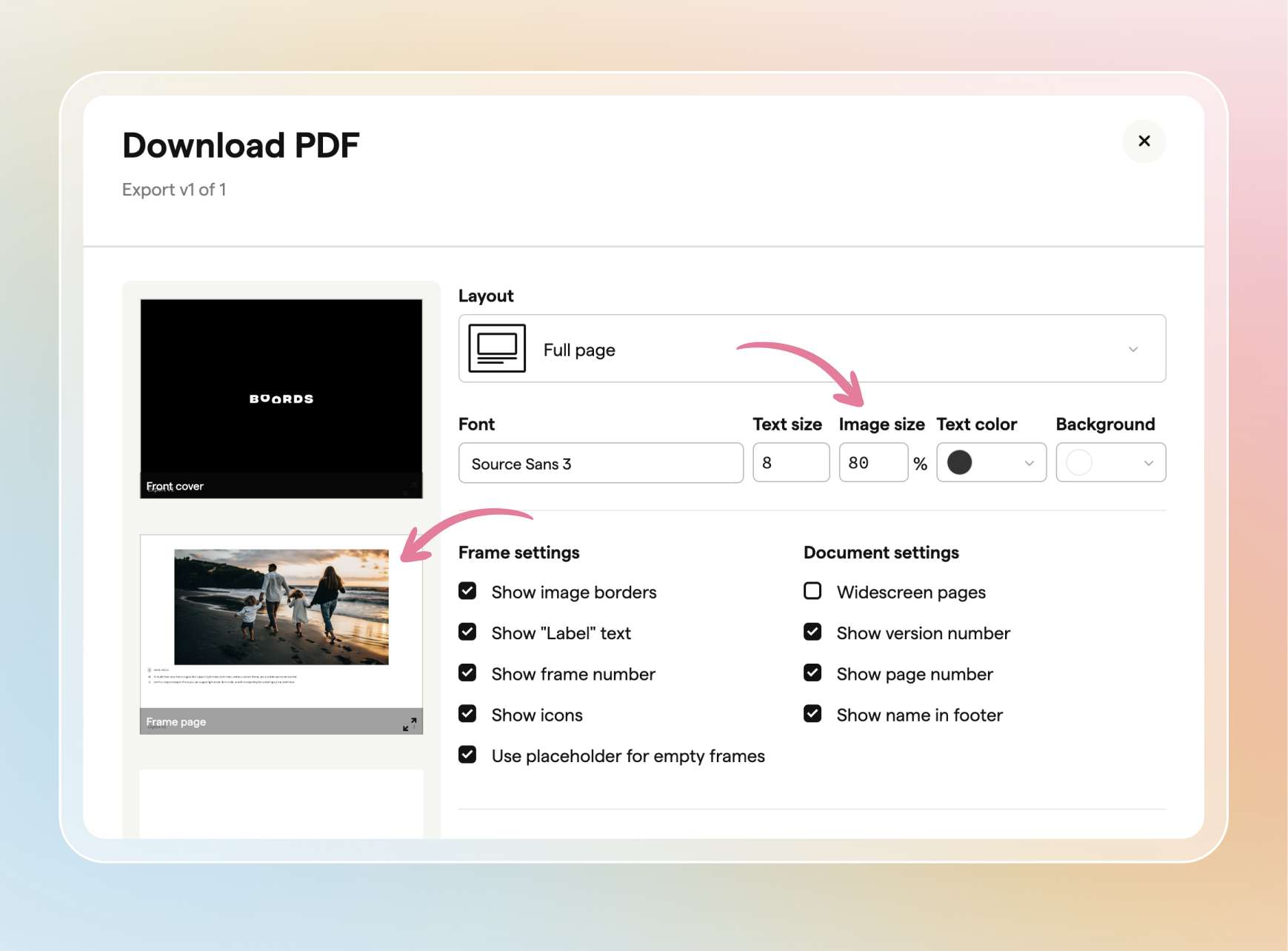
PDF exports have two new layout controls: Image size scales images from 40% to 100%, and Empty frame placeholder lets you leave frames without an image blank.
If an AI image is taking longer than you want, or you've changed your mind about the prompt, you can now stop it. Hover over the progress label on a frame that's generating and click the X to cancel.
When you share a storyboard with the Animatic setting turned on, anyone opening the link on their phone can now press play and watch it through, instead of stepping frame by frame.
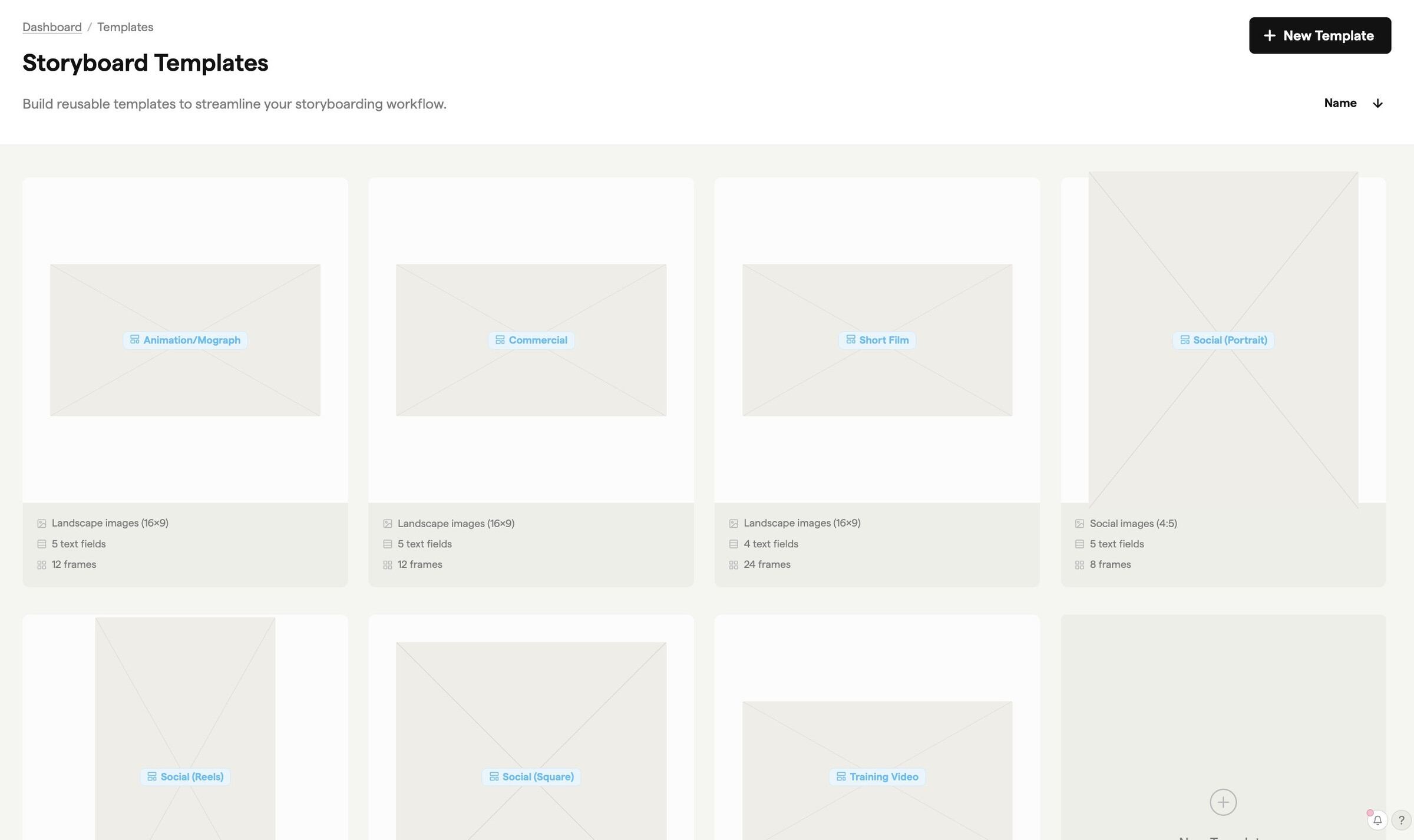
Templates now come with a starter set for common formats, including Commercial, Social (Reels), Animation, Training Video and Short Film.
Anyone viewing a review link can drag the slider at the top of the page to show more or fewer frames per row.