Introducing Slack DMs and the notifications inbox

We're excited to launch Slack DMs for Boords. Comment activity that used to live in batched emails now reaches you straight away, in the place you already work.
Until now, the team feedback loop slowed down at every handoff. A comment landed in a digest email an hour later. A mention sat unread in someone's inbox until the next morning. If you wanted to be sure your director or editor saw a specific frame, you sent them a Slack message yourself.
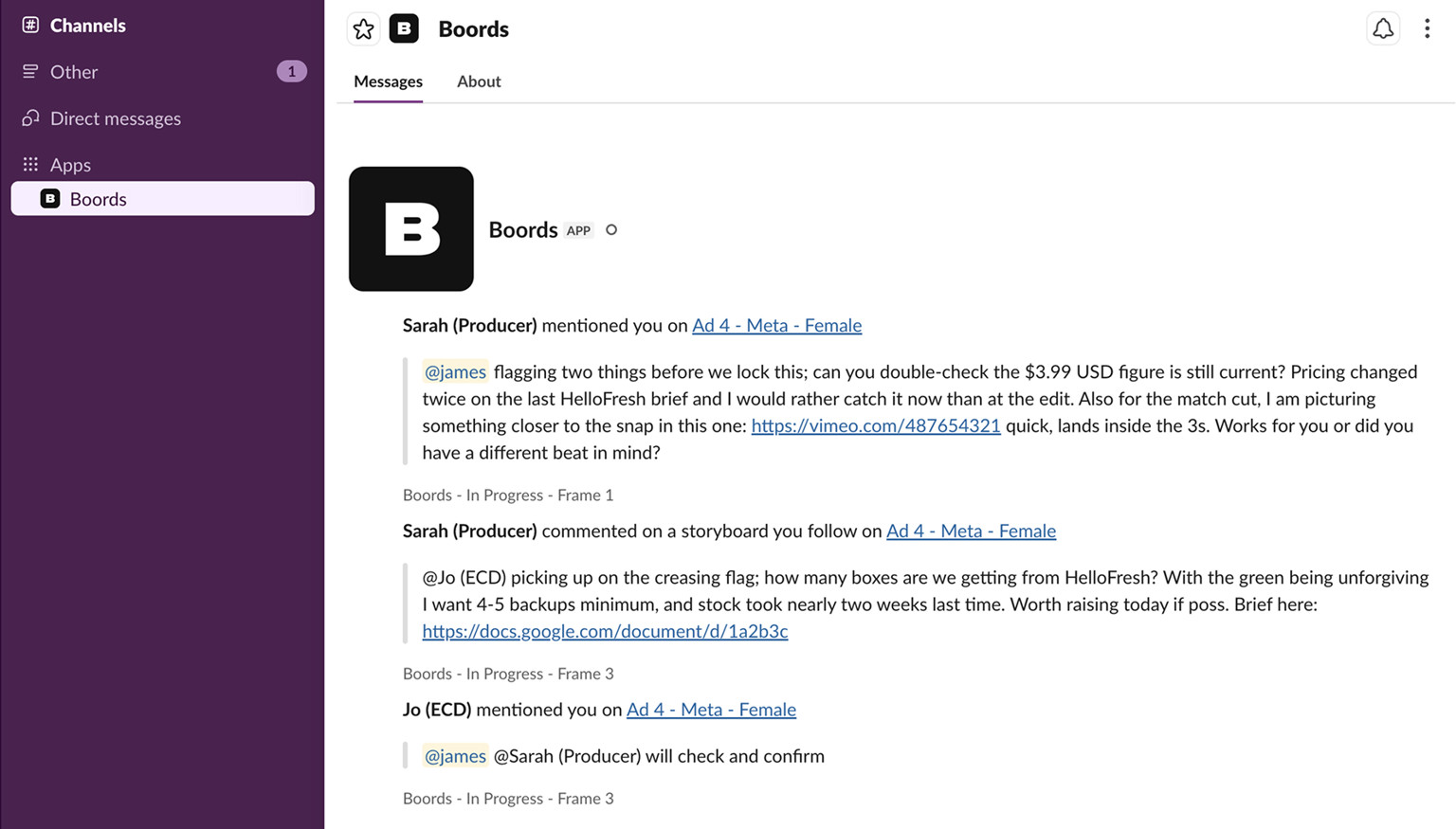
Slack DMs close that loop. Every Boords notification, mentions, replies, follows, and status changes, arrives as a Slack DM, alongside your in-app inbox. Connect Slack and the next comment that needs you lands in your DMs.
The same notification, two surfaces. Pick the one you're already in.
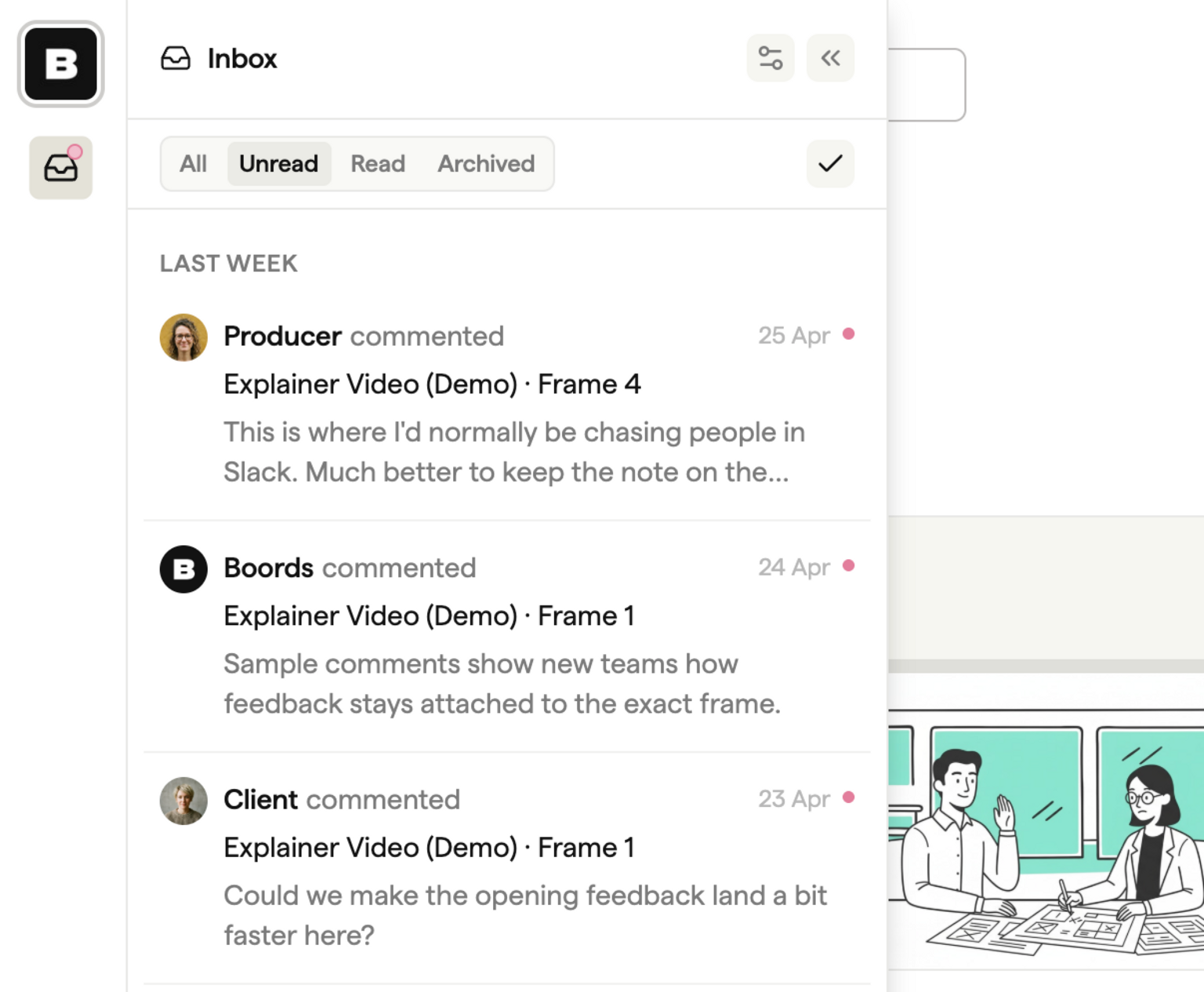
Open the inbox. See what needs you.
The inbox sits behind the bell icon in the left rail of every page. Click it and you'll see the comments aimed at you: mentions, replies, status changes on your own comments, and new comments on anything you follow.
The bell shows a pink badge when something's unread. The panel has four tabs (All, Unread, Read, Archived) and updates as new activity comes in. Click any item to mark it read and jump straight to the comment in context.
The inbox is your in-app surface. Slack is the same content, delivered to wherever you happen to be working.
Tag the right person. Follow the right work.
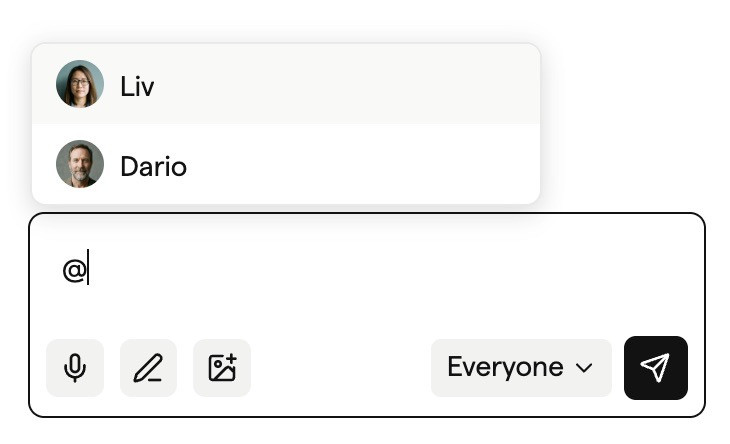
Type @ while writing a comment and pick a teammate from the list. Their name attaches to the comment and the notification lands in their inbox and Slack.
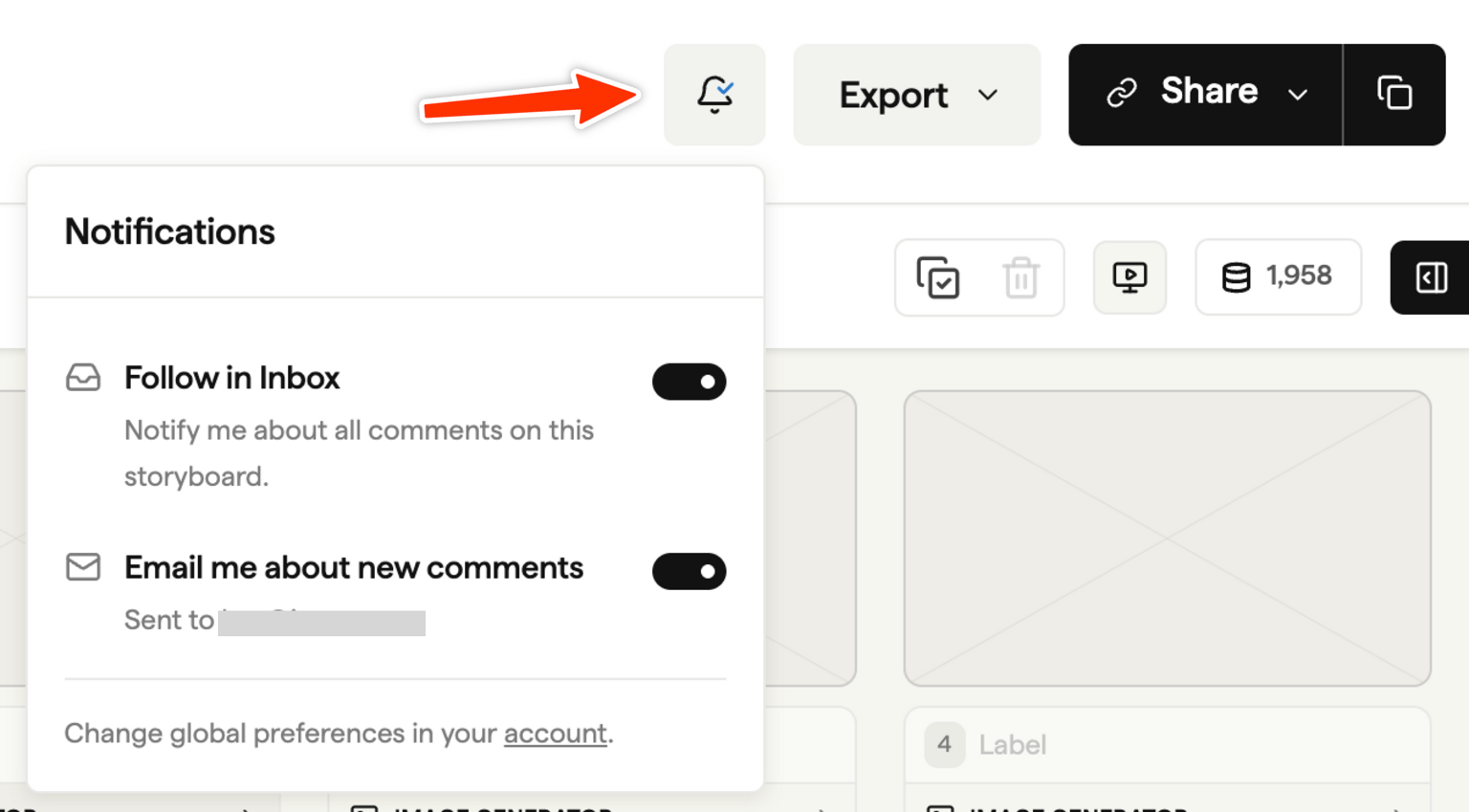
For broader awareness, follow a storyboard or a whole project from its bell menu. Every new comment on the things you follow joins your inbox, including comments left by guests on shareable links. A producer can follow a project once and pick up every thread across every storyboard inside it.
Mentions and follows route the work. The inbox and Slack DMs deliver it.
Connect Slack. Catch every comment.
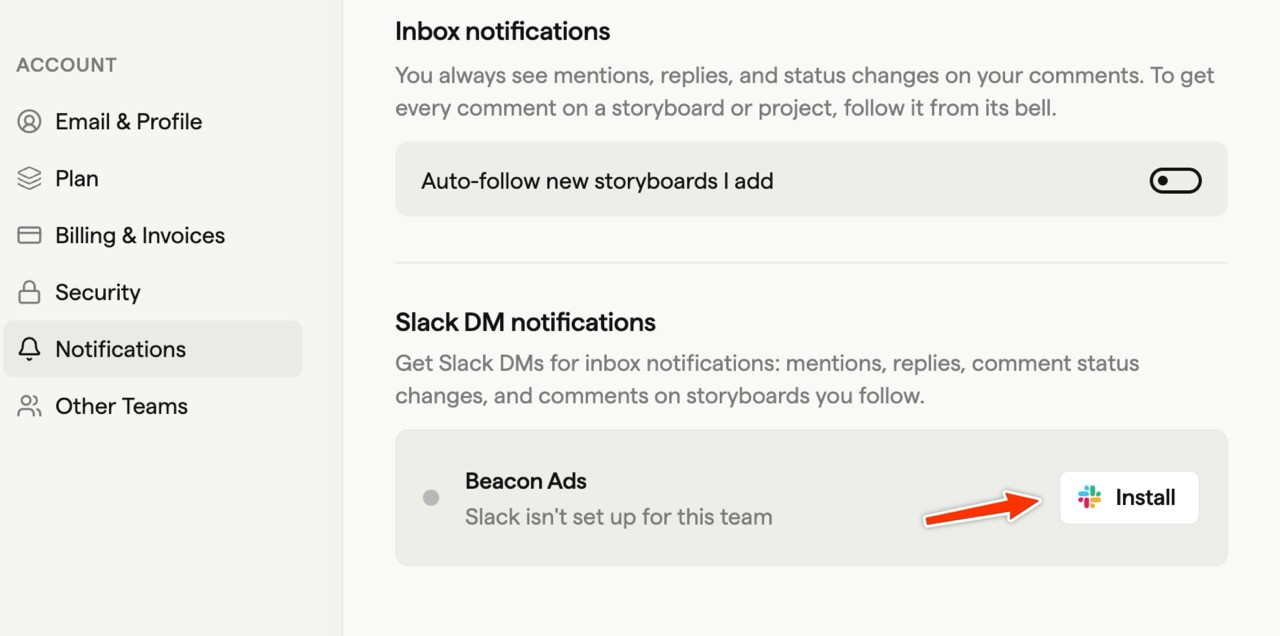
Connect Slack from Settings → Account → Notifications. Every Boords notification then arrives as a Slack DM, with a link back to the comment in Boords.
Slack is set up per team. A team owner, admin, or manager installs the Boords app on the workspace once. Each person then connects their own Slack identity from account settings. Notifications go to the recipient and only the recipient. Nothing fans out into channels, nothing gets surfaced to the rest of the team.
For distributed teams this closes the handoff. A creative leaves a comment in London at 5pm. Their director sees the Slack DM in New York at 9am, clicks through, replies in the frame. One step from feedback to action, regardless of where anyone is.
A few extras
- Auto-follow. Turn on Auto-follow new storyboards I add in account settings to follow every new storyboard you create.

- Follow filter. The Filter button at the top of the projects sidebar narrows your list to just the projects you follow.
- Independent email. Comment emails and inbox follows are decoupled. You can follow a storyboard without subscribing to its email digest, or take the digest without following.
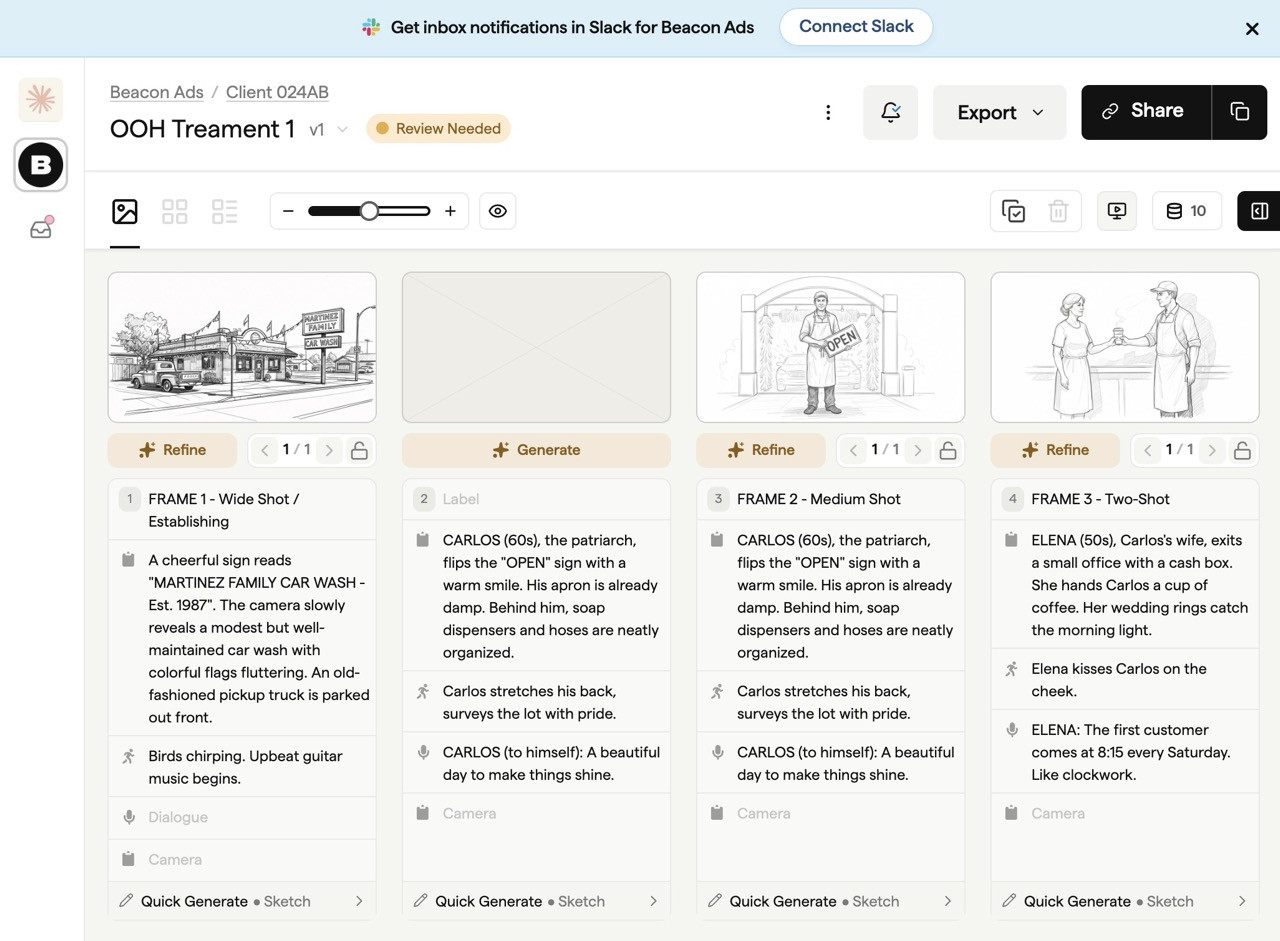
- Setup nudge. If your team's Slack workspace is connected but you haven't linked your own account, Boords shows a one-click banner on project pages reminding you to.
Getting started
- Click the bell in the left rail to open the inbox. Anything aimed at you is already there.
- Open Settings → Account → Notifications and connect your Slack account on the row for your team.
- On the next storyboard you want to keep on top of, open the bell menu and turn on Follow in Inbox.
- Mention a teammate the next time you leave feedback. Use
@and pick their name.
Open your notification settings →
For the full reference, see the notifications help doc.
The sign-off layer for video preproduction
One workspace for storyboards, animatics, comments, and approvals.
Spend time on the creative, not the back-and-forth.