






Before Boords, tracking feedback was a mess. With Boords we've got versioning, commenting, and presenting all in one place. It helps us with client communication so much.

Storyboarding software built for video agencies and brand teams
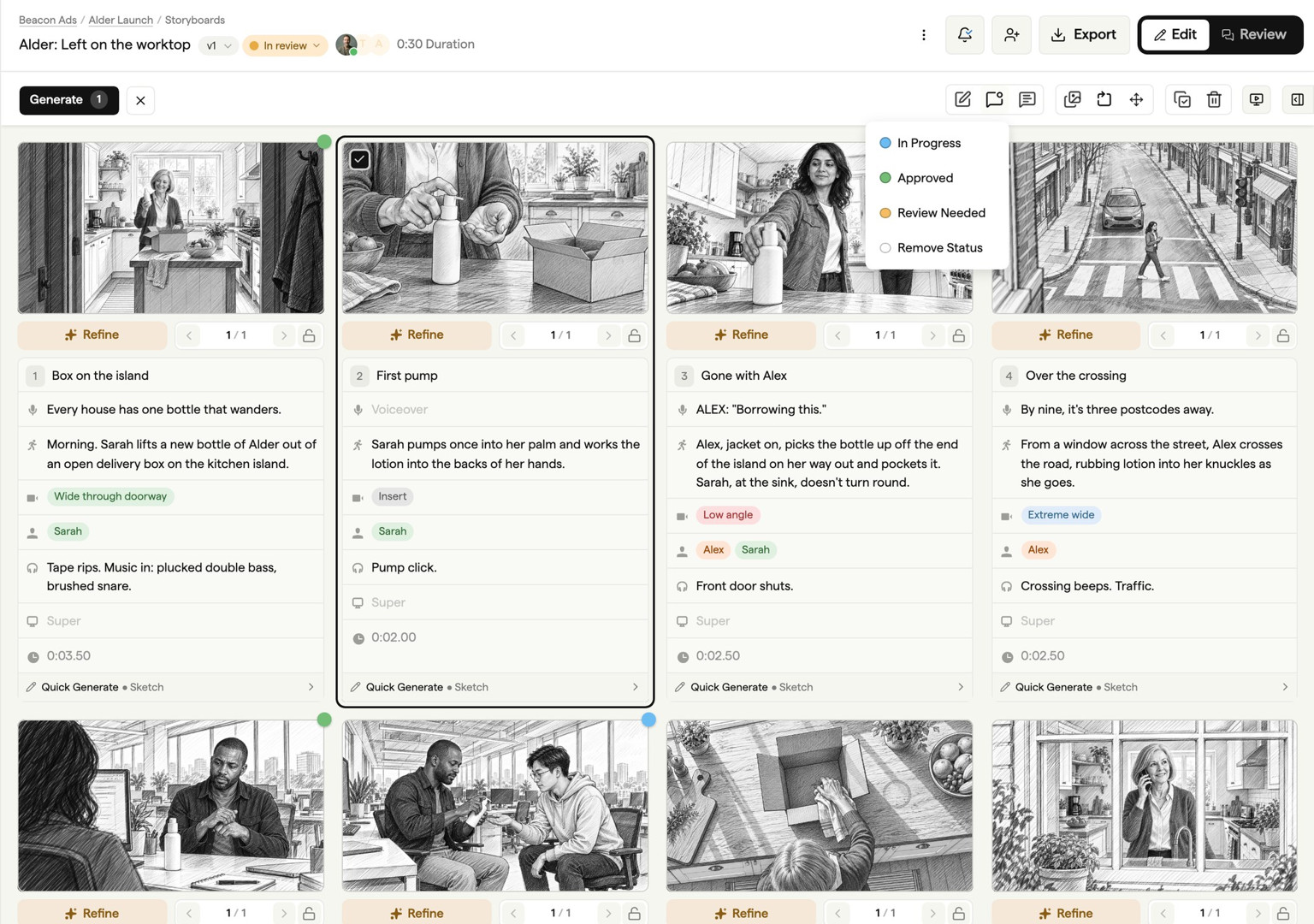
Create client-ready storyboards with your team, gather feedback in context, and move from first idea to final approval without rebuilding PDFs or untangling email threads.
Try Boords Free
No card needed. Clients review by link, no login.
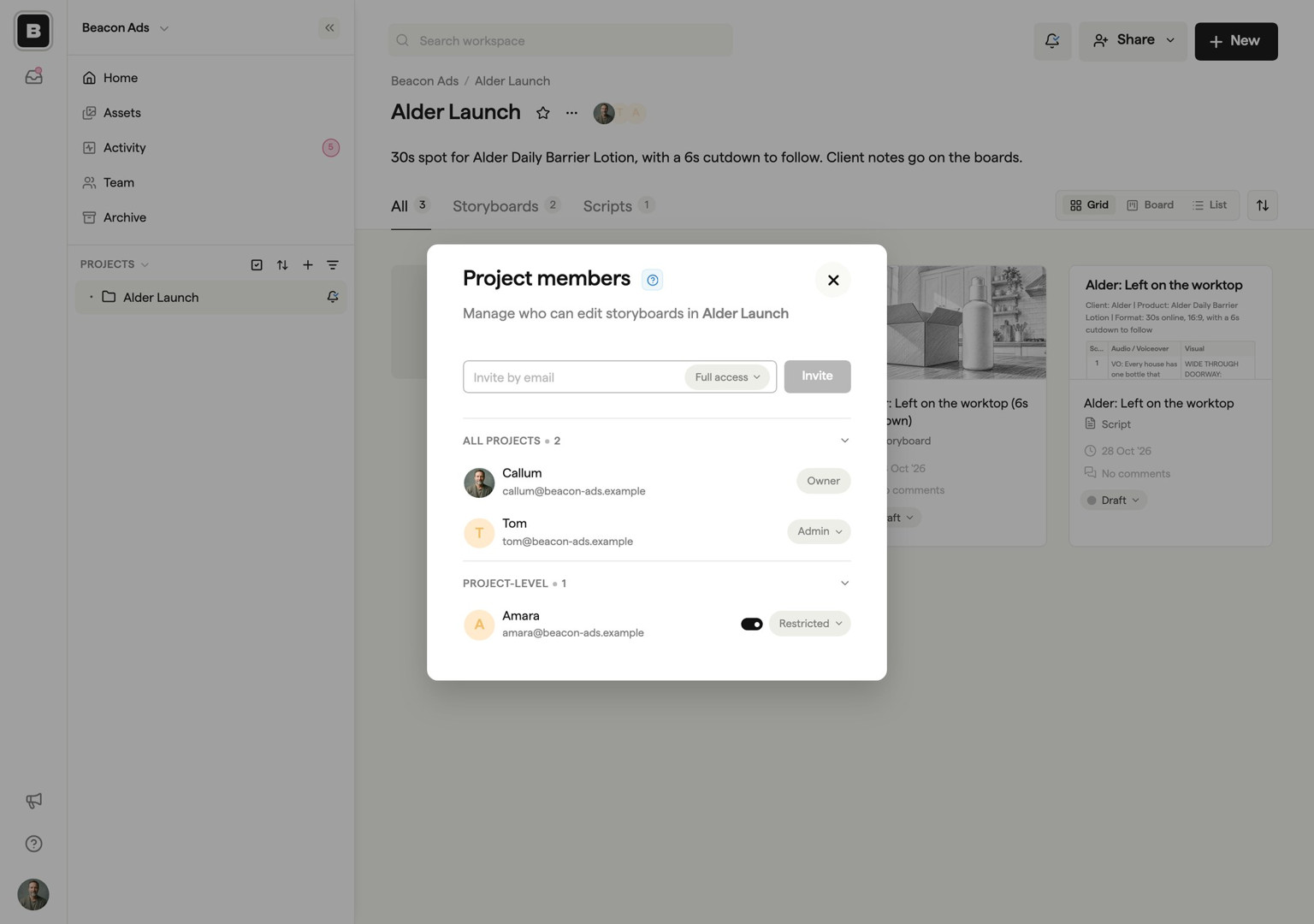
Online storyboarding collaboration your whole team will love
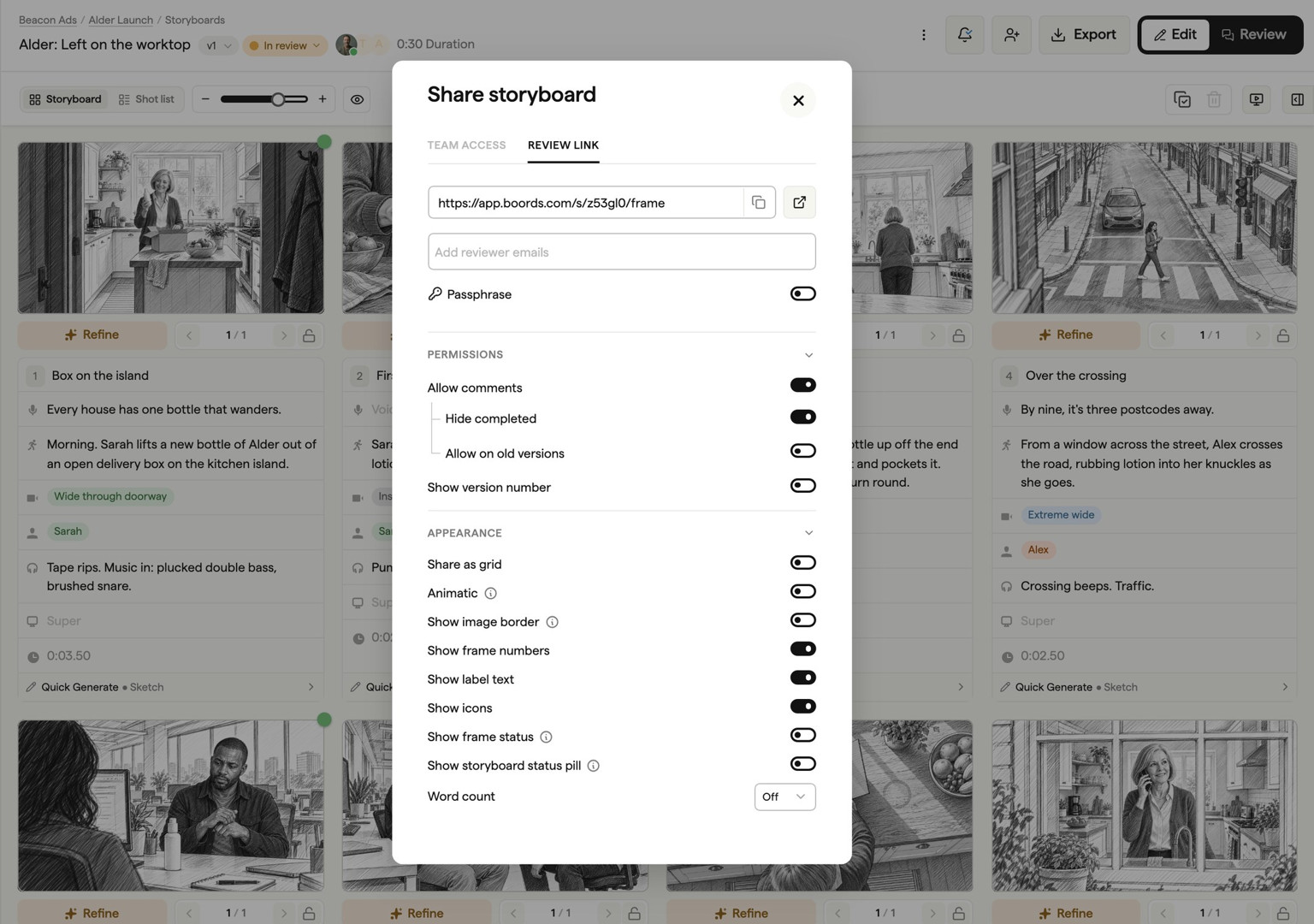
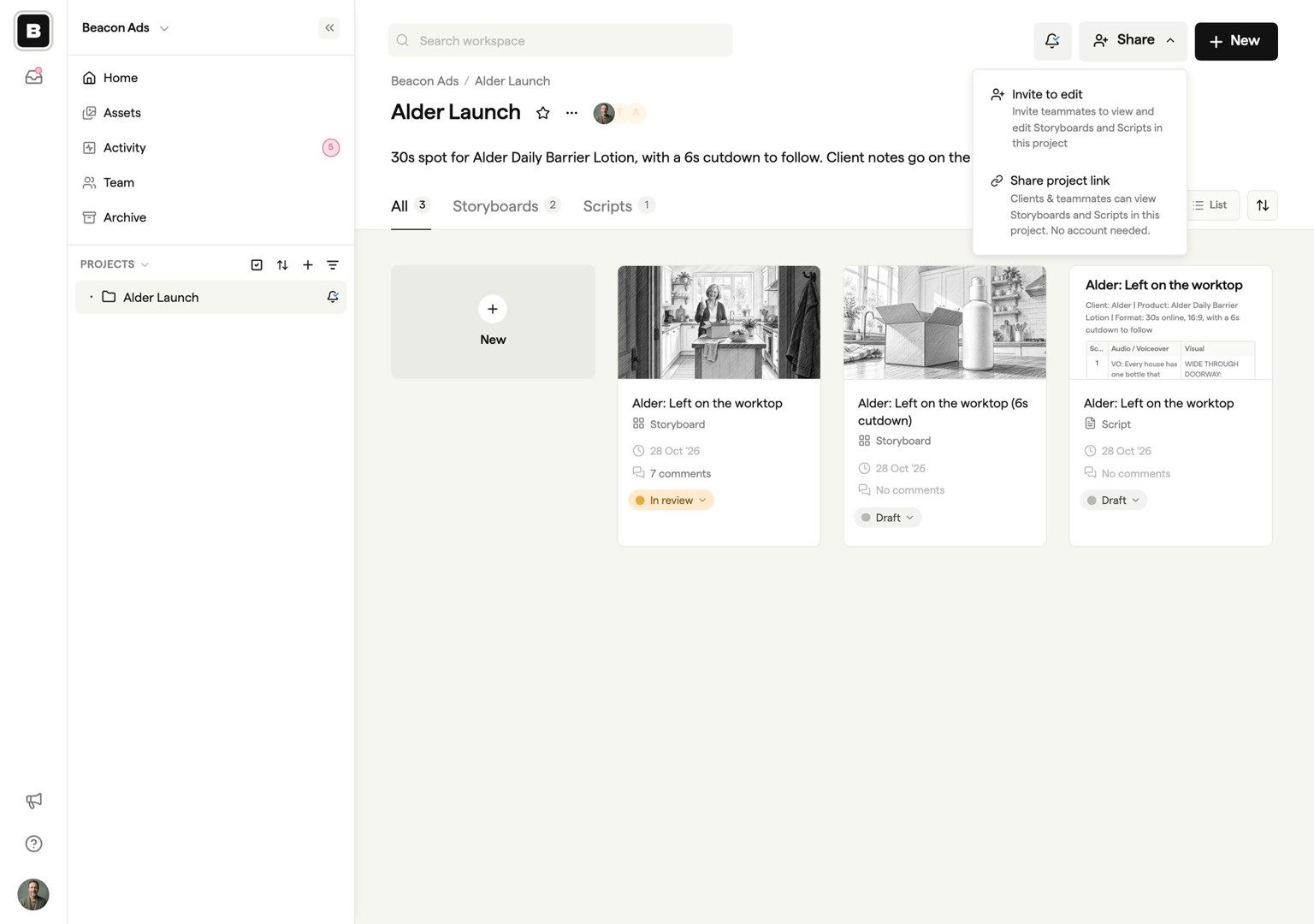
Boords is the storyboarding software that keeps your team aligned from first draft to final sign-off. Share secure links for client presentations, collect frame-specific feedback, and track approval status — so everyone knows exactly where things stand.
app.boords.com

Boords has drastically changed our workflow. Before, we spent so much time creating storyboards that we were happy to put in front of clients. Now everyone in our business can create storyboards that are visually pleasing. I can't recommend it enough.

Such a great tool. It helps us focus in what storyboards are for: presenting our ideas to clients, rather than dealing with the mess that comes with the back and forth!

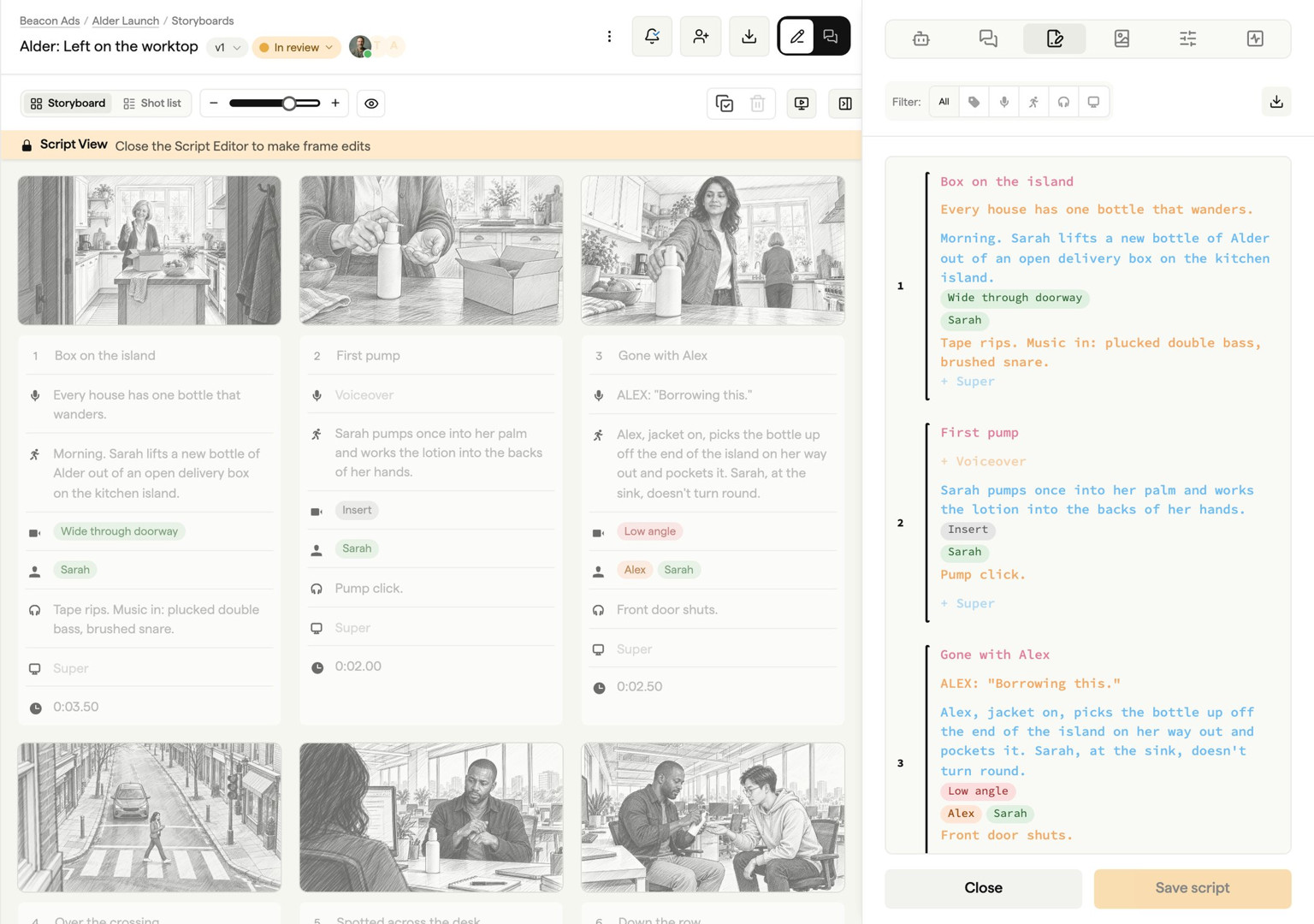
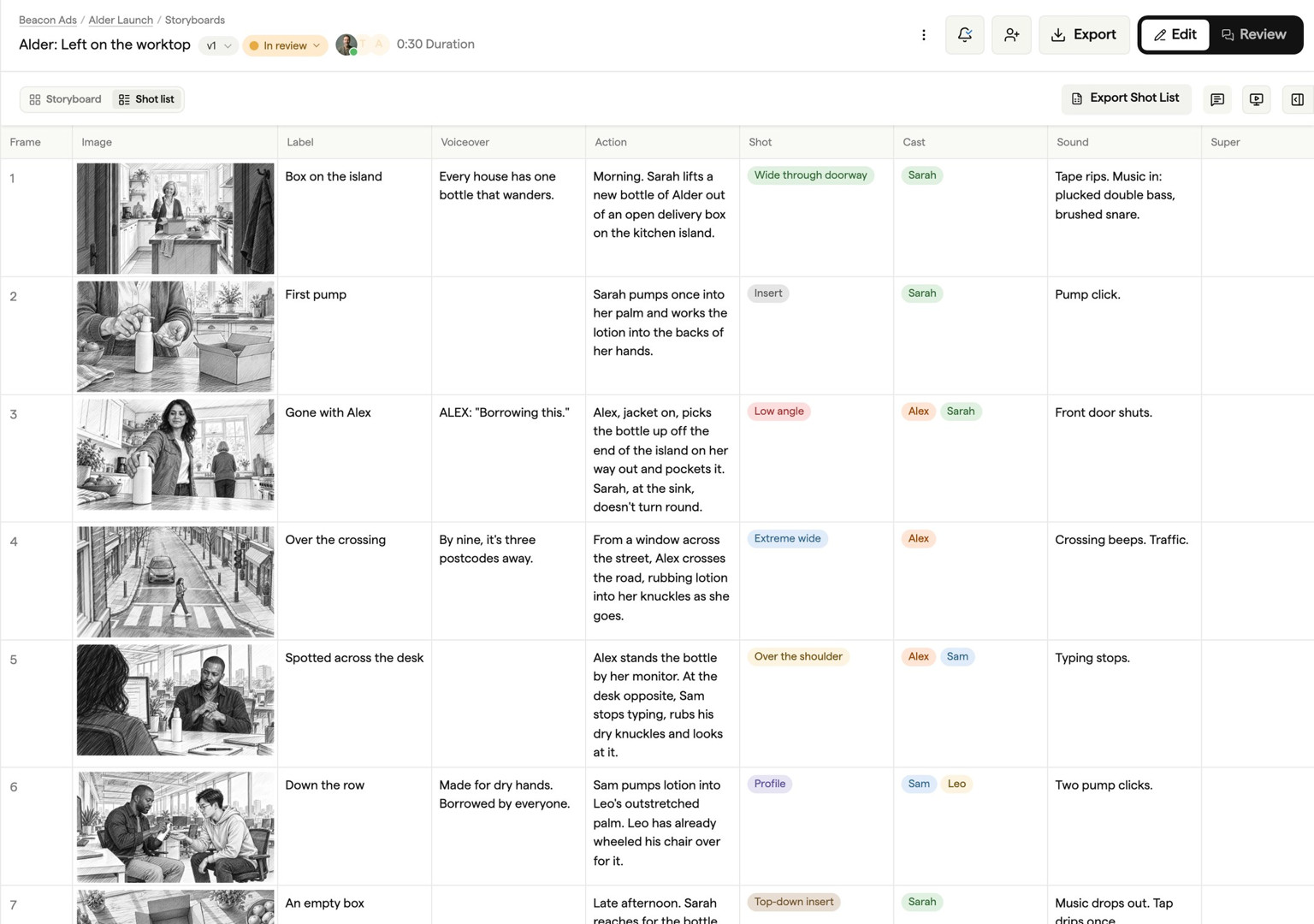
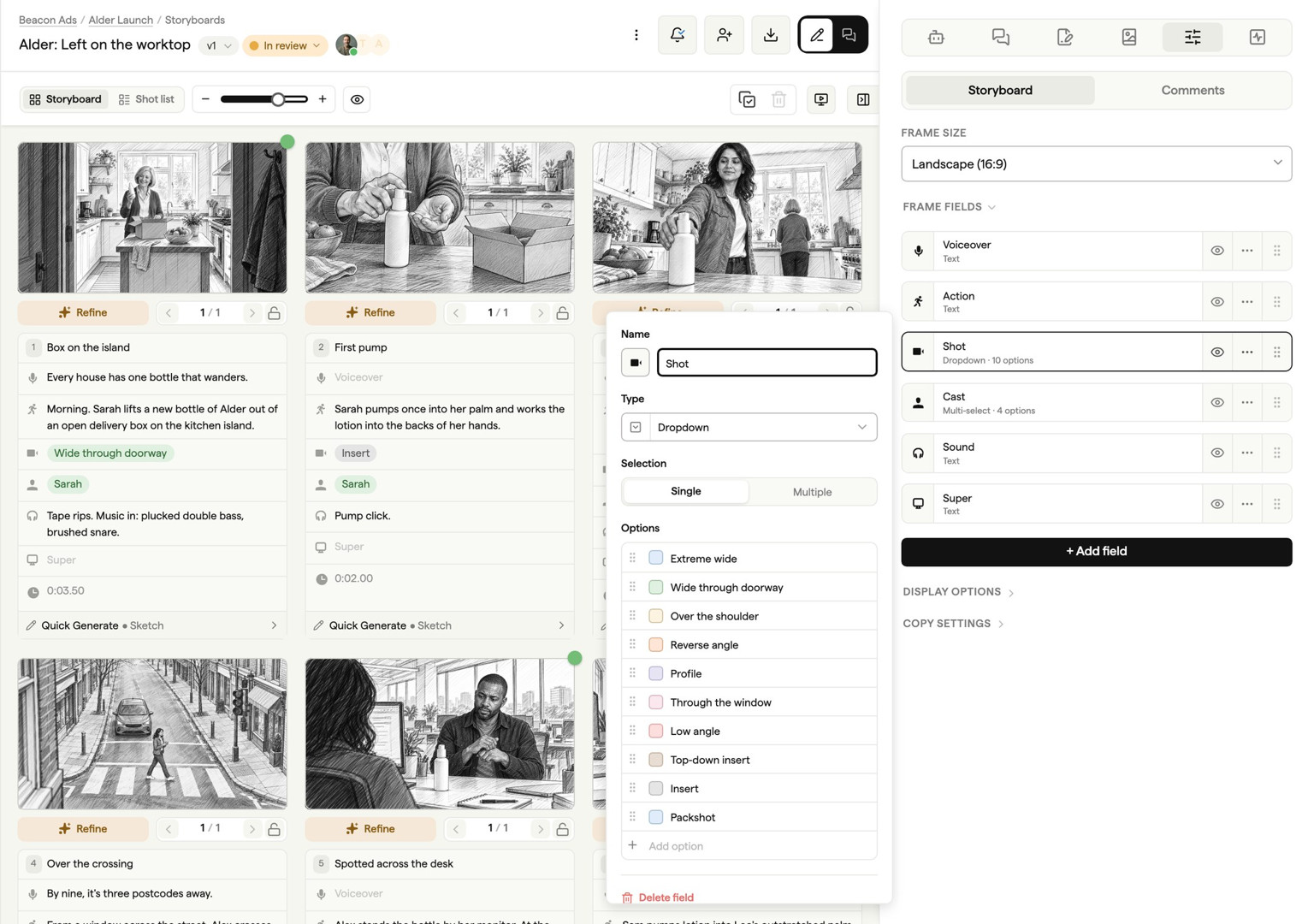
From script to shot lists: plan every scene before you shoot
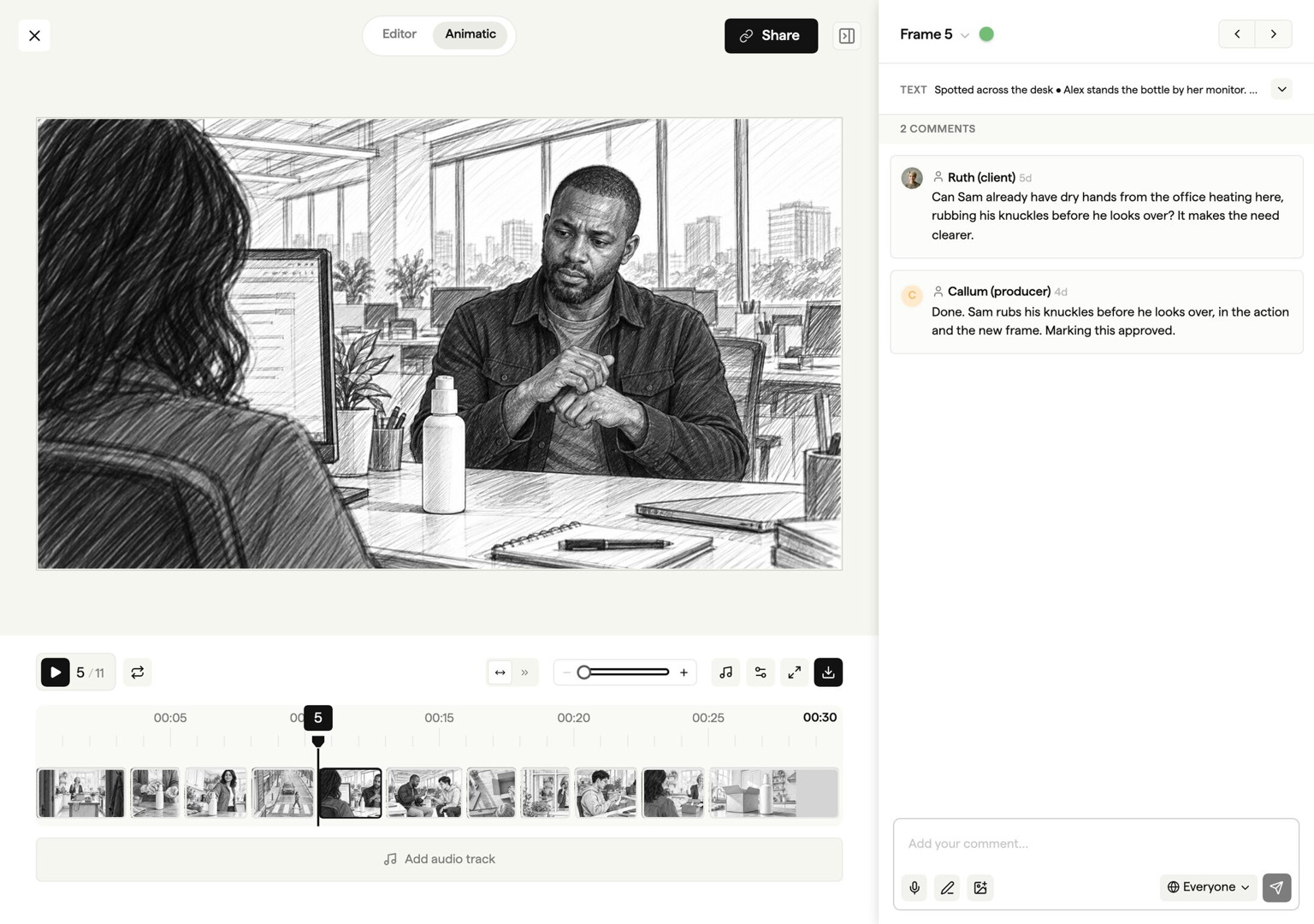
Write scripts together and collect client feedback through a shared link. Convert your draft into storyboard frames, add shot details, and build an animatic. Conversion creates a snapshot; later script edits do not automatically update the storyboard.
app.boords.com
Since we got Boords, we haven't looked back! We'd been working with custom PDF templates and we knew there had to be a better way, and we found it! It's intuitive, it's visually pleasing, and it's saved us a hell of a lot of time.

Boords helps us spend time on the creative, not the formatting. It's every creative's dream.

Making storyboards is a fun and creative process… until you need to shift some frames around! Boords is an excellent tool for letting you focus on your story while allowing for rapid changes as the creative process takes its inevitable twists and turns.

Paddy O'Connor
Creative Director, Paradigm

Connect preproduction to the rest of your stack
Scripts, boards and sign-off stay in Boords. Everything else plugs in.
- Work from Claude and ChatGPTDraft scripts and build boards from a chat.
- Client notes in your Slack DMsMentions, replies and comments on boards and scripts you follow.
- Hand off to the edit and the deckAfter Effects, Premiere Pro, Resolve, PowerPoint and more.
See all integrations & exports
AI connections and Slack DMs are on every Boords plan, even Free.
The storyboard creator that does the heavy lifting
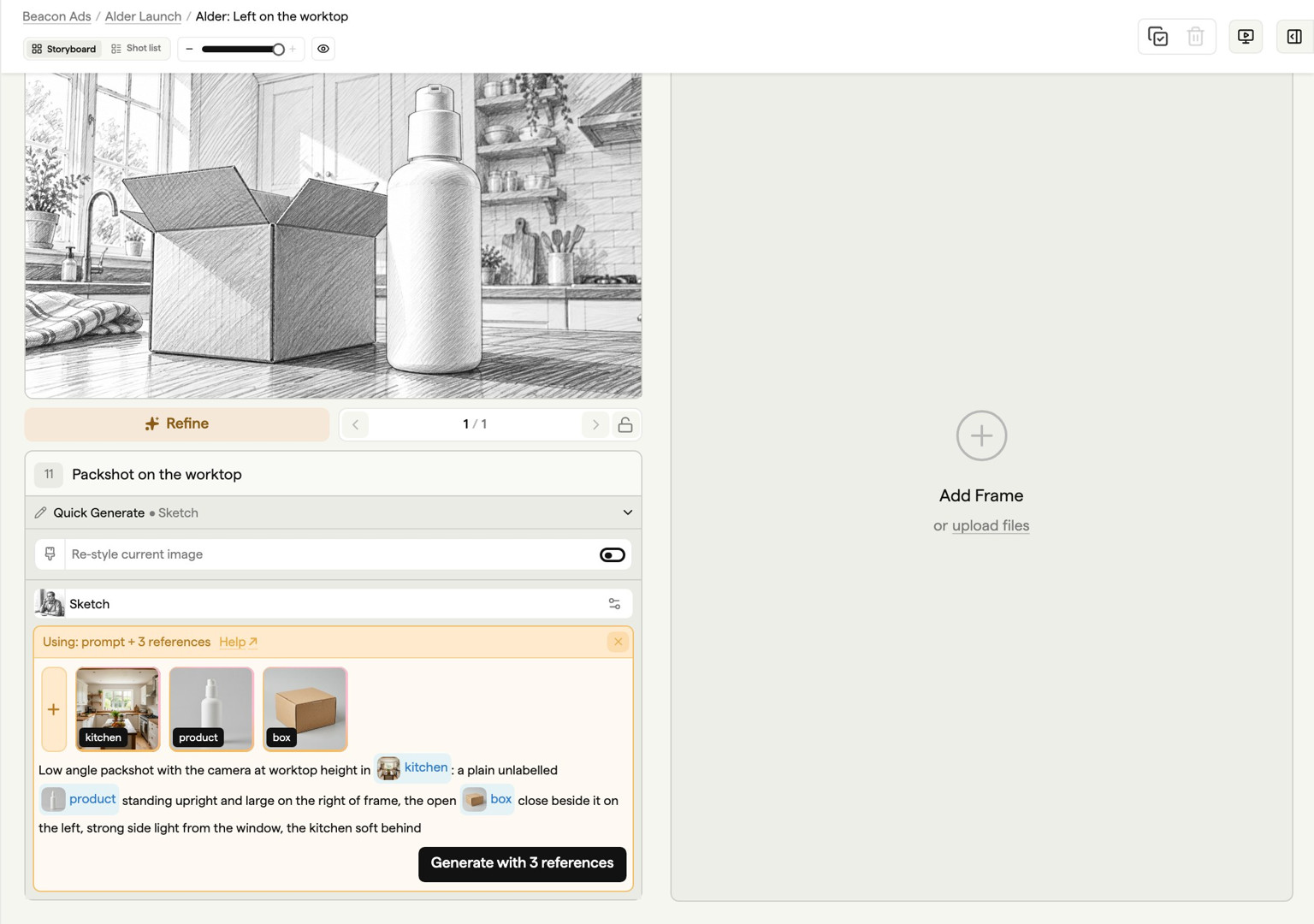
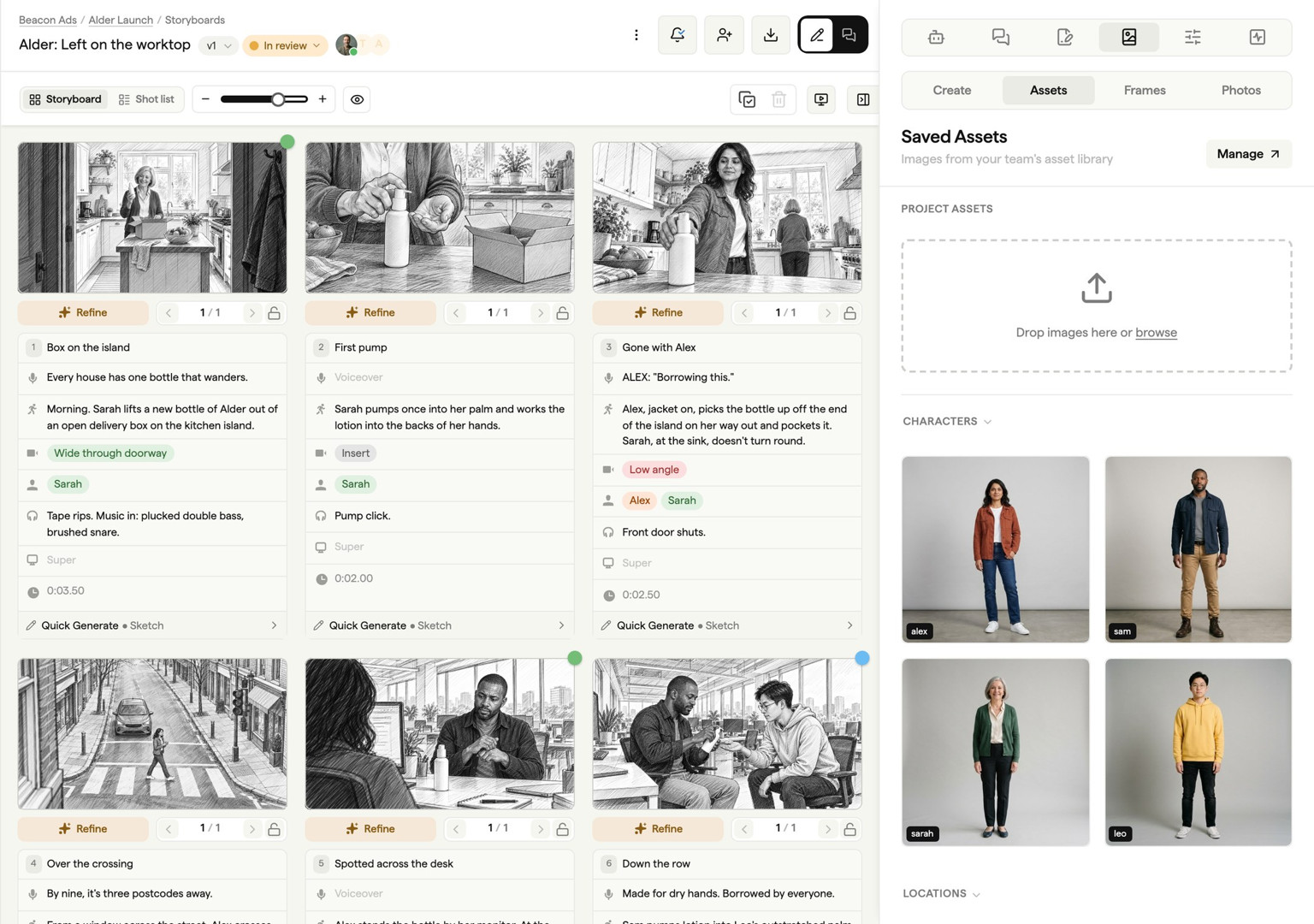
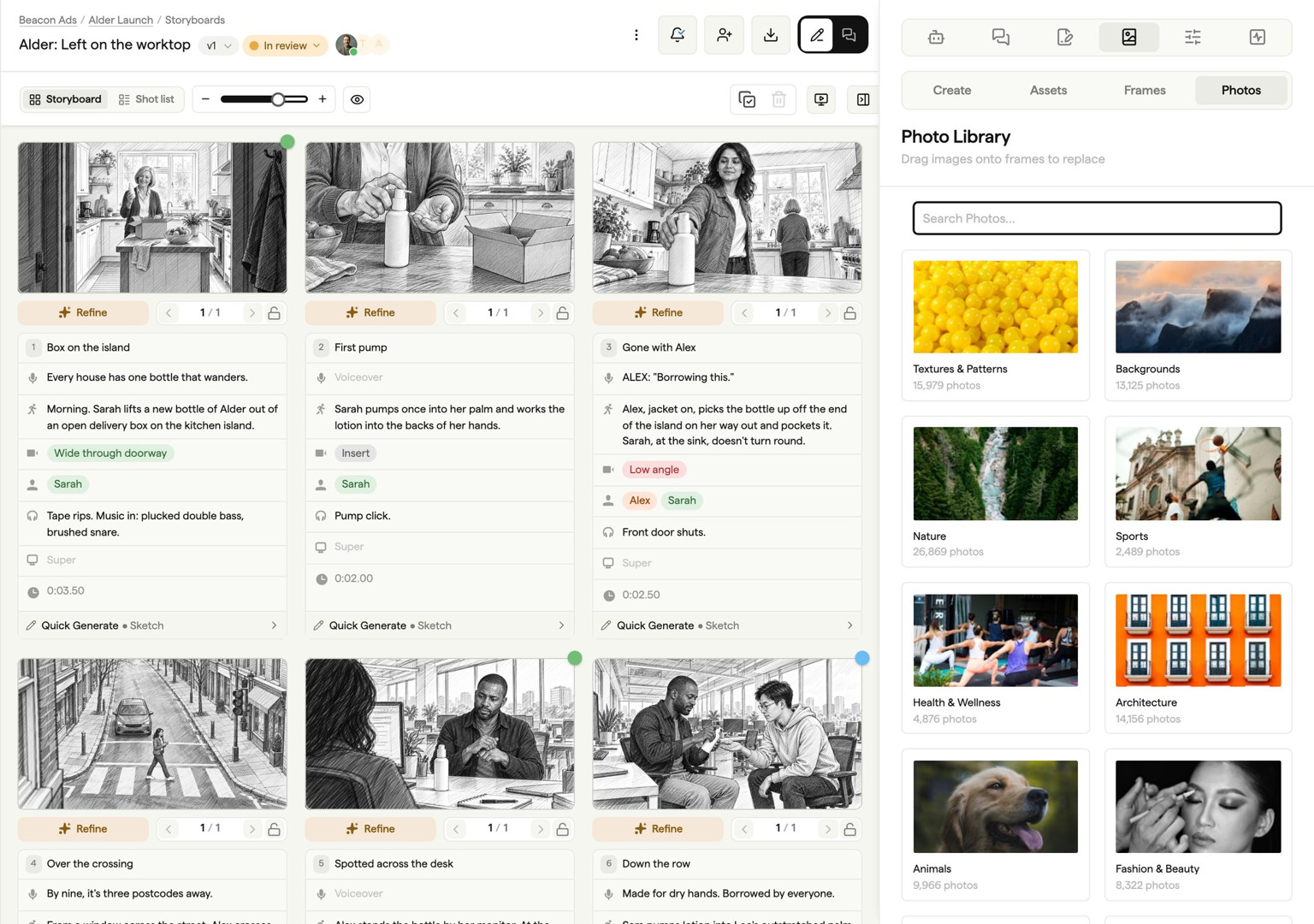
Bring your own images, or use AI-powered tools to turn text prompts into consistent storyboard images. Explore visual ideas in any style, build a consistent cast of characters, and pull from millions of stock images and assets.
app.boords.com
Before Boords, storyboarding was time-consuming and technical. Now I can focus exclusively on creative decisions and make my work better!

Boords automatically does the tedious work caused by rearranging frames of a storyboard. We can do more trial and error without stress and be more creative.

Boords eliminates menial, repetitive tasks so we can focus on the fun, creative parts of the process.

Karen Hansen
Motion Designer, Delicious Empire
Free storyboard software features that go beyond the basics
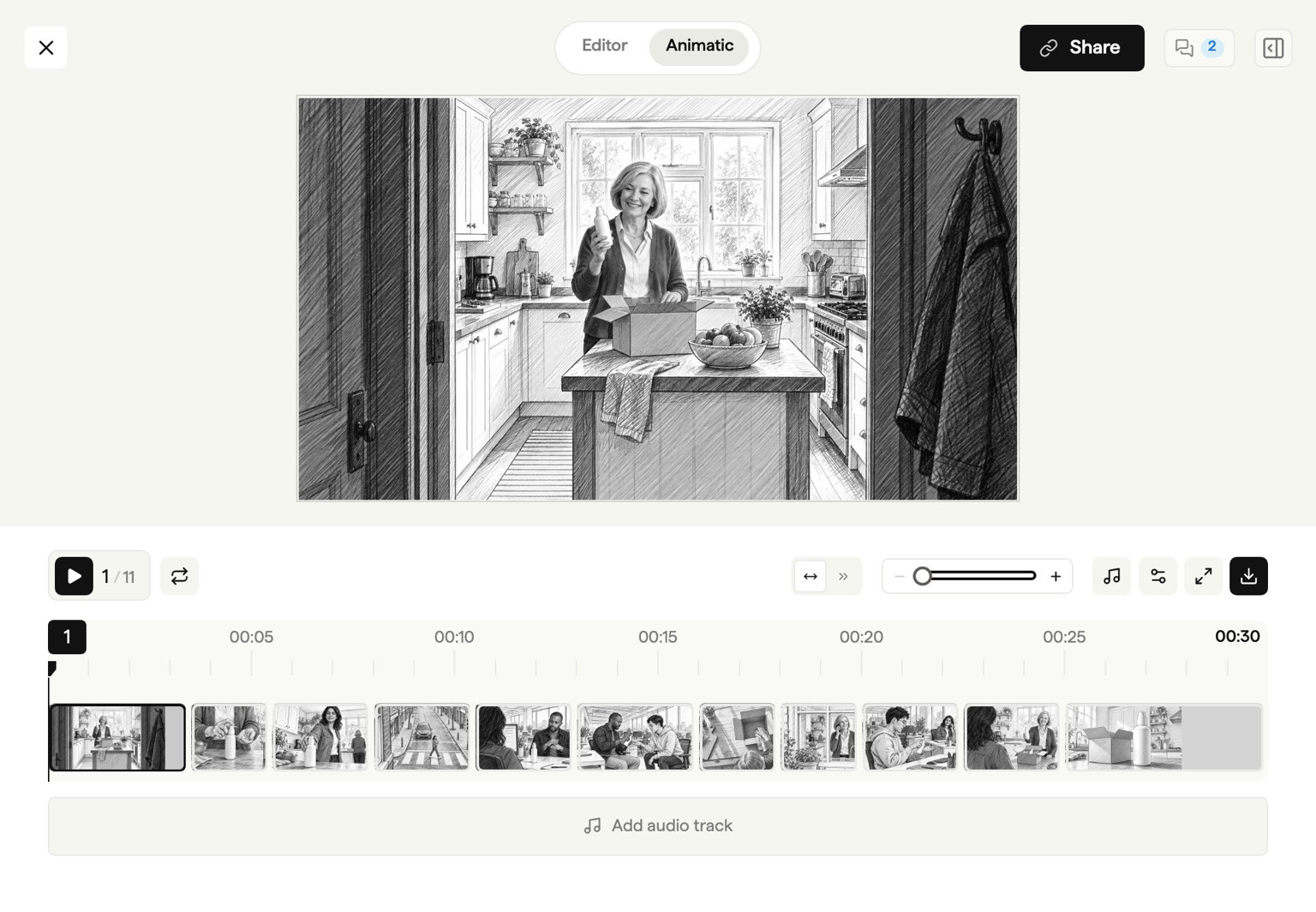
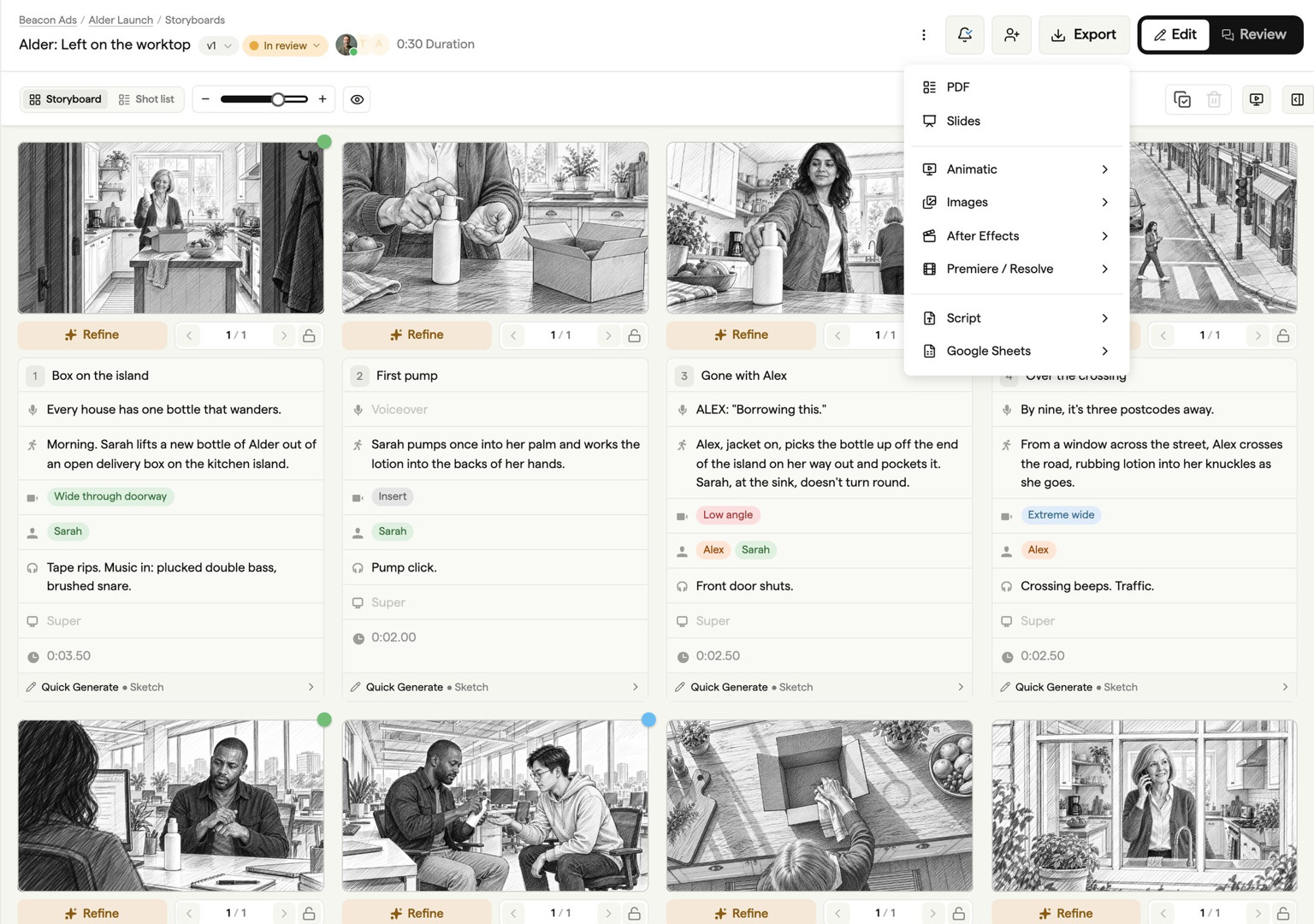
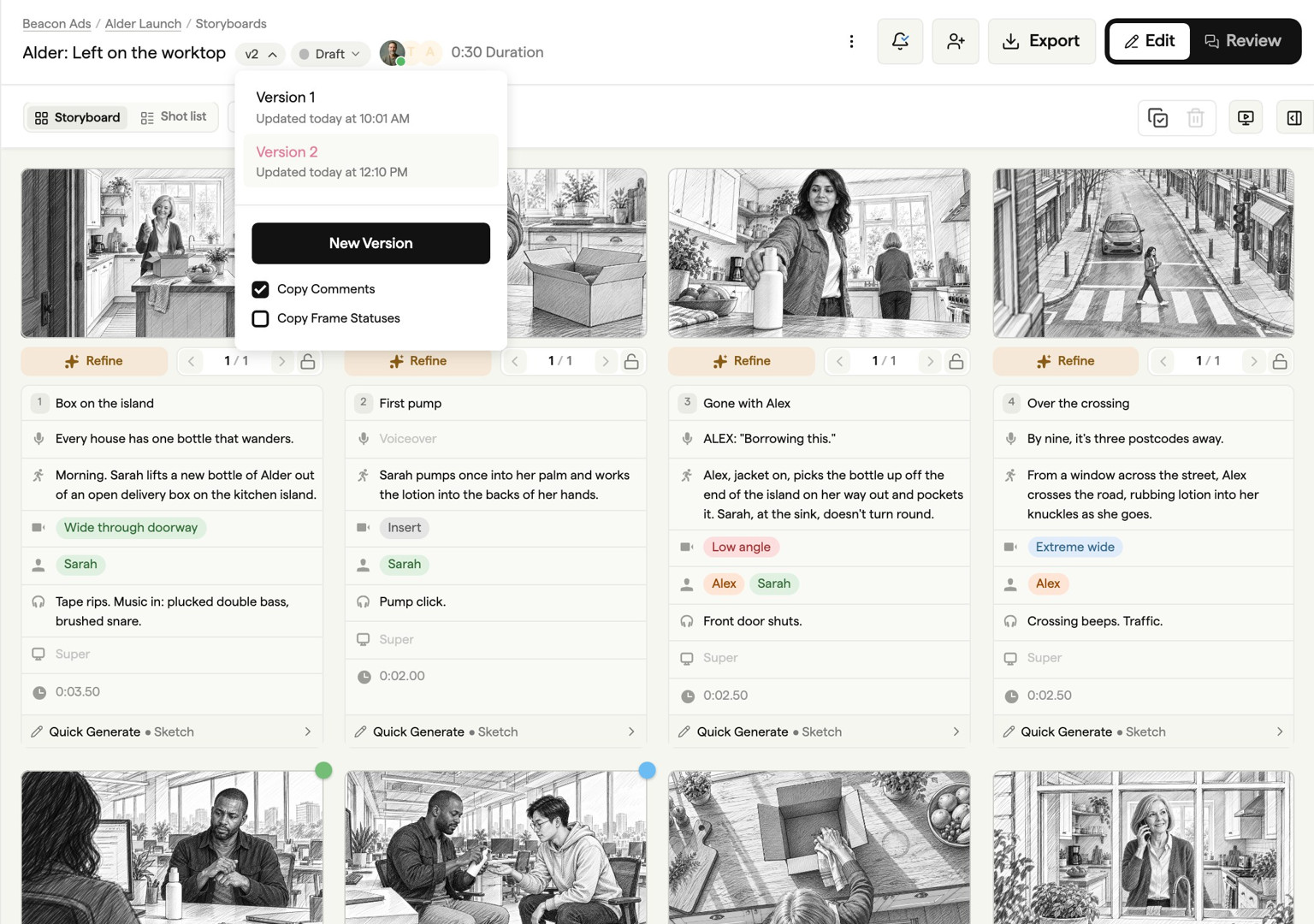
Preview pacing with animatics before the edit starts. Send the approved board as a PDF, deck or MP4, or open it in Premiere Pro, DaVinci Resolve or After Effects with every frame at its signed-off timing. Every version stays tracked. Start with the free version and upgrade as your team grows.
app.boords.com
1M+
Creative projects shared with clients for review, feedback, and approval
12M+
Comments captured in context so feedback stays clear and actionable
11 years
Independent software built by creative professionals since 2015

We built Boords because pre-production was broken
I'm James, founder of Boords. Before this, I co-founded Animade, an animation studio in London.
Back then, we built storyboards in Photoshop. Or Google Slides. Or InDesign. Whatever got the job done. But tracking versions was a nightmare. "FinalFinal_v3_USE_THIS.pdf"... you know the drill.
Client notes lived in email threads. Nobody could find the version we'd actually locked. Every storyboard looked different because we were rebuilding templates from scratch each time, manually reordering frames, fiddling with layouts. We'd waste hours on formatting instead of ideas.
So in 2015, I built the first version of Boords to fix it. Consistent boards every time. Notes in context, not buried in inboxes. One link to share, and no more guessing which version got approved.
11 years and over 2 million storyboards later, Boords is still independent, still small, and still built around one idea: pre-production should be where you do your best thinking, not where you lose hours to process.
James Chambers, Founder
LinkedInFrequently asked questions
Storyboard software ranges from free to over $1,000/year. Basic tools like Canva offer free tiers with limited features. Professional storyboarding software like Boords starts with a free plan (no credit card required) and offers paid team plans for studios and agencies that need collaboration, client approval, and advanced export options.
Storyboard software falls into a few categories: desktop apps like Toon Boom Storyboard Pro (built for animation studios), web-based tools like Boords (accessible from any browser on Mac, PC, or Chromebook), AI-powered generators that turn text into storyboard images, and general design tools like Canva or PowerPoint that can be adapted for basic storyboarding.
Consider your team size, collaboration needs, and budget. If you work with clients, look for approval workflows and presentation sharing. If you need to move fast, look for AI image generation and script import. Web-based tools like Boords work on any device without installing anything — ideal for distributed teams. Start with a free plan to test the workflow before committing.
It depends on whether the tool is web-based or desktop. Web-based storyboard software like Boords runs in any modern browser — Chrome, Safari, Firefox, or Edge — on Mac, PC, Chromebook, or tablet. No downloads or installations required. Desktop tools like Toon Boom Storyboard Pro require specific operating systems and dedicated hardware.
It depends on your workflow. For professional team collaboration with client approval and animatic export, Boords is the top-rated storyboard software on G2. For frame-by-frame animation, Toon Boom Storyboard Pro is the industry standard. For quick visual mockups, Canva works in a pinch. The best storyboard software is the one that fits how your team actually works.
Yes. ChatGPT can help draft scene descriptions and generate or edit images, with image availability depending on your plan and workspace settings. Boords combines AI image generation with frame organization, client review, and animatic creation in one workspace.
You can create a basic grid in Word, but it's not built for storyboarding — you'll spend more time fighting the layout than planning your shoot. Purpose-built storyboard software gives you proper frame layouts, aspect ratios, and fields for shot notes. If you just need a printable template, grab a free storyboard template and get started in minutes.
Start by breaking your script or concept into individual scenes. For each scene, sketch or generate a frame showing the key action, add shot notes (camera angle, movement, dialogue), then arrange frames in sequence. You can do this on paper, but storyboard software makes it faster to iterate, share for feedback, and export. Here's a complete guide on how to storyboard.
Make changes before they get expensive
Get every video signed off before production starts
Create scripts, storyboards, and animatics with your team.
Collect client feedback, keep every version on record, and go into production knowing exactly what was approved.
Try Boords Free
No card needed. Clients review by link, no login.