
Milanote is a flexible canvas for collecting references and rough ideas. Boords is built for the next step: turning the script into a storyboard and animatic, sharing it with your client, and keeping every comment and version together until the board is approved.
| Feature | Boords | Milanote |
|---|---|---|
| Collaboration Tools | ||
| Sketching and Drawing Tools | ||
| Image Library | ||
| Multiple Export Formats | ||
| Client Comments Without an Account | ||
| AI Storyboard Generator | ||
| Automated Frame Adjustments | ||
| Advanced Versioning | ||
| Camera Moves Indication | ||
| Storyboard Styles Variety | ||
| Animatics | ||
| Shot Lists |
Is Boords or Milanote right for me?
Choose Boords if your team makes video for clients and needs the script, storyboard, animatic and client feedback in one place. Clients open a share link and comment on individual frames without creating an account. Each round is saved as a version, and your team moves the board through review to Approved, so everyone can see which version was signed off.
Storyboard software for video agencies & brand teams
One workspace for storyboards, animatics, comments, and approvals. Spend time on the creative, not the back-and-forth.
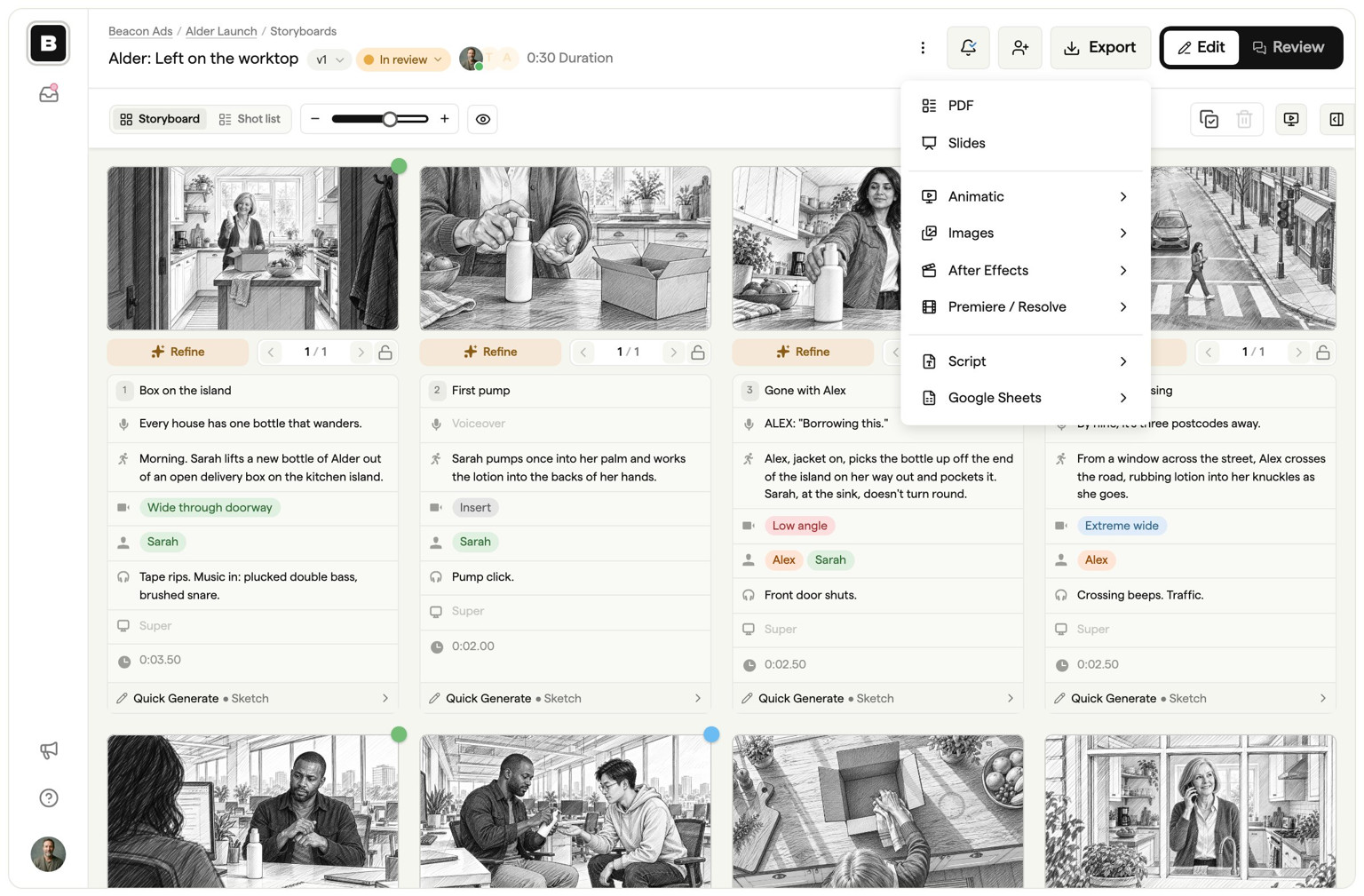
Boords also covers the rest of pre-production that a canvas leaves to you: AI image generation for rough frames, animatics timed to the voiceover, shot lists from the board, and exports to PDF, PowerPoint, MP4, Premiere Pro and DaVinci Resolve.
Choose Milanote if you want an open canvas more than a production workflow. It does three things better than Boords:
- Freeform layout. Images, notes, links, files, video and to-do lists sit anywhere on an infinite canvas, which suits mood boards and early visual development before you commit to shots.
- Collecting references. Its Web Clipper saves images, links, video and text from any website straight onto a board.
- Creative work beyond video. The same boards work for briefs, writing and design projects, so a team that plans many kinds of work can keep it in one tool.
Milanote boards can collect feedback too, but people need a Milanote account to comment, and there's no animatic timeline or shot list.
In short: use Milanote to gather ideas, and Boords to turn the chosen idea into a board your client can review and your team can sign off before the shoot.
Boords vs. Milanote: An In-Depth Comparison
AI-Powered Storyboard Generation
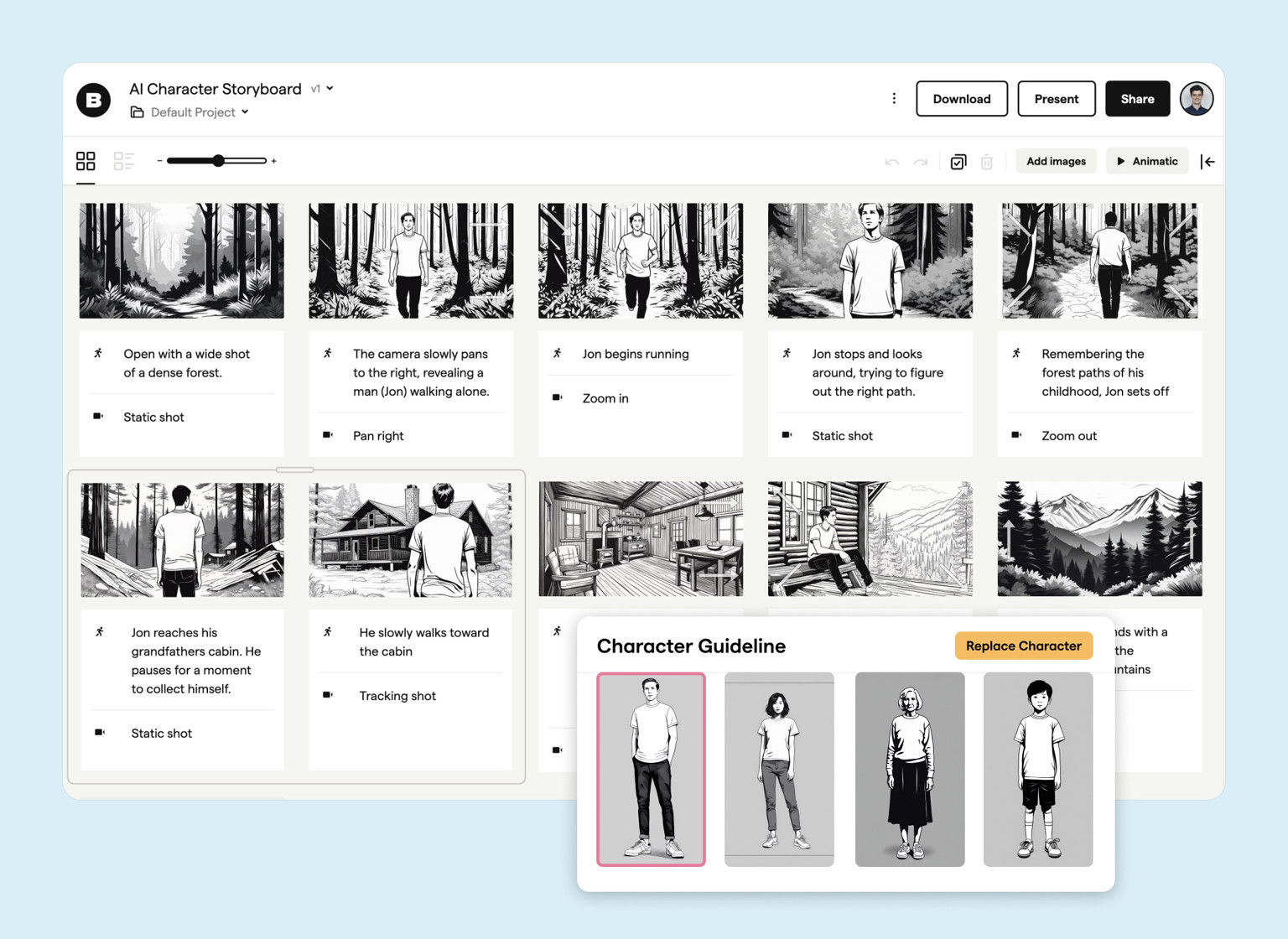
Boords excels with its AI-powered storyboard generation feature, which is a game-changer for video professionals. This functionality allows users to quickly visualize scenes and characters, bypassing the need for advanced drawing skills. It's particularly advantageous for those working under tight deadlines or needing to rapidly prototype ideas. The ability to transform concepts into visual storyboards swiftly is a significant efficiency booster.
Milanote, in comparison, lacks this AI integration, relying on a more traditional, manual approach to storyboard creation. While Milanote's method offers flexibility and detail, it can be time-consuming and less suitable for users who need to quickly iterate or who lack drawing expertise. This makes Milanote a less favorable option for video professionals seeking speed and ease in their storyboard development process.
Automated Frame Adjustments
Boords' automated frame adjustments simplify the storyboarding process, drastically reducing the time spent on manual editing. This feature streamlines workflow, allowing video professionals to focus more on creative aspects rather than getting bogged down by the technicalities of frame alignment and adjustment. It's a vital tool for those dealing with complex scenes or requiring quick alterations to their storyboards.
On the other hand, Milanote requires users to manually adjust and align frames, which can be a tedious and time-intensive process. For video professionals, especially those working on complex projects or with frequent modifications, Milanote's manual process can be a significant drawback, slowing down the overall workflow and making it less efficient compared to Boords.
Quick Storyboard Versioning
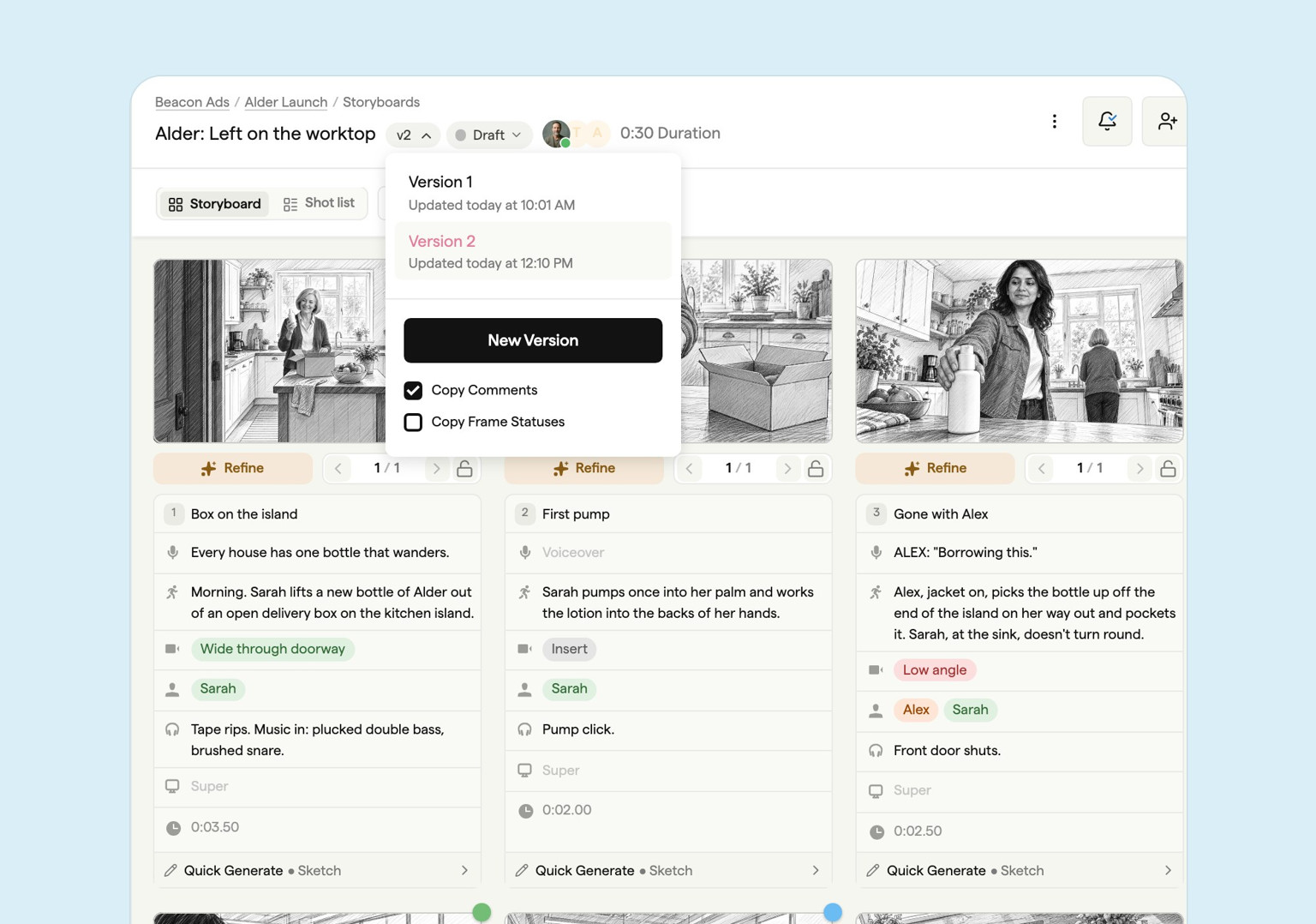
The quick storyboard versioning feature in Boords is a standout for its ability to handle rapid changes and iterations. This agility is crucial in video production, where project requirements can evolve swiftly. Boords allows users to create new versions of storyboards with ease, ensuring that the storyboard remains aligned with the evolving nature of the project. This flexibility is vital for maintaining creative flow and meeting production timelines.
Storyboard software for video agencies & brand teams
One workspace for storyboards, animatics, comments, and approvals. Spend time on the creative, not the back-and-forth.
In contrast, Milanote’s versioning capabilities are more basic and less suited for projects that require frequent updates. The process in Milanote can be more cumbersome for video professionals who need to iterate quickly or manage multiple versions of a storyboard. This limitation makes it less ideal for dynamic projects where adaptability and speed are key to the creative and production process.
Sharper preproduction, less back-and-forth
Workflow tips and Boords product updates for video and brand teams, twice a week.
Storyboarding software built for studios & agencies
One workspace for storyboards, animatics, comments, and approvals. Spend time on the creative, not the back-and-forth.