Introducing the Boords Script Editor

We've launched Scripts in Boords. Write the script, get it commented on and approved, and turn it into a storyboard, all inside the project where the storyboard already lives.
Until now, scripts lived in Google Docs and boards lived in Boords. Every round of feedback meant a trip between the two. Comments came back as tracked changes on Final_v3_REAL.docx and one note sent by text at 11pm. When someone asked which draft the client actually approved, the honest answer was that you'd have to go and look.
Scripts were the one part of preproduction Boords never touched, which always bothered me. A storyboard is only ever as good as the script it came from.
Two-column AV scripts and voiceover timing
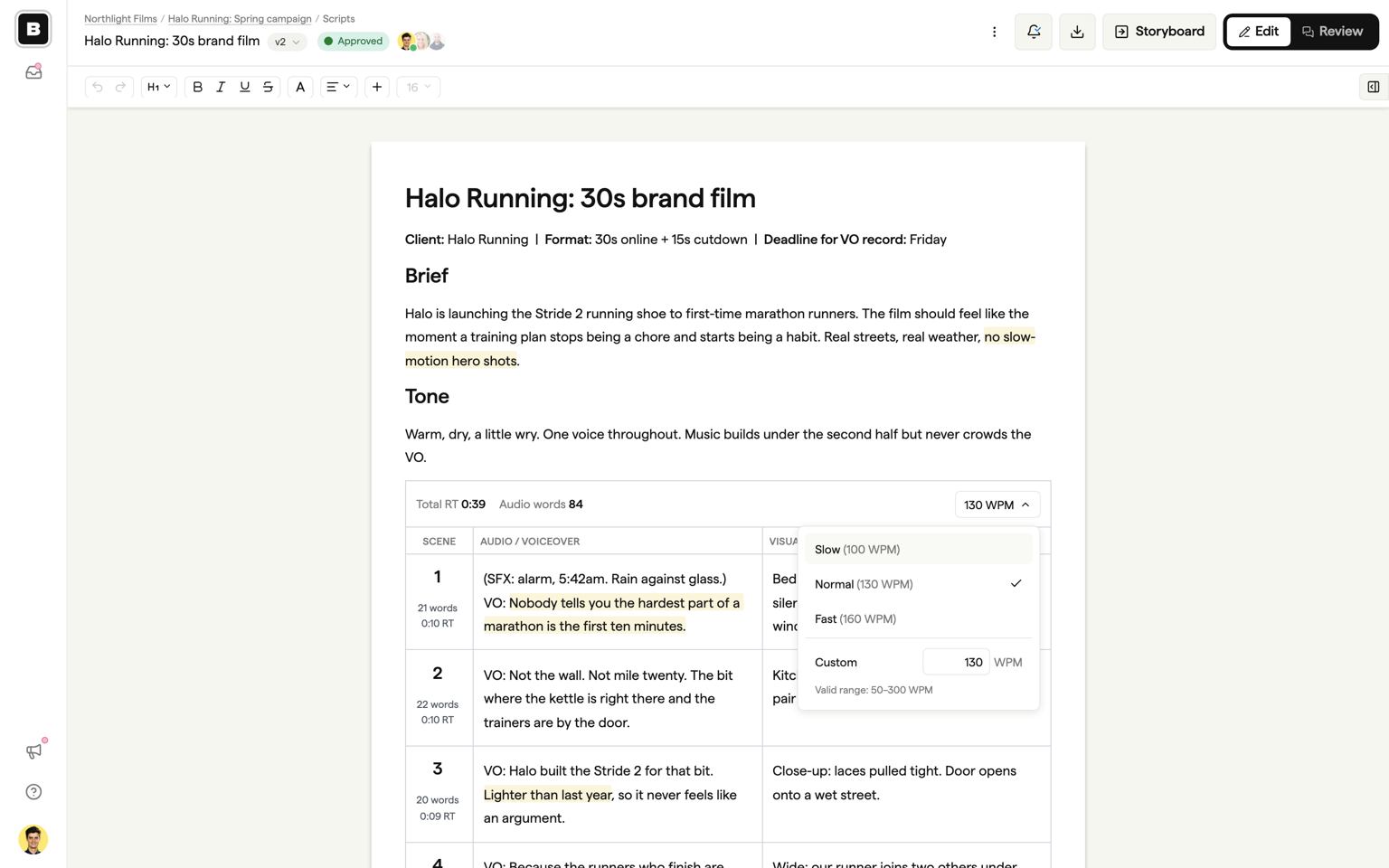
Scripts are pageless rich-text documents. Paste from Google Docs or Word and the formatting comes with it.
Two-column AV scripts are built into the editor rather than faked with a table: a numbered Scene column, Audio / Voiceover, and Visual. Every AV block counts the words in the Audio column and shows the runtime across the top, at a reading speed you set (130 words per minute by default). Only voiceover text is counted, so visual descriptions never inflate the number.
Two people can write in the same script at the same time, with live cursors labelled by name.
Client review and sign-off
Every script has one review link. Whoever opens it can read the script and leave comments without a Boords account or a seat on your plan.
Comments attach to the words rather than the document. Select a line, click the bubble, and write. Anchors survive editing: move a paragraph and its comments move with it. Delete the text and the thread stays in the panel with its original quote, so feedback isn't lost.
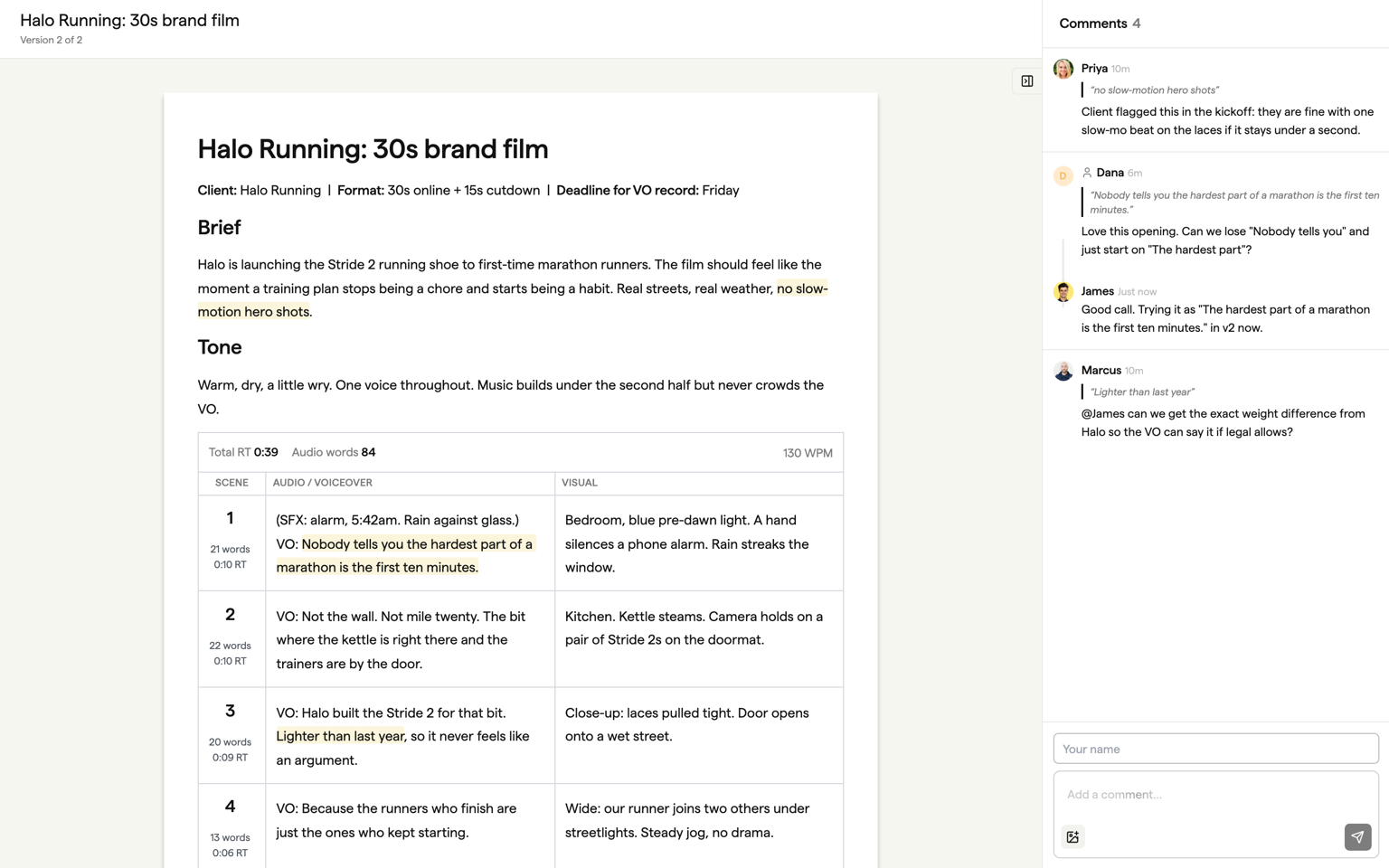
Review links can be passphrase-protected. Mark a comment as team-only and the client never sees it. Type @ to pull a colleague in.
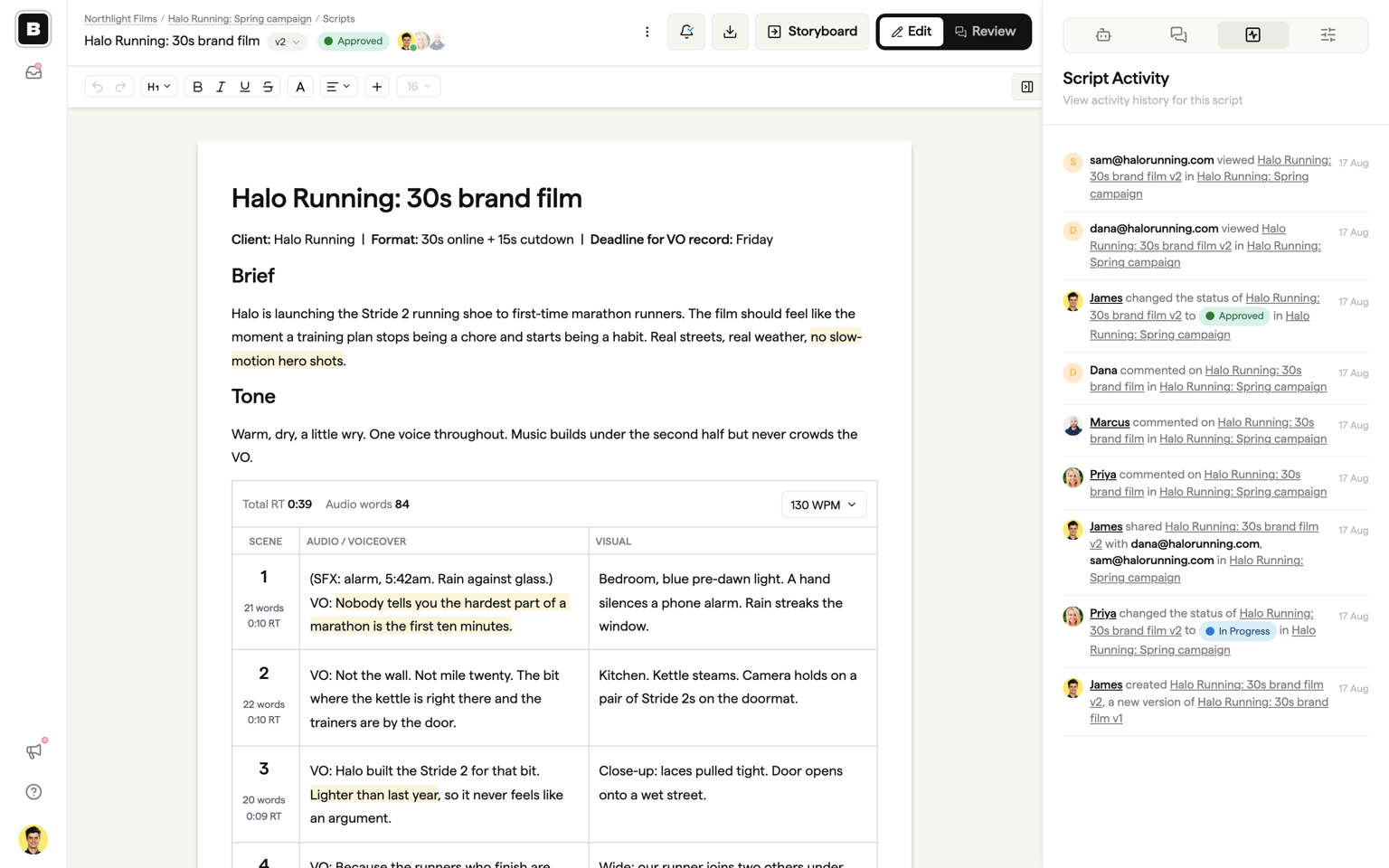
When the client is happy, set the status to Approved. Approval is recorded in the Activity panel against that version, with who did it and when.
Versions and exports
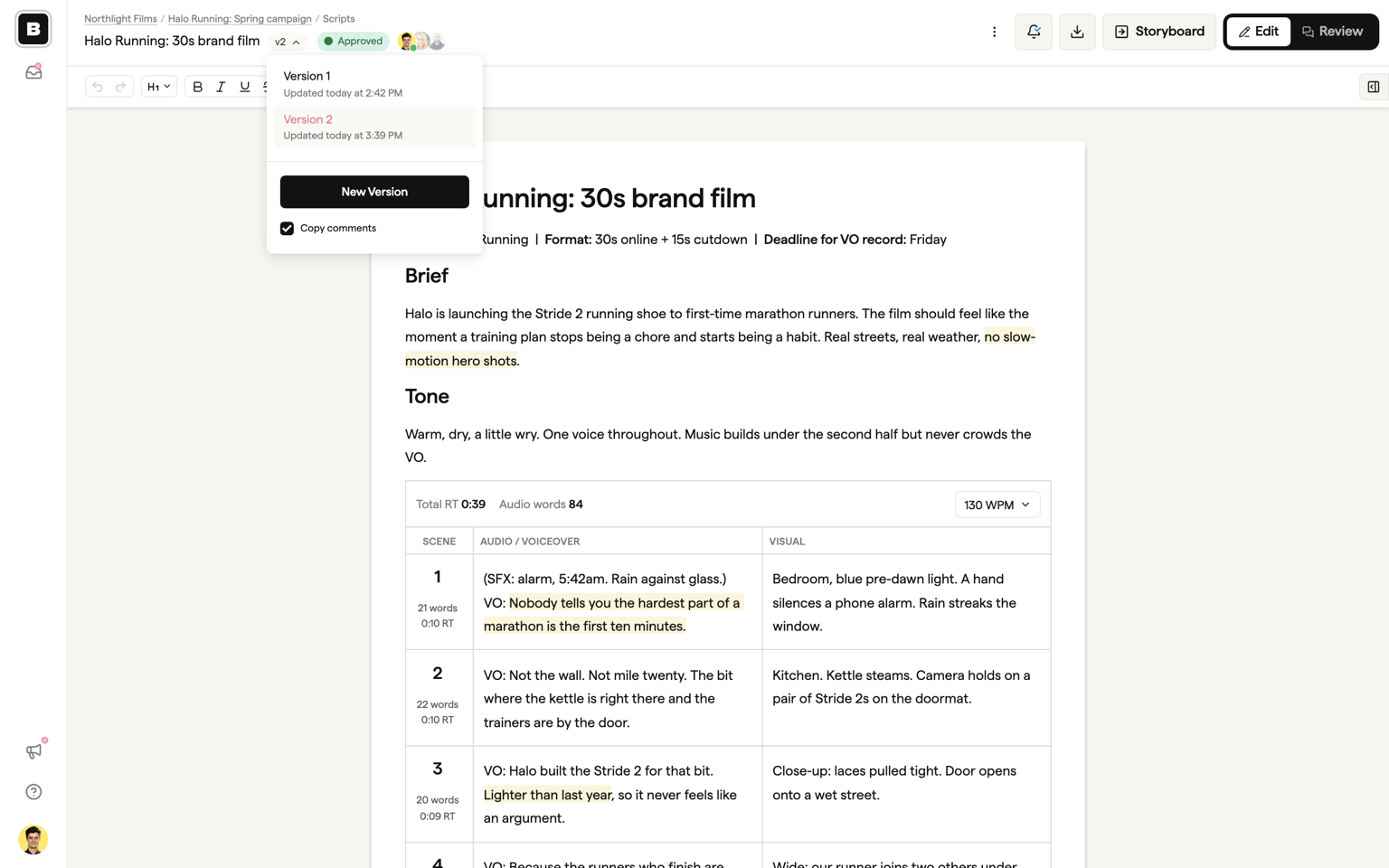
A new round of feedback is a new version of the same script. Click the version pill next to the title, choose New Version, and comment threads come across still anchored to the right lines. Every earlier version stays readable, and the review link keeps pointing at the newest one, so the client gets one link for the whole project.
Need the script outside Boords? Export it as PDF, Word, Markdown, or plain text. PDFs are typeset documents with searchable text and AV columns intact.
Script in. Storyboard out.
Once the script is approved, click Storyboard in the header. Boords reads the script, works out where the scenes are, and builds a storyboard in the same project with one frame per scene and your fields already filled in. A dialog lets you check field names, scene count, and frame size first.
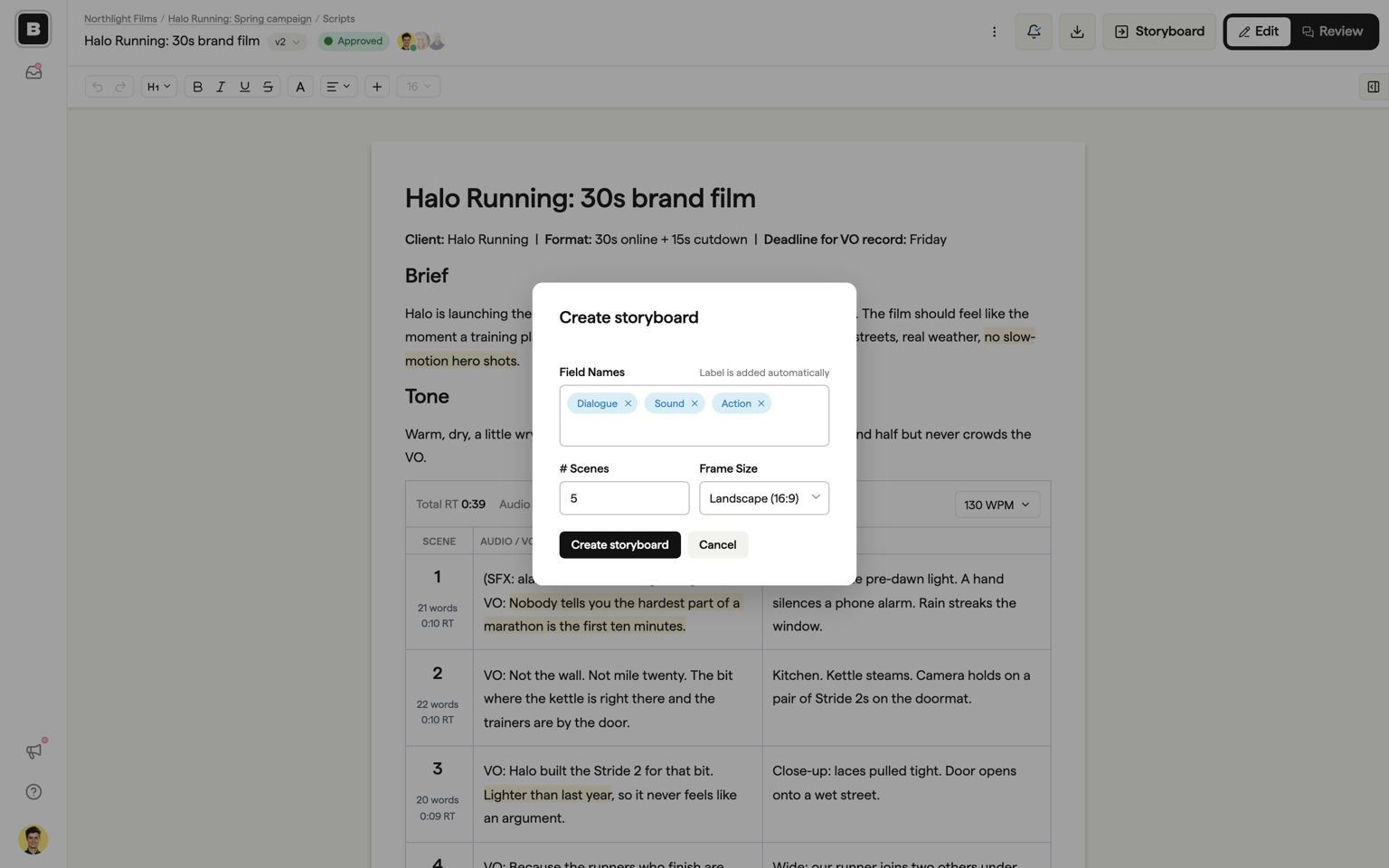
You get a structure-only board: words in place, images empty. From there you work as you would in any storyboard.
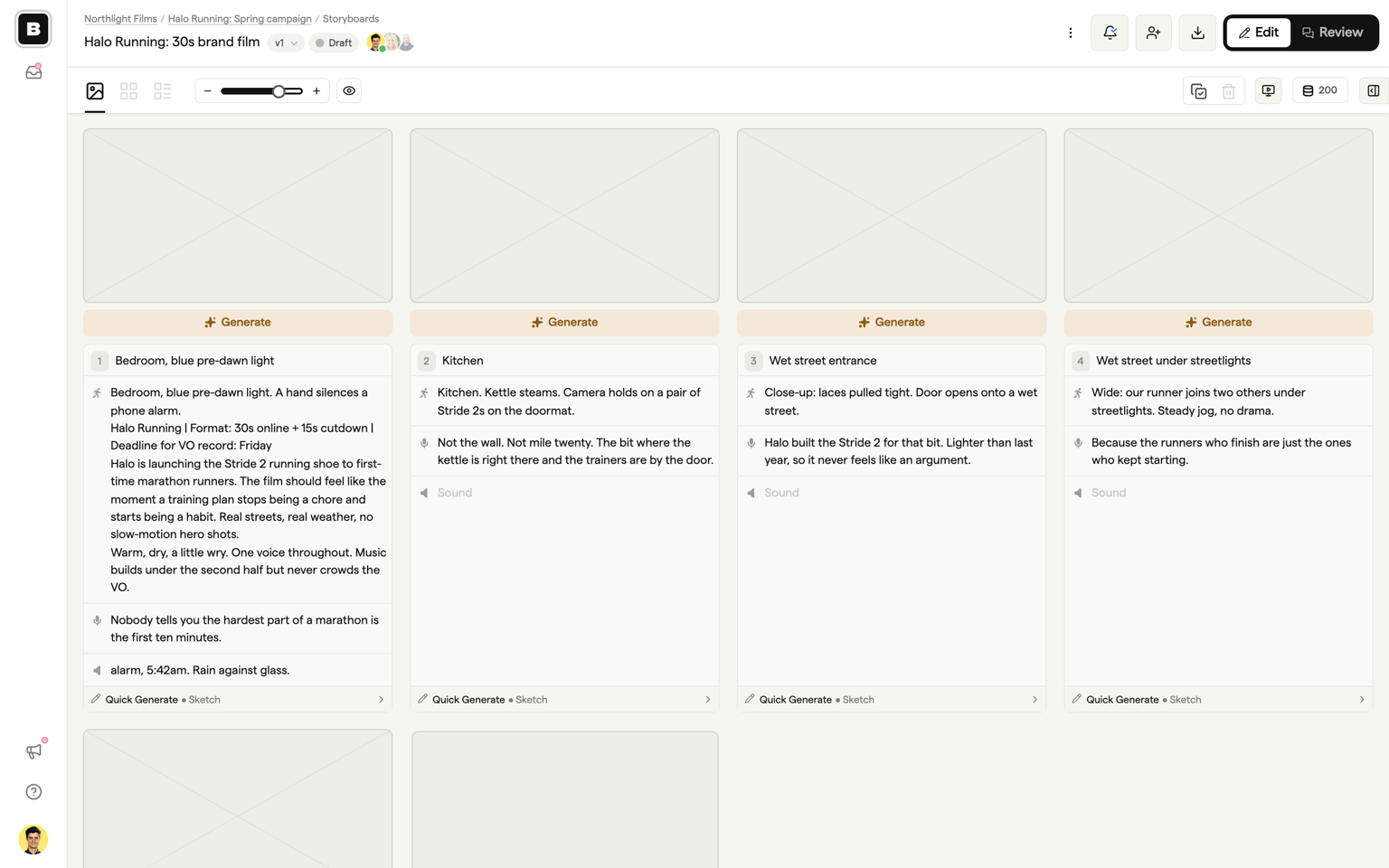
A standalone script tool can't do this. Script and board have to live in the same product.
Drafting and editing with Boords Agent
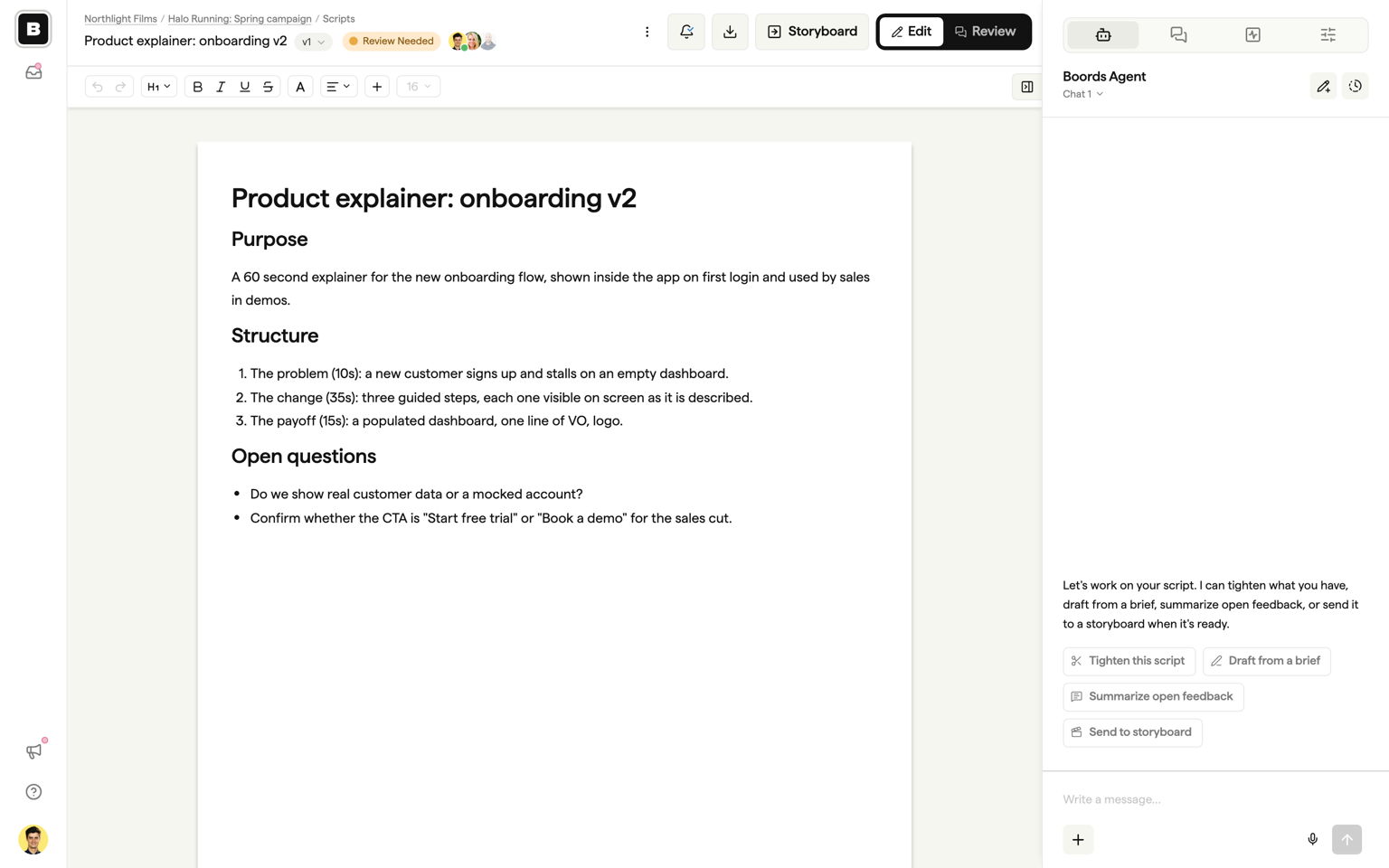
Open the Agent tab and Boords Agent reads the script you have open, the comments on it, and the versions behind it. It edits the document in place rather than handing you text to paste.
Quick actions cover the common jobs: draft from a brief, tighten this script (a 45 becomes a 30 without losing the argument), summarize open feedback, and send to storyboard. Big edits ask for confirmation first. Got the script as a PDF or Word file? Attach it and ask the Agent to lay it out.
Built for video scripts
Scripts is built for commercials, brand films, explainers, and two-column AV. There are no sluglines and no Final Draft import. If you write feature screenplays, a dedicated screenwriting tool will serve you better.
Getting started
Scripts are included on every plan. Free teams can keep three active scripts at a time; paid plans include unlimited. New versions, passphrases, and Word and Markdown exports are paid features.
- Open any project and click New Script.
- Pick Two-column AV script, Write with Boords Agent, or Blank script.
- Write it, or paste it in.
- Copy the review link from the Share dialog and send it.
- When the status hits Approved, click Storyboard.
For the full reference, see the Scripts help docs.
Sharper preproduction, less back-and-forth
Workflow tips and Boords product updates for video and brand teams, twice a week.
Get every video signed off before production starts
Create scripts, storyboards, and animatics with your team.
Collect client feedback, keep every version on record, and go into production knowing exactly what was approved.