
New
Storyboards and scripts in one place, with custom statuses
Storyboards and scripts now live together in every project, with Grid, Board and List views. Teams can rename, add and reorder statuses in Team settings.
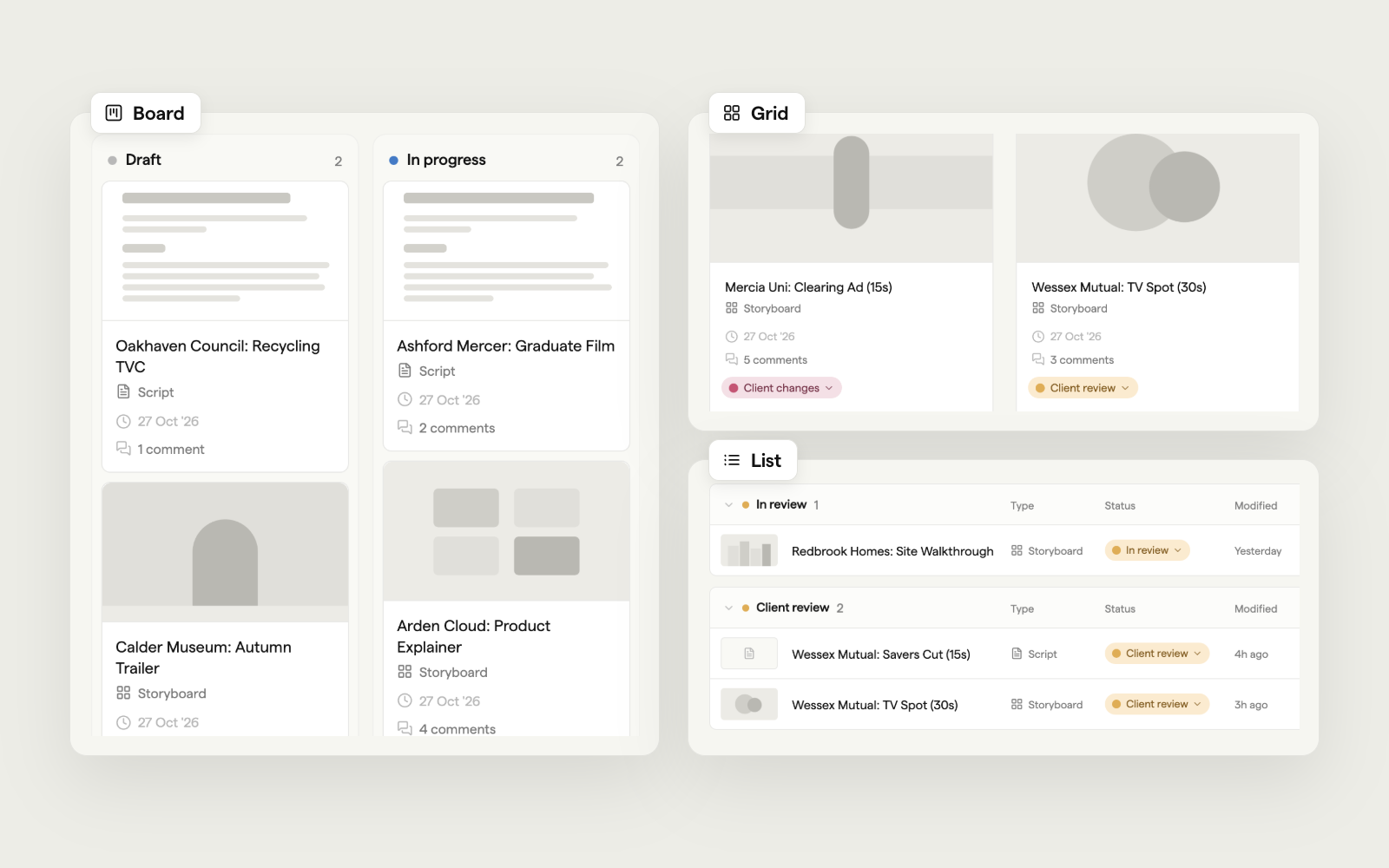
Switch between Grid, Board and List, or filter to just storyboards or just scripts.
The team Owner and Admins can set up the team's statuses in Settings → Team → Statuses. Every status belongs to one of five categories: Draft, In progress, In review, Changes requested and Approved. People viewing a share link always see the category name, never your internal status names.
Also in this release:
- Sub-projects sit in a collapsible row of cover cards above every view. Create them from New → Sub-project.
- The view toolbar sticks as you scroll, with a compact breadcrumb so you know where you are.
- List view labels the columns in each status group, and every row has a ⋯ menu (right-click works too).
- A cleaner New tile and menus that say what each item is for. When only one kind can be made, it's one click.
- Empty projects show a storyboard card and a script card to get you started.
- The project ⋯ menu now has Rename and Project members, and Set template has moved there.
- Board cards show the modified date and comment count again.